EasyManua.ls Logo

Contax TVS DIGITAL - D MENU Photography (continued)

Contax TVS DIGITAL
109 pages
Print Icon
To Next Page IconTo Next Page
To Previous Page IconTo Previous Page
Loading...
a
"D
MENU”
Photography
A
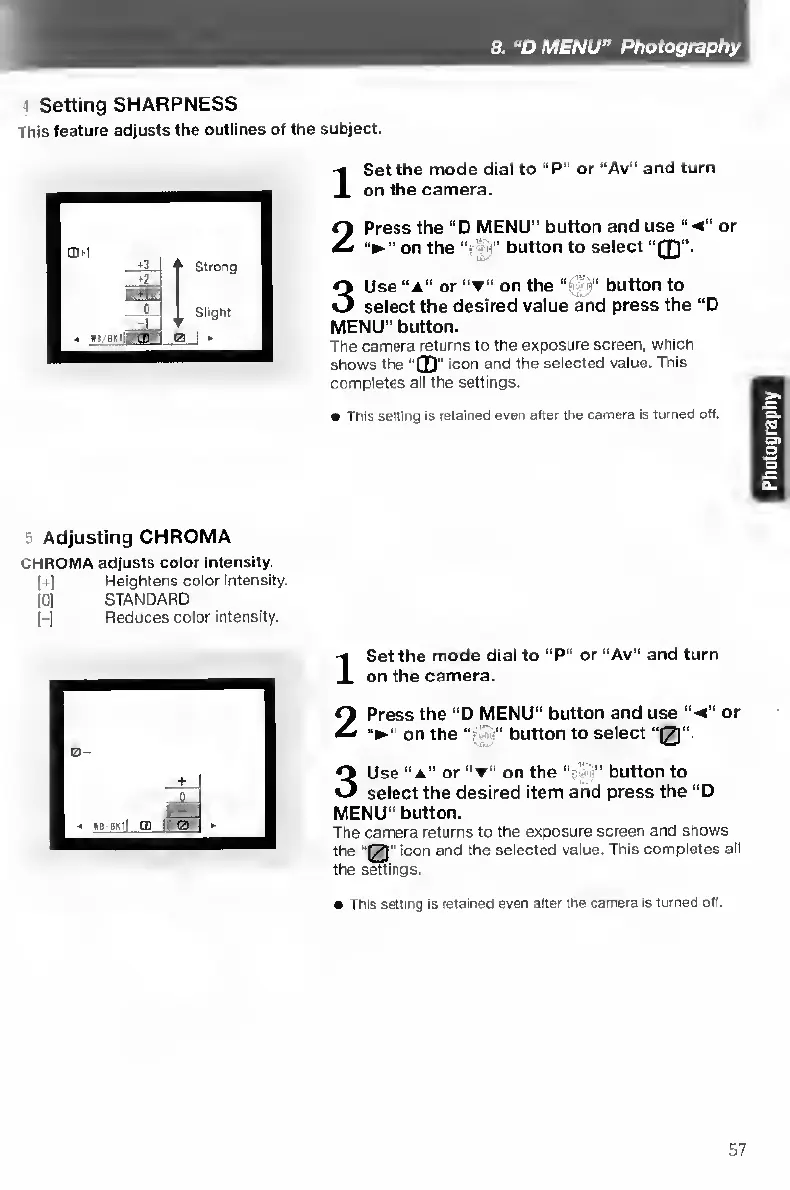
Setting
SHARPNESS
This
feature
adjusts
the
outlines
of
the
subject.
I
S
et
the
mode
dial
to
“P”
or
“Av”
and
turn
on
the
camera.
2
Press
the
“D
MENU”
button
and
use
'‘-4”
or
on
the
button
to
select
3
Use
“A”
or
on
the
'‘s;
button
to
select
the
desired
value
and
press
the
“D
MENU”
button.
The
camera
returns
to
the
exposure
screen,
which
shows
the
0"
icon
and
the
selected
value.
This
completes
all
the
settings.
This
setting
Is
retained
even
after
the
camera
is
turned
off-
5
Adjusting
CHROMA
CHROMA
adjusts
color
Intensity.
(+)
Heightens
color
intensity.
[0]
STANDARD
j-j
Reduces
color
intensity.
I
S
et
the
mode
dial
to
“P”
or
“Av"
and
turn
on
the
camera.
2
Press
the
"D
MENU"
button
and
use
4
or
on
the
'
button
to
select
“0".
3
Use
“a”
or
"t”
on
the
“•
button
to
select
the
desired
item
and
press
the
“D
MENU”
button.
The
camera
returns
to
the
exposure
screen
and
shows
the
“[2’'
icon
and
the
seiected
value.
This
completes
all
the
swings.
This
setting
Is
retained
even
after
the
camera
is
turned
off.
57

Table of Contents

Other manuals for Contax TVS DIGITAL

Related product manuals