EasyManua.ls Logo

Contax TVS DIGITAL - Manual Focus Photography

Contax TVS DIGITAL
109 pages
Print Icon
To Next Page IconTo Next Page
To Previous Page IconTo Previous Page
Loading...
3
.
Manual
Focus
Photography
Focus
can
be
set
manually.
If
you
take
subjects
at
tfie
same
distance,
you
only
have
to
adjust
the
focus
once
after
which
all
you
have
to
do
is
set
an
aperture
and
shoot.
1
2
Set
the
mode
dial
to
“P"
or
"Av”
and
turn
on
the
camera.
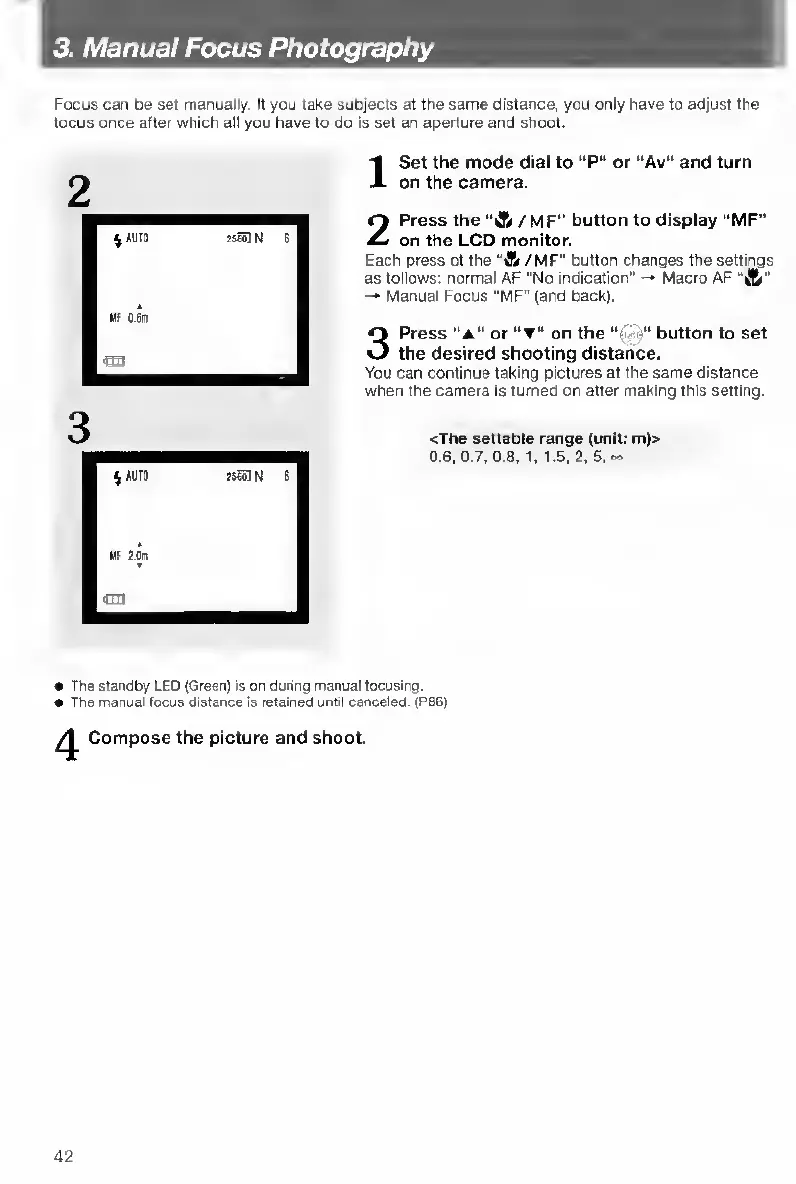
Press
the
“A
/
M
F"
button
to
display
“MF”
on
the
LCD
monitor.
Each
press
of
the
"A
/
MF"
button
changes
the
settings
as
follows:
normal
AF
“No
indication"
-*
Macro
AF
’’
-•
Manual
Focus
"MF"
(and
back).
3
Press
“a”
or
on
the
button
to
set
the
desired
shooting
distance.
You
can
continue
taking
pictures
at
the
same
distance
when
the
camera
is
turned
on
after
making
this
setting.
cThe
settable
range
(unit;
m)>
0.6.
0.7.
0.8,1,1.5,
2.
5,
«•
e
The
standby
LED
(Green)
is
on
dunng
manual
focusing.
The
manual
focus
distance
is
retained
until
canceled.
(PB6)
Compose
the
picture
and
shoot.
42

Table of Contents

Other manuals for Contax TVS DIGITAL

Related product manuals