EasyManua.ls Logo

Contax TVS DIGITAL - Protecting Movies

Contax TVS DIGITAL
109 pages
Print Icon
To Next Page IconTo Next Page
To Previous Page IconTo Previous Page
Loading...
2.
Protecting
Movies
You
can
use
this
function
to
protect
important
images
from
accidental
erasure.
This
function
is
particularly
convenient
for
erasing
multiple
images
when
used
together
with
the
erase
all
function
(P84).
Note
that
although
protected
images
remain
after
using
the
erase
all
function,
the
format
function
deletes
every
image
on
the
card.
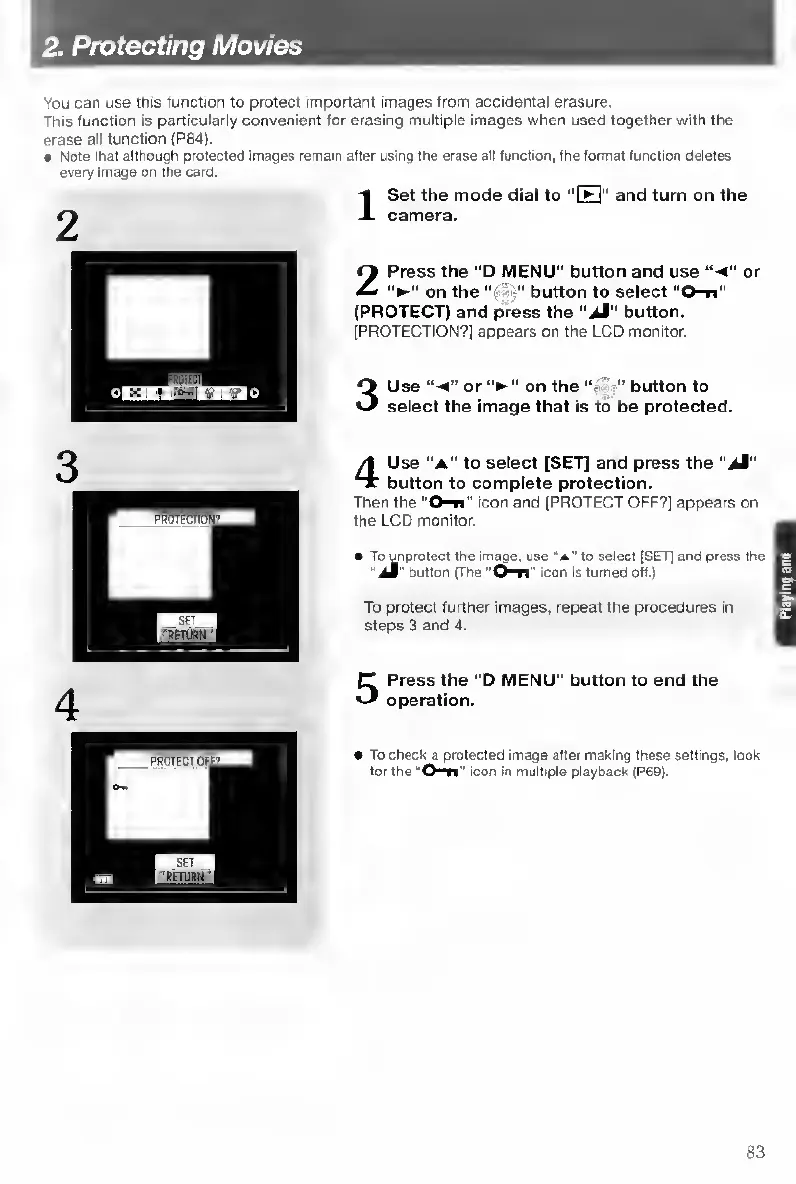
Set
the
mode
dial
to
“FFI"
and
turn
on
the
camera.
2
P
ress
the
“D
MENU”
button
and
use
“•<”
or
on
the
button
to
select
“0-n”
(PROTECT)
and
press
the
button.
[PROTECTION?]
appears
on
the
LCD
monitor.
3
U
se
or
on
the
button
to
select
the
image
that
is
to
be
protected.
4
U
se
“A”
to
select
[SET]
and
press
the
"Jl"
button
to
complete
protection.
Then
the'
O^"
icon
and
[PROTECT
OFF?]
appears
on
the
LCD
monitor.
To
^protect
the
image,
use
"A"
to
select
[SET]
and
press
the
button
(The
icon
is
turned
off.)
To
protect
further
images,
repeat
the
procedures
in
steps
3
and
4.
5
P
ress
the
"D
MENU"
button
to
end
the
operation.
To
check
a
protected
image
after
making
these
settings,
look
for
the
icon
in
multiple
playback
(P69).
83

Table of Contents

Other manuals for Contax TVS DIGITAL

Related product manuals