EasyManua.ls Logo

Contax TVS DIGITAL - Connecting to a PC

Contax TVS DIGITAL
109 pages
Print Icon
To Next Page IconTo Next Page
To Previous Page IconTo Previous Page
Loading...
2.
Connecting
to
a
PC
Images
taken
by
this
camera
can
be
viewed,
copied
and
processed
and
attached
to
E-mai)
on
your
PC.
First
find
out
what
operating
system
your
PC
is
using
before
reading
the
following
Instructions.
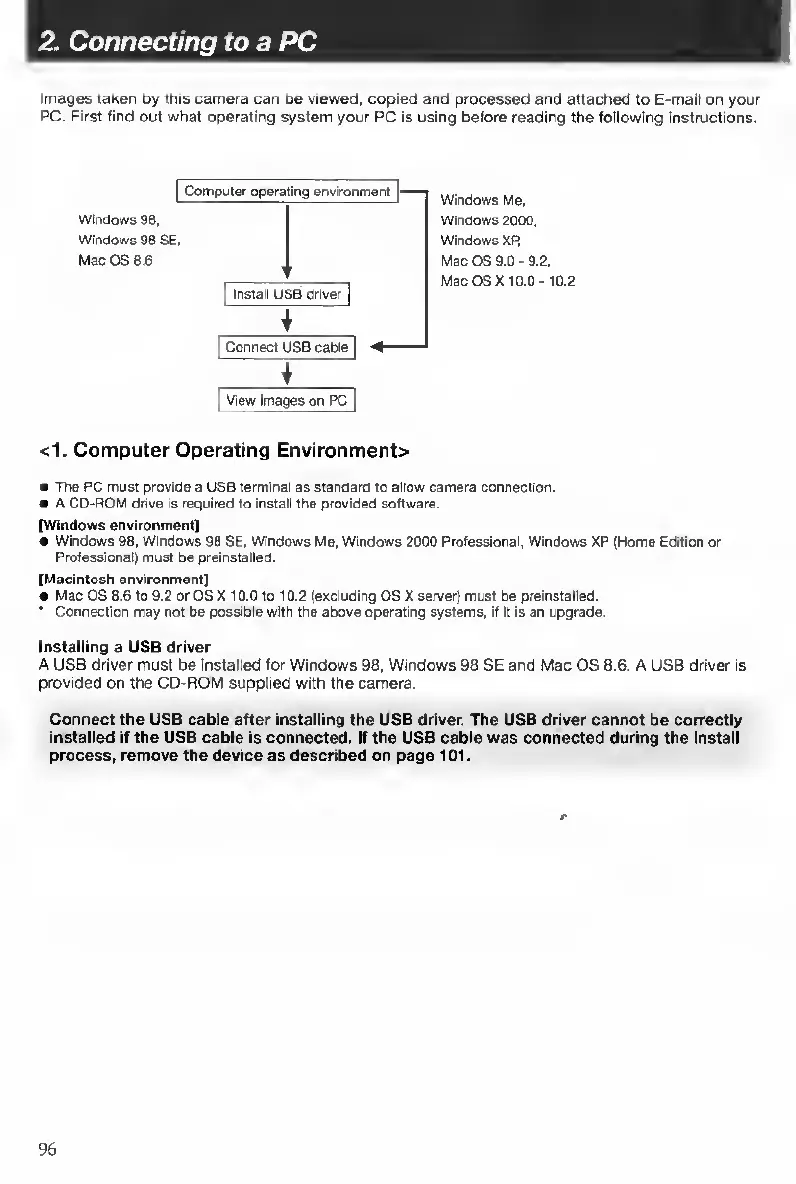
Wlnflows
Me,
Wlnflows
2000.
Windows
XP,
Mac
OS
9.0-9.2.
Mac
OSX
10.0-
10.2
<1.
Computer
Operating
Environment>
The
PC
must
provide
a
USB
terminal
as
standard
to
allow
camera
connection.
A
CD-ROM
drive
is
required
to
install
the
provided
software.
[Windows
environment]
Windows
98.
Windows
98
SE,
Windows
Me,
Windows
2000
Professional,
Windows
XP
(Home
Edition
or
Professional)
must
be
preinstalled.
[Macintosh
environment]
Mac
OS
8.6
to
9.2
or
OS
X
10.0
to
10.2
(excluding
OSX
server)
must
be
preinstalled.
'
Connection
may
not
be
possible
with
the
above
operating
systems,
if
It
is
an
upgrade.
Installing
a
USB
driver
A
USB
driver
must
be
Installed
for
Windows
98,
Windows
98
SE
and
Mac
OS
8.6.
A
USB
driver
is
provided
on
the
CD-ROM
supplied
with
the
camera.
Connect
the
USB
cable
after
installing
the
USB
driver.
The
USB
driver
cannot
be
correctly
installed
K
the
USB
cable
is
connected.
If
the
USB
cable
was
connected
during
the
Install
process,
remove
the
device
as
described
on
page
101.
96

Table of Contents

Other manuals for Contax TVS DIGITAL

Related product manuals