EasyManua.ls Logo

Contax TVS DIGITAL - White Balance Shifted in Three Steps (WB;BKT Exposure)

Contax TVS DIGITAL
109 pages
Print Icon
To Next Page IconTo Next Page
To Previous Page IconTo Previous Page
Loading...
3
Taking
Pictures
with
the
White
Balance
Shifted
in
Three
Steps
(WB/BKT
Exposure)
The
“WB/BKT"
exposure
mode
allows
you
to
automatically
take
a
series
of
three
photographs
using
three
different
types
of
white
balance:
standard,
over
(with
a
slightly
blue
cast)
and
under
(with
a
slightly
red
cast).
Use
this
when
shooting
under
difficult
light
sources
to
ensure
correct
exposure.
I
I
S
et
the
mode
dial
to
“P”
or
“Av"
and
turn
on
the
camera.
2
P
ress
the
“D
MENU”
button
and
use
<”
or
on
the
button
to
select
“WB/
BKT”.
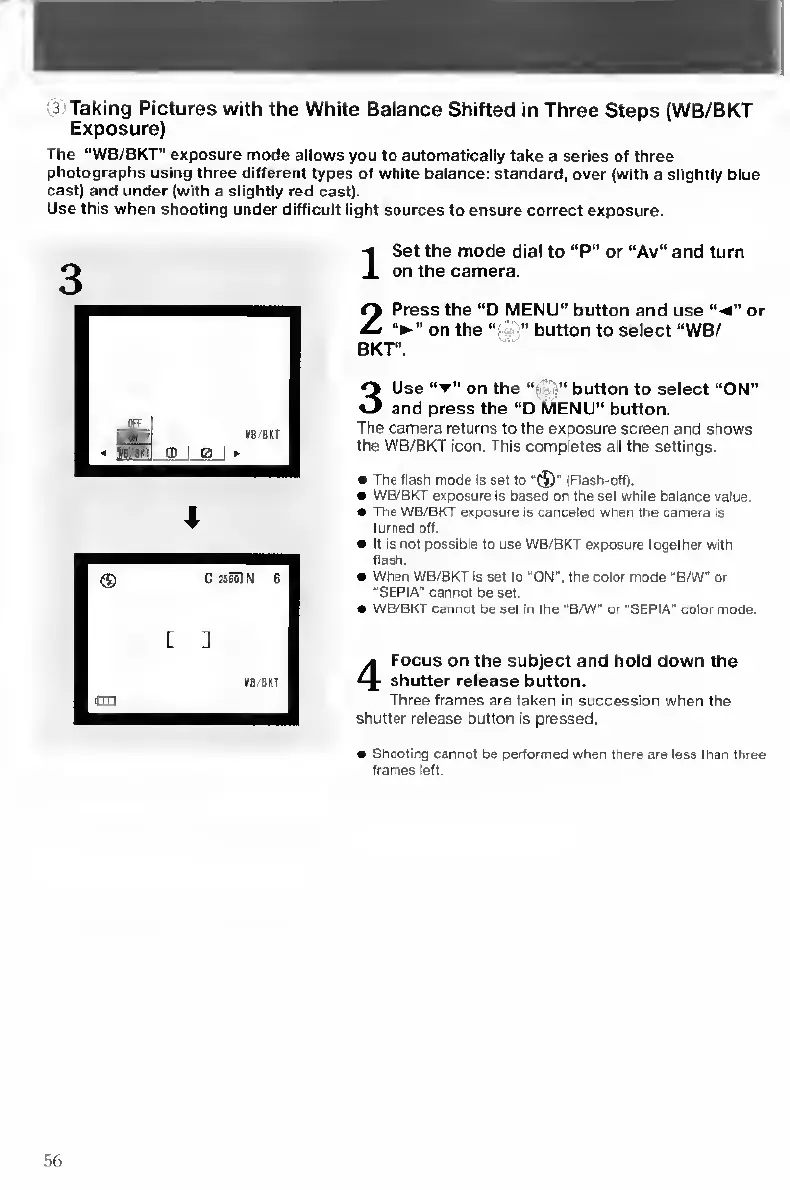
3
U
se
“T"
on
the
“f
"!”
button
to
select
“ON”
and
press
the
"D
MENU"
button.
The
camera
returns
to
the
exposure
screen
and
shows
the
WB/BKT
icon.
This
completes
ali
the
settings.
The
flash
mode
is
set
to
“(J’
(Flash-off).
WB/BKT
exposure
is
based
on
the
set
white
balance
value.
The
WB/BKT
exposure
is
canceled
when
the
camera
is
turned
off.
It
is
not
possible
to
use
WB/BKT
exposure
together
with
flash.
When
WB/BKT
Is
set
to
"ON",
the
color
mode
"B/W"
or
"SEPIA"
cannot
be
set.
WB/BKT
cannot
be
set
m
the
"B/W"
or
"SEPIA"
color
mode.
4
F
ocus
on
the
subject
and
hold
down
the
shutter
release
button.
Three
frames
are
taken
in
succession
when
the
shutter
release
button
is
pressed.
Siooting
cannot
be
performed
when
there
are
less
than
three
frames
left.
56

Table of Contents

Other manuals for Contax TVS DIGITAL

Related product manuals