EasyManua.ls Logo

Contax TVS DIGITAL - To. [ROTATE] Rotating Images.76

Contax TVS DIGITAL
109 pages
Print Icon
To Next Page IconTo Next Page
To Previous Page IconTo Previous Page
Loading...
10.
[ROTATE]
Rotating
Images
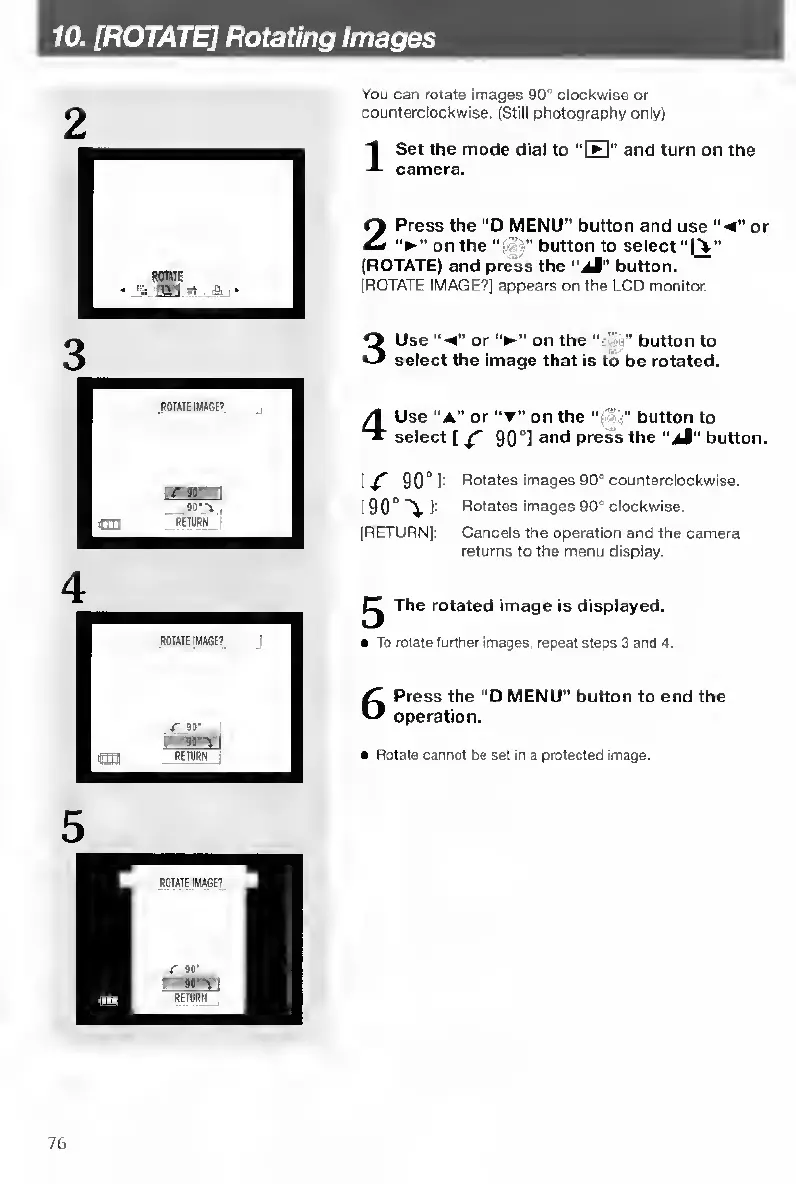
You
can
rotate
images
90”
clockwise
or
counterclockwise.
(Still
photography
only)
I
S
et
the
mode
dial
to
“H"
and
turn
on
the
camera.
2
P
ress
the
“D
MENU”
button
and
use
“-4”
or
on
the
“t
'?"
button
to
select
“[%”
(ROTATE)
and
press
the
"aM"
button.
(ROTATE
IMAGE?]
appears
on
the
LCD
monitor.
3
U
se
or
on
the
-u”
button
to
select
the
Image
that
is
to
be
rotated.
4
U
se
"a"
or
“t”
on
the
button
to
select
[
^
90
°]
ant*
press
the
"iJ"
button.
9
0
°
1
-
Rotates
images
90”
counterclockwise.
I
90°
"V
1-
Rotates
images
90”
clockwise.
[RETURN]:
Cancels
the
operation
and
the
camera
returns
to
the
menu
display.
^
The
rotated
image
is
displayed.
To
rotate
further
images,
repeal
steps
3
and
4.
6
Press
the
“D
MENU"
button
to
end
the
operation.
Rotate
cannot
be
set
in
a
protected
Image.
76

Table of Contents

Other manuals for Contax TVS DIGITAL

Related product manuals