EasyManua.ls Logo

Contax TVS DIGITAL - Exposure Auto Bracketing Control Mode (ABC mode)

Contax TVS DIGITAL
109 pages
Print Icon
To Next Page IconTo Next Page
To Previous Page IconTo Previous Page
Loading...
4
Taking
Pictures
with
the
Exposure
Auto
Bracketing
Control
Mode
(ABC
mode)
The
ABC
mode
can
be
used
to
automatically
take
a
series
of
three
pictures
with
three
exposures;
standard,
overexposed
and
underexposed.
Use
this
when
shooting
under
difficult
lighting
conditions
to
ensure
correct
exposure.
A8C:
Automatic
Bracketing
Control
The
ABC
mode
performs
automatic
exposure
compensation
by
controlling
the
shutter
speed.
I
S
et
the
mode
dial
to
“P"
or
“Av”
and
turn
on
the
camera.
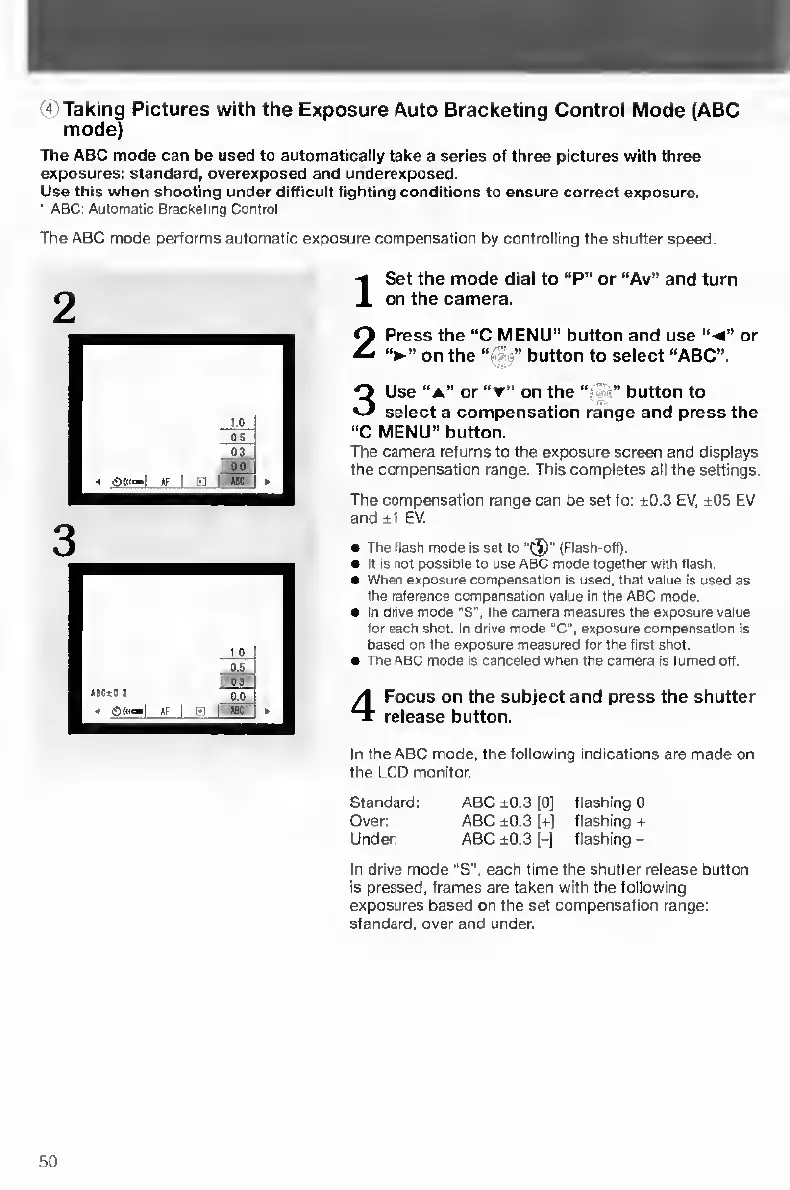
2
P
ress
the
“C
MENU"
button
and
use
“-4"
or
on
the
button
to
select
“ABC”.
3
U
se
“A"
or
on
the
‘h}button
to
select
a
compensation
range
and
press
the
"C
MENU"
button.
The
camera
returns
to
the
exposure
screen
and
displays
the
compensation
range.
This
completes
all
the
settings.
The
compensation
range
can
be
set
to:
±0.3
EV,
±05
EV
and
±1
EV.
The
flash
mode
Is
set
to(Flash-off)
It
is
not
possible
to
use
ABC
mode
together
with
flash.
When
exposure
compensation
Is
used,
that
value
Is
used
as
the
reference
compensation
value
in
the
ABC
mode.
In
drive
mode
'S',
the
camera
measures
the
exposure
value
for
each
shot.
In
drive
mode
"C.
exposure
compensation
Is
based
on
the
exposure
measured
for
the
first
shot.
The
ABC
mode
Is
canceled
when
the
camera
Is
turned
off.
4
F
ocus
on
the
subject
and
press
the
shutter
release
button.
In
the
ABC
mode,
the
following
indications
are
made
on
the
LCD
monitor.
Standard:
ABC
±0.3
[0]
flashing
0
Over:
ABC
±0.3
|+]
flashing
+
Under:
ABC
±0.3
H
flashing
-
In
drive
mode
“S".
each
time
the
shutter
release
button
is
pressed,
frames
are
taken
with
the
following
exposures
based
on
the
set
compensation
range:
standard,
over
and
under.
50

Table of Contents

Other manuals for Contax TVS DIGITAL

Related product manuals