EasyManua.ls Logo

Contax TVS DIGITAL - Setup Menu Contents

Contax TVS DIGITAL
109 pages
Print Icon
To Next Page IconTo Next Page
To Previous Page IconTo Previous Page
Loading...
3.
Setup
Menu
Contents
<SET
UP
c.>
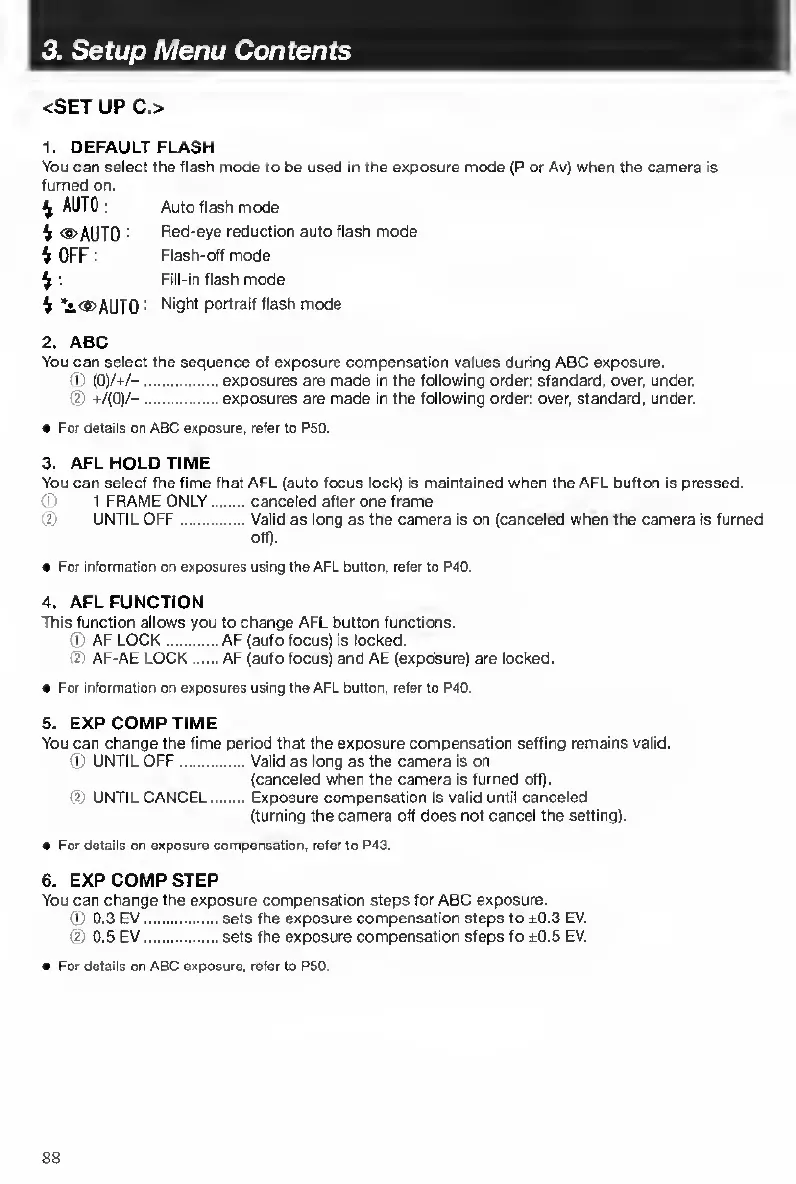
1.
DEFAULT
FLASH
You
can
select
the
flash
mode
to
be
used
In
the
exposure
mode
(P
or
Av)
when
the
camera
is
turned
on.
^
AUTO:
Auto
flash
mode
%
®
AUTO
Red-eye
reduction
auto
flash
mode
4
OFF
:
Flash-off
mode
4
:
Flll-ln
flash
mode
4
*i<S>AUT0
Night
portrait
flash
mode
2.
ABC
You
can
select
the
sequence
of
exposure
compensation
values
during
ABC
exposure.
®
(0)/4/-.exposures
are
made
in
the
following
order:
standard,
over,
under.
@
+/(0)/-.exposures
are
made
in
the
following
order:
over,
standard,
under.
For
details
on
ABC
exposure,
refer
to
P50.
3.
A
FL
HOLD
TIME
You
can
select
the
time
that
AFL
(auto
focus
lock)
is
maintained
when
the
AFL
button
is
pressed.
(i)
1
FRAME
ONLY.canceled
after
one
frame
®
UNTIL
OFF.Valid
as
long
as
the
camera
Is
on
(canceled
when
the
camera
is
turned
off).
For
information
on
exposures
using
the
AFL
button,
refer
to
P40.
4.
A
FL
FUNCTION
This
function
allows
you
to
change
AFL
button
functions.
®
AF
LOCK.AF
(auto
focus)
is
locked.
(D
AF-AE
LOCK.AF
(auto
focus)
and
AE
(exposure)
are
locked.
For
informalion
on
exposures
using
the
AFL
button,
refer
to
P40.
5.
E
XP
COMP
TIME
You
can
change
the
time
period
that
the
exposure
compensation
setting
remains
valid.
®
UNTIL
OFF.Valid
as
long
as
the
camera
is
on
(canceled
when
the
camera
is
turned
ofO.
®
UNTILCANCEL.Exposure
compensation
is
valid
until
canceled
(turning
the
camera
oft
does
not
cancel
the
setting).
For
details
on
exposure
compensation,
refer
to
P43.
6.
E
XP
COMP
STEP
You
can
change
the
exposure
compensation
steps
for
ABC
exposure.
®
0.3
EV.sets
the
exposure
compensation
steps
to
±0.3
EV.
®
0.5
EV.sets
the
exposure
compensation
steps
to
±0.5
EV.
For
details
on
ABC
exposure,
refer
to
P50.
88

Table of Contents

Other manuals for Contax TVS DIGITAL

Related product manuals