EasyManua.ls Logo

Contax TVS DIGITAL - AFL Button

Contax TVS DIGITAL
109 pages
Print Icon
To Next Page IconTo Next Page
To Previous Page IconTo Previous Page
Loading...
<ln
th6
“SETUP”
mode>
(PBS
-
91)
'
BRIGHT
CNTRt
{LCD
luminance)
2
DATH
INSeBT
DATE
FORMAT
POWER
SAVE
e
DIGITAL
ZOOM
BEEP
a
SHUTTER
VOL
COLOR
SELECT
START
SCREEN
I
AUTO
PLAYBACK
iz
LANGUAGE
I.
VIDEO
OUT
I4
FILE
NO.
lb
MODE
RESET
:
4-2,
*1,
STANDARD,
-1.-2
Sel
according
to
provided
instnictlons.
|P17)
NO
OAEE,
WITH
DATE
EXECLTFE,
CANCEL
NO
PWR
OFF,
1
MIN..
3MIN
..6MIN.
OFF.
ON
OFF.+1,
*2.
*3
OFF.+1,±2.
-3
BLUE
-
PURPLE,
RED.
YELLOW
CON
TAX
5Cfe»i
.
User
setting.
OFF
OFF.
2
SEC,
4
SEC
JAPANESE,
ENGLiSH,
FRANQAiS.
DEUTSCH,
ESPANOL
NTSC.
P
AL
EXECUTE.
CANCEL
EXECUTE,
CANCEL
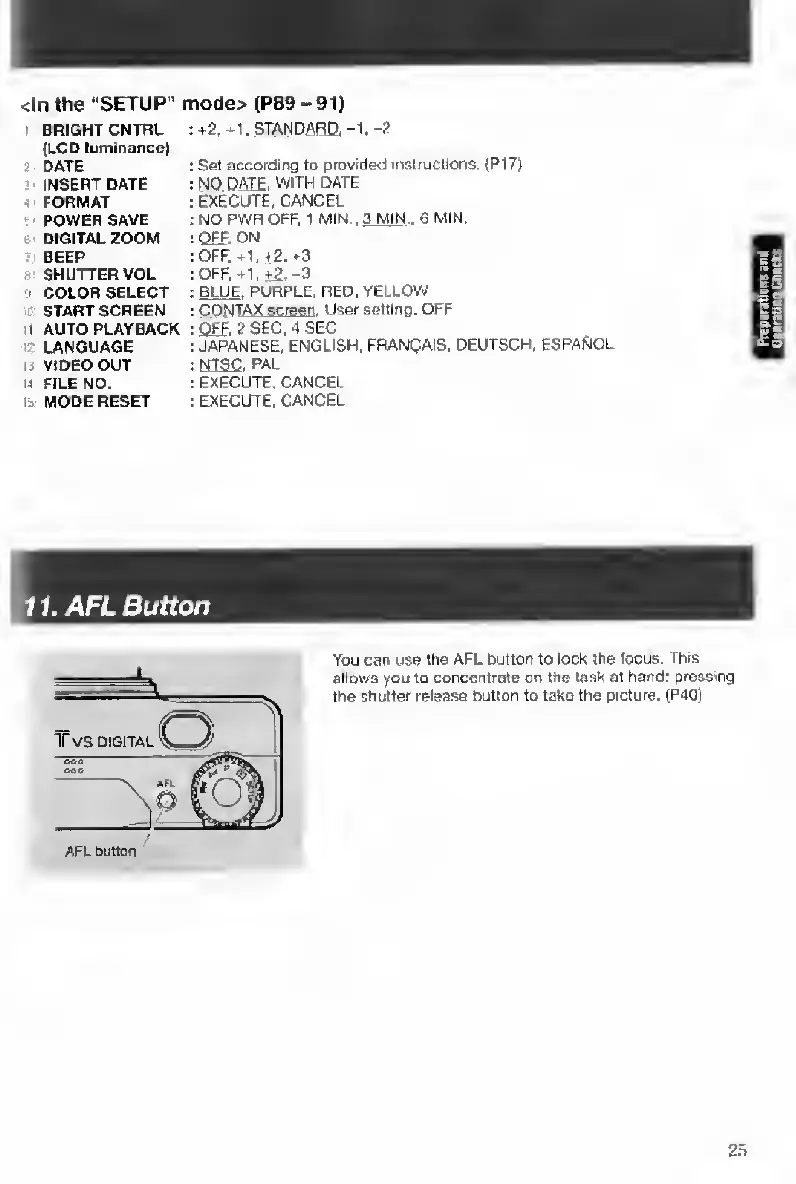
11.
AFL
Button
You
can
use
the
AFL
button
to
iock
the
locus.
This
ailQws
you
to
concentrate
on
the
task
at
hand:
pressing
the
shutter
reiease
Button
to
take
the
picture.
(P40)
2
.=>

Table of Contents

Other manuals for Contax TVS DIGITAL

Related product manuals