EasyManua.ls Logo

Contax TVS DIGITAL - D MENU Button

Contax TVS DIGITAL
109 pages
Print Icon
To Next Page IconTo Next Page
To Previous Page IconTo Previous Page
Loading...
10/V
MENU"
Button
•D
MENU'
button
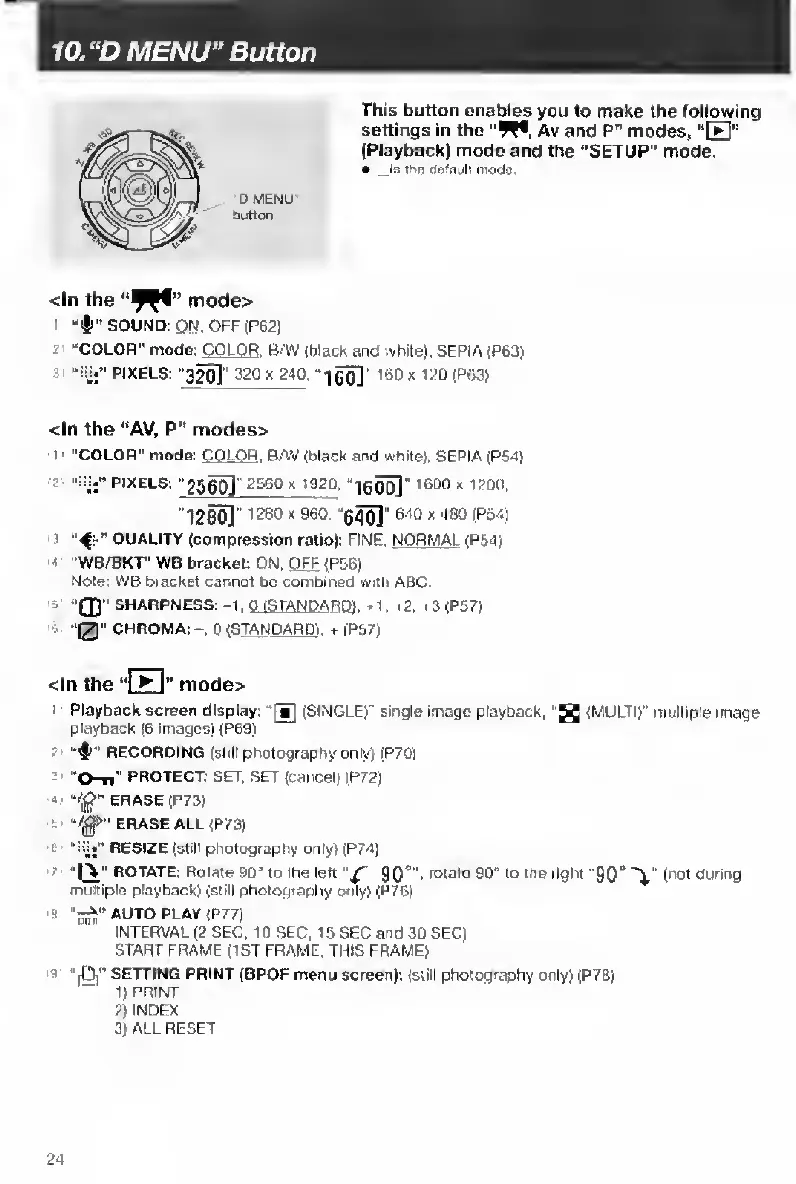
This
button
enables
you
to
make
the
following
settings
in
the
"W®.
Av
and
P"
modes,
“E"
(Playback)
mode
and
the
"SETUP"
mode.
.Is
thR
oe'ault
mode
<ln
the
mode>
SOUND:
ON.
OFF
(P621
.
“COLOR"
mode:
COLOR
.
B-W
(black
and
white).
SEPIA
(P63)
“Fjj”
PIXELS:
'320]''320
X
240,
160
]
l6Dx120(P63)
<ln
the
“AV,
P"
modes>
1
“COLOR"
mode:
COLOR
.
B/iW
(black
and
white).
SEPIA
(P54)
2
PIXELS:
25^"
ZSSOx
19
20,
“leoo]
'60°
*
''1260]”
'28°
*
'65o]"
*
480
(PMi
3
QUALITY
(compression
ratio):
FINE.
NORMAL
(PM)
:
"WB/BKI"
WB
bracket
ON,
QFE
<P5B)
Note:
WB
bracket
cannot
be
combined
witti
ABC
3
‘'0"
SHARPNESS:
-1.
0
fSTANDA
ROl.
1,
>2,
3
(P57)
>
‘0"
CHROMA;-.0
(STANDARD),+
(Pb7)
<ln
the
‘‘
I
1
niDde>
Playback
screen
display:
(SINGLE)"
single
image
playback.
(MULTI)’’
multiple
image
playback
(6
images)
(P69)
?
RECORDING
(stiH
photography
only)
(P701
3'
“O-ei"
PROTECT;
SET,
SET
(cancel)
(P72)
«
ERASE
(P73)
S'
ERASE
ALL
(P73)
t
RESIZE
(still
photography
only)
(P74)
Q
ROTATE:
Rotate
90'
to
the
left
90°".
notate
90"
to
me
right
"90"
(
not
during
multiple
playback)
(still
pholography
o<iiy)
(P76)
"Hdp"
<P77)
INTERVAL
(2
SEC,
10
SEC.
15
SEC
and
3D
SEC)
START
FRAME
(1ST
FRAME,
THIS
FRAME)
9
“(li”
SETTING
PRINT
(DPOF
menu
screen):
(still
photography
only)
(P7B)
1)
PRINT
2)
INDEX
3)
ALL
RESET
24

Table of Contents

Other manuals for Contax TVS DIGITAL

Related product manuals