EasyManua.ls Logo

Contax TVS DIGITAL - Setting White Balance.61; Self-Tlmor and Remote Control; Recording.61

Contax TVS DIGITAL
109 pages
Print Icon
To Next Page IconTo Next Page
To Previous Page IconTo Previous Page
Loading...
«
(^3
97^
[
sjolwOOSO
]
4
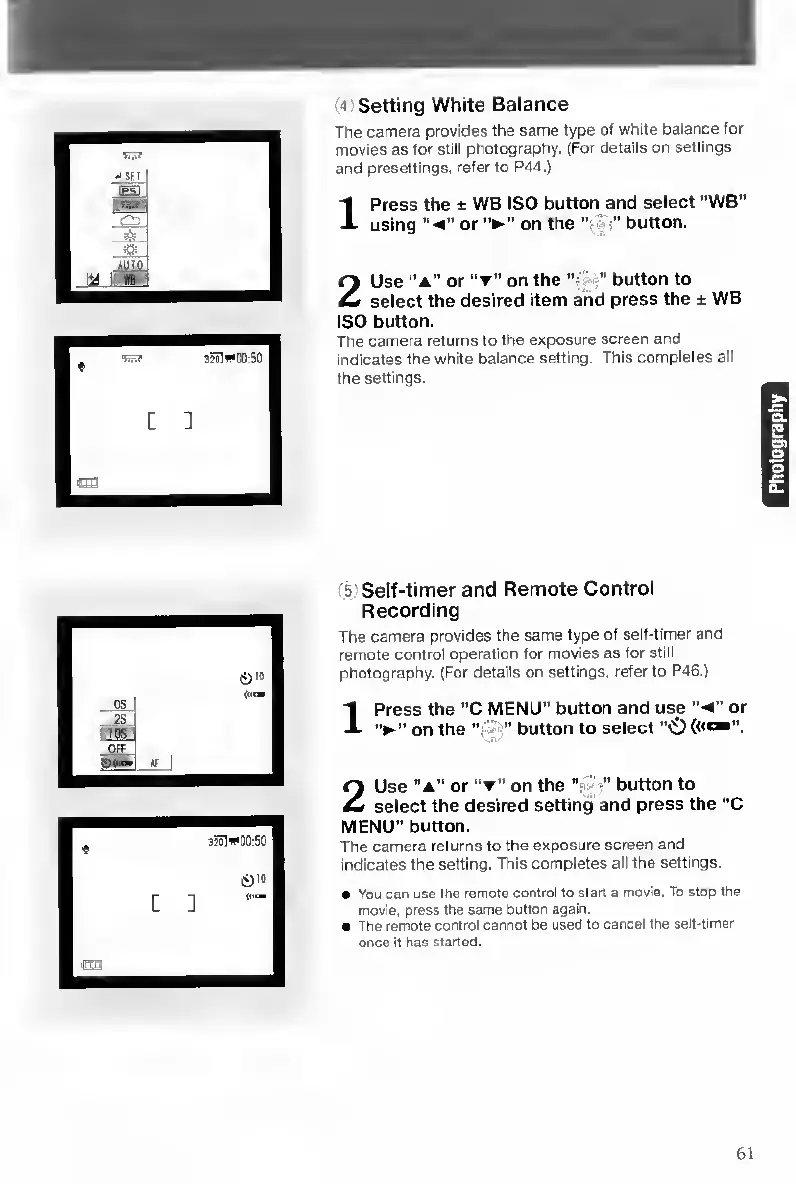
Setting
White
Balance
The
camera
provides
the
same
type
of
white
balance
for
movies
as
for
still
photography.
(For
details
on
settings
and
presettings,
refer
to
P44.)
Press
the
±
WB
ISO
button
and
select
“WB"
using
or
on
the
“•
•"
button.
Use
“a”
o
r
on
the
‘S
^
button
to
select
the
desired
item
and
press
the
±
WB
ISO
button.
The
camera
returns
to
the
exposure
screen
and
indicates
the
white
balance
setting.
This
completes
all
the
settings.
*
^3
00:50
©10
[
]
5
Self-timer
and
Remote
Control
Recording
The
camera
provides
the
same
type
of
self-timer
and
remote
control
operation
for
movies
as
for
still
photography-
(For
details
on
settings,
refer
to
P46.)
1
Press
the
“C
MENU”
button
and
use
“•<”
or
on
the
“•
^4"
button
to
select
2
Use
“a”
or
on
the
button
to
select
the
desired
setting
and
press
the
“C
MENU"
button.
The
camera
returns
to
the
exposure
screen
and
indicates
the
setting.
This
completes
all
the
settings.
You
can
use
the
remote
control
to
start
a
movie.
To
stop
the
movie,
press
the
same
button
again.
The
remote
control
cannot
be
used
to
cancel
the
sell-timer
once
it
has
started.
61

Table of Contents

Other manuals for Contax TVS DIGITAL

Related product manuals