EasyManua.ls Logo

Contax TVS DIGITAL - RESIZE] Resizing and Trimming.74

Contax TVS DIGITAL
109 pages
Print Icon
To Next Page IconTo Next Page
To Previous Page IconTo Previous Page
Loading...
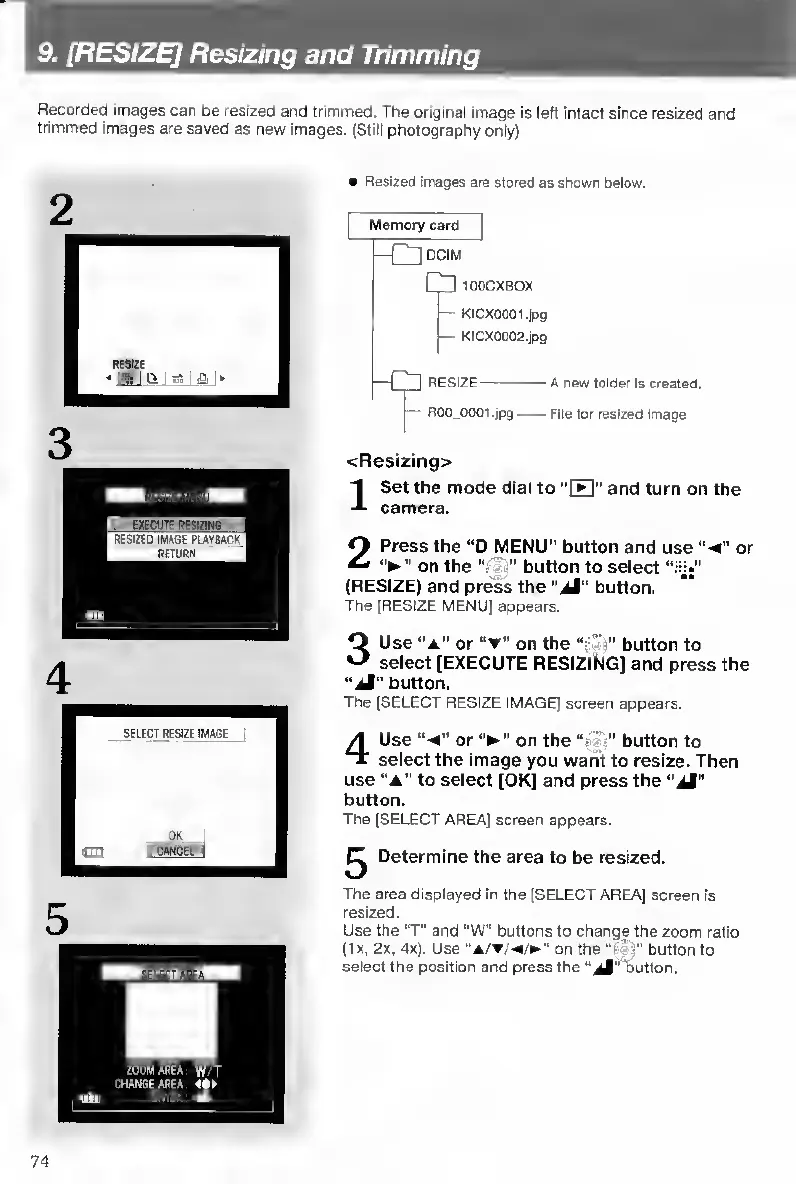
9.
[RESIZE]
Resizing
and
Trimming
Recorded
images
can
be
resized
and
trimmed.
The
original
image
is
left
intact
since
resized
and
trimmed
images
are
saved
as
new
images.
(Stilt
photography
only)
Resized
images
are
stored
as
shown
below.
Memory
card
[—r~lDCIM
Up
100CXBOX
-
KICXOOOl.jpg
-
KICX0002.ipg
I—RESIZE-
A
new
folder
Is
created.
1^
ROO
0001,jpg-File
for
resized
image
<Restzing>
I
S
et
the
mode
dial
to
"H"
and
turn
on
the
camera.
2
P
ress
the
“D
MENU”
button
and
use
‘'
4
"
or
on
the
-
button
to
select
“iy*”
(RESIZE)
and
press
the
“jM"
button.
The
(RESIZE
MENU]
appears.
3
U
se
‘'A"
or
on
the
button
to
select
[EXECUTE
RESIZING]
and
press
the
“jM"
button.
The
[SELECT
RESIZE
IMAGE]
screen
appears.
4
U
se
“-
4
or
on
the
“rS;”
button
to
select
the
Image
you
warit
to
resize.
Then
use
"A"
to
select
[OK]
and
press
the
“iJ"
button.
The
(SELECT
AREA]
screen
appears.
^
Determine
the
area
to
be
resized.
The
area
displayed
in
the
(SELECT
AREA]
screen
is
resized.
Use
the
"T"
and
"W”
buttons
to
change
the
zoom
ratio
(lx.
2x.
4x).
Use
“a/t/.«/^''
on
the
button
to
select
the
position
and
press
the
“^"Tjutton.
74

Table of Contents

Other manuals for Contax TVS DIGITAL

Related product manuals