EasyManua.ls Logo

Contax TVS DIGITAL - Page 75

Contax TVS DIGITAL
109 pages
Print Icon
To Next Page IconTo Next Page
To Previous Page IconTo Previous Page
Loading...
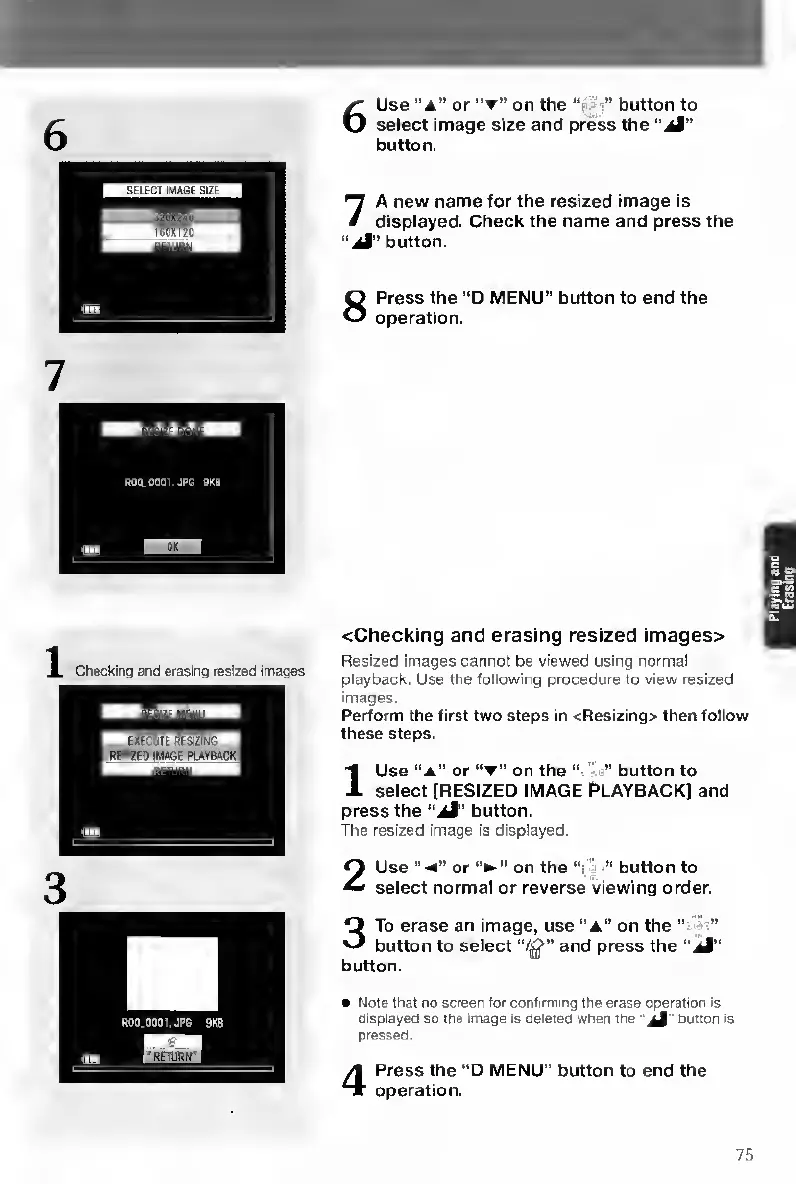
6
U
se
“A”
or
*'
on
the
“‘i-
button
to
select
image
size
and
press
the
“jM"
button.
7
A
new
name
for
the
resized
image
is
displayed.
Check
the
name
and
press
the
“aI”
button.
8
P
ress
the
“D
MENU”
button
to
end
the
operation.
<Checking
and
erasing
resized
images>
Resized
images
cannot
be
viewed
using
normal
playback.
Use
the
following
procedure
to
view
resized
images.
Perform
the
first
two
steps
in
<Resizing>
then
follow
these
steps.
I
U
se
“a"
or
“t"
on
the
•”
button
to
select
[RESIZED
IMAGE
P>LAYBACK]
and
press
the
button.
The
resized
image
is
displayed.
2
U
se
“-A”
or
on
the
•"
button
to
select
normal
or
reverse
viewing
order.
3
T
o
erase
an
image,
use
“a"
on
the
“•
button
to
select
and
press
the
“iJ”
button.
Note
that
no
screen
tor
confirming
the
erase
operation
Is
Qisplayed
so
the
image
Is
deleted
when
the
button
Is
pressed.
4
P
ress
the
“D
MENU"
button
to
end
the
operation.
75
inti

Table of Contents

Other manuals for Contax TVS DIGITAL

Related product manuals