EasyManua.ls Logo

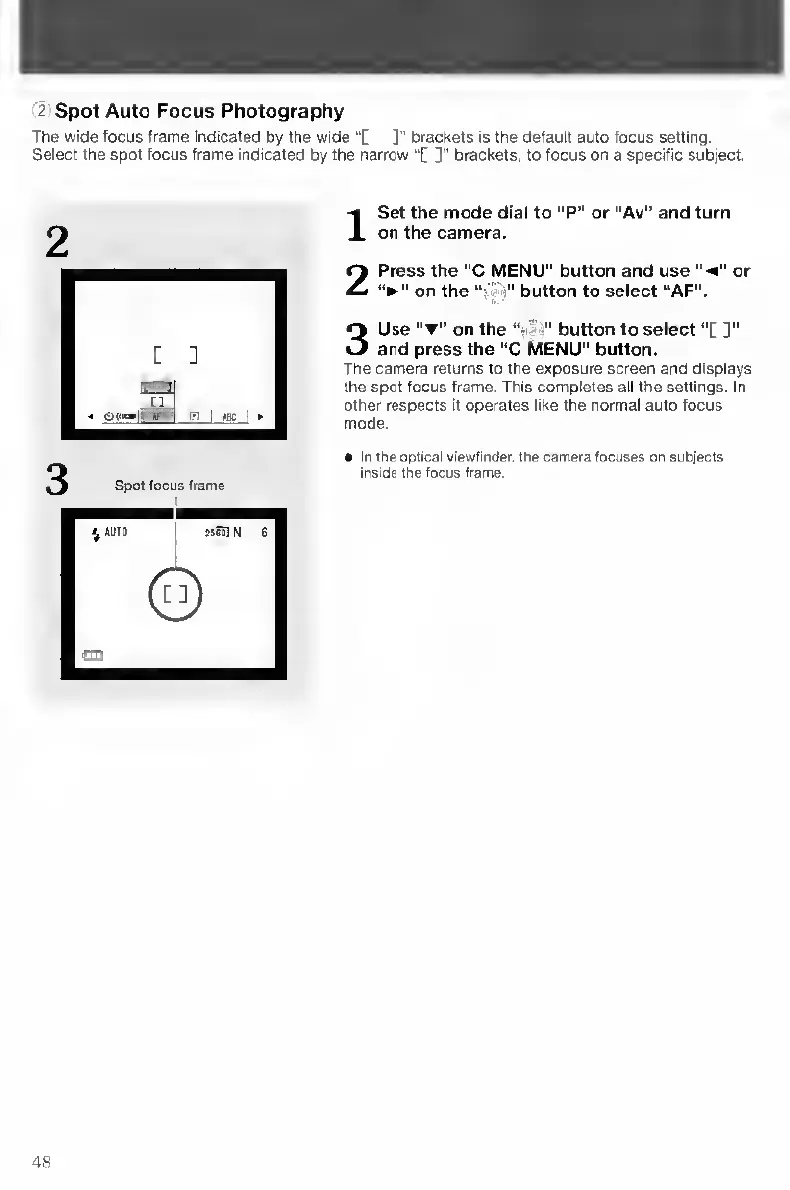
Contax TVS DIGITAL - Spot Auto Focus Photography

Contax TVS DIGITAL
109 pages
Print Icon
To Next Page IconTo Next Page
To Previous Page IconTo Previous Page
Loading...
2
Spot
Auto
Focus
Photography
The
wide
focus
frame
Indicated
by
the
wide
”[
]"
brackets
is
the
default
auto
locus
setting.
Select
the
spot
focus
frame
indicated
by
the
narrow
“[
]"
brackets,
to
focus
on
a
specific
subject.
I
S
et
the
mode
dial
to
"P”
or
"Av"
and
turn
on
the
camera.
2
Press
the
“C
MENU"
button
and
use
"
<"
or
on
the
"
button
to
select
“AF”.
3
Use
on
the
button
to
select
“[
and
press
the
“C
MENU"
button.
The
camera
returns
to
the
exposure
screen
and
displays
the
spot
focus
frame.
This
completes
all
the
settings.
In
other
respects
it
operates
like
the
normal
auto
focus
mode.
In
the
optical
viewfinder,
the
camera
focuses
on
subjects
inside
the
focus
frame.
48

Table of Contents

Other manuals for Contax TVS DIGITAL

Related product manuals