EasyManua.ls Logo

Contax TVS DIGITAL - Multiple Imago Playback (Index Display).69

Contax TVS DIGITAL
109 pages
Print Icon
To Next Page IconTo Next Page
To Previous Page IconTo Previous Page
Loading...
5.
Multiple
Image
Playback
(Index
Display)
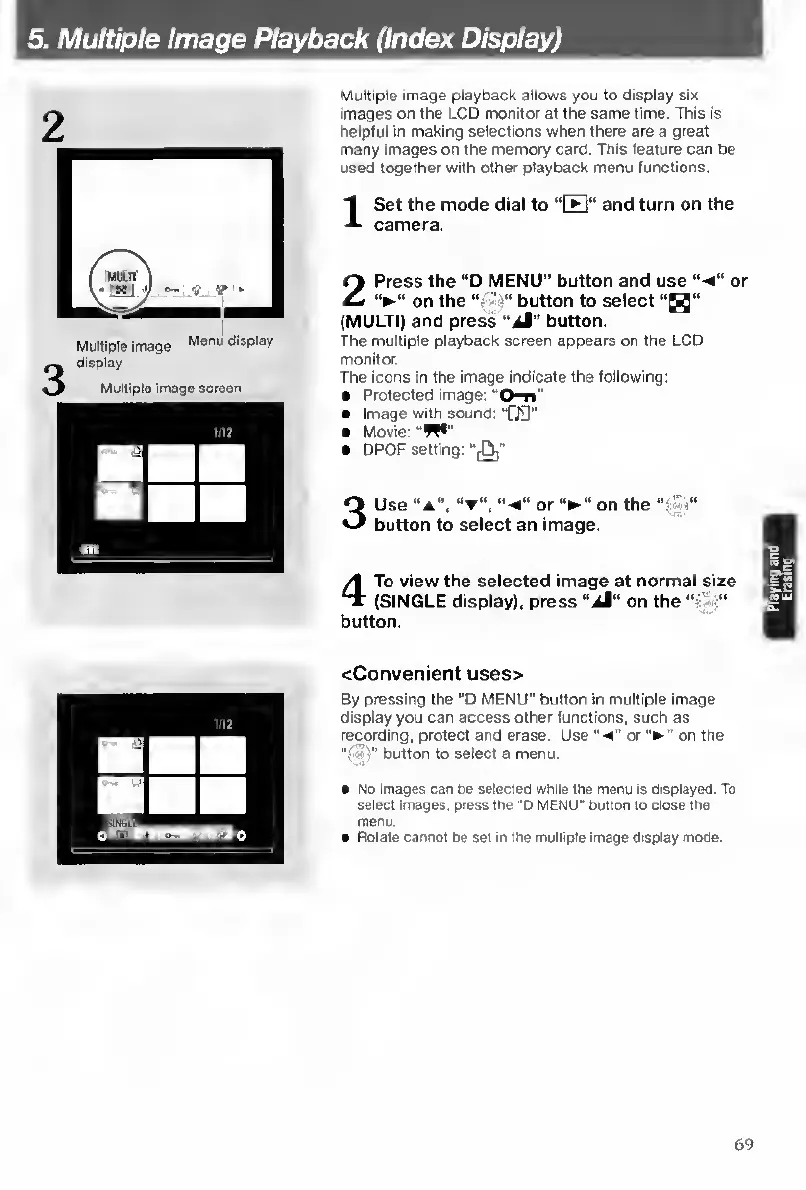
Multiple
image
playback
allows
you
to
display
six
images
on
the
LCD
monitor
at
the
same
time.
This
Is
helpful
in
making
selections
when
there
are
a
great
many
images
on
the
memory
card.
This
feature
can
be
used
together
with
other
playback
menu
functions.
I
S
et
the
mode
dial
to
“B”
and
turn
on
the
camera.
2
Press
the
“D
MENU"
button
and
use
*
on
the
button
to
select
“H”
(MULTI)
and
press
“Jt"
button.
The
multiple
playback
screen
appears
on
the
LCD
or
monitor.
The
icons
in
the
image
indicate
the
following:
Protected
image:
Image
with
sound:
"fJO"
Movie:
“W*"
DPOF
setting;
",0,"
Use
“A”,
"-e”
or
on
the
h"
button
to
select
an
image.
4
To
view
the
selected
image
at
normal
size
(SINGLE
display),
press
“ji"
on
the
button.
<Convenient
uses>
By
pressing
the
"O
MENU"
button
in
multiple
image
display
you
can
access
other
functions,
such
as
recording,
protect
and
erase.
Use
or
on
the
"(S'f"
button
to
select
a
menu.
No
images
can
be
selecleQ
while
the
rnenu
Is
displayed.
To
select
images,
press
the
‘D
MENU"
button
to
close
the
menu.
Rotate
cannot
be
set
In
the
multiple
image
display
mode.
69

Table of Contents

Other manuals for Contax TVS DIGITAL

Related product manuals