EasyManua.ls Logo

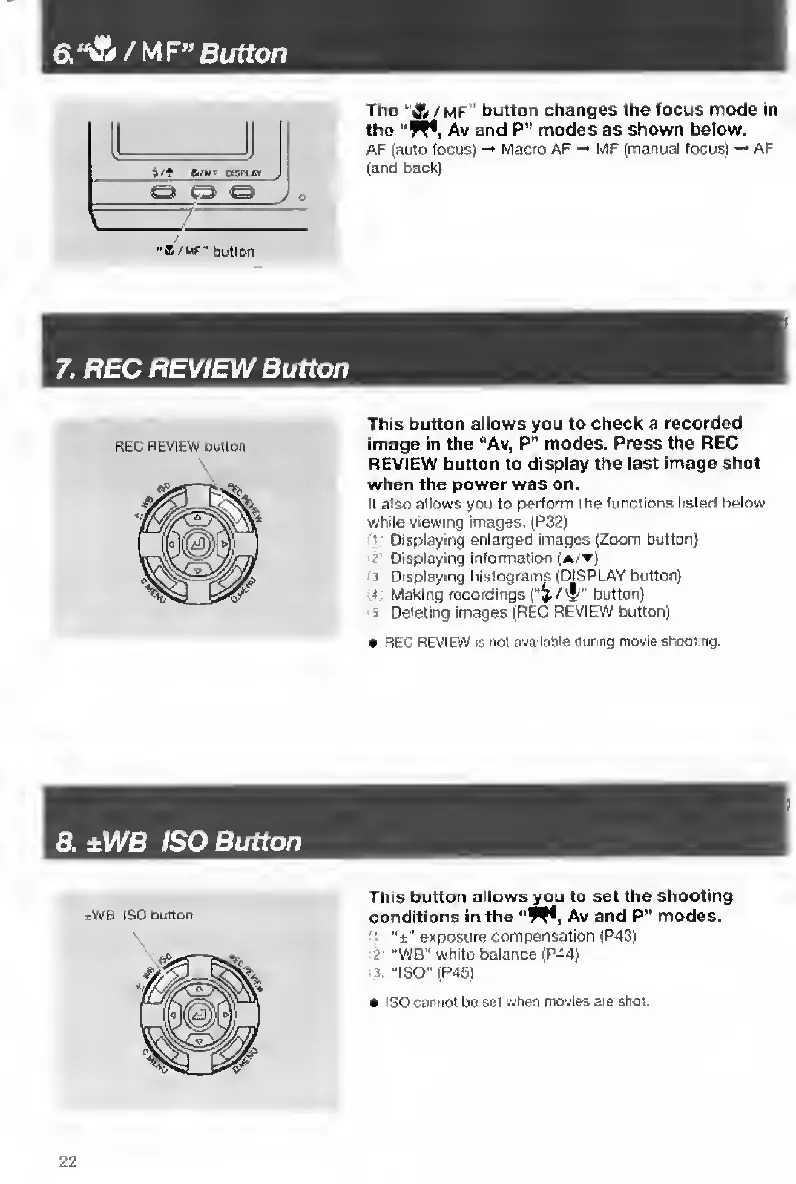
Contax TVS DIGITAL - ±WB ISO Button

Contax TVS DIGITAL
109 pages
Print Icon
To Next Page IconTo Next Page
To Previous Page IconTo Previous Page
Loading...
a«A/MF"e(rffon
The
''A/mf”
button
changes
the
focus
mode
in
the
"VM,
Av
and
P”
modes
as
shown
below.
AF
(auto
tocus)
Macro
AF
MF
[manual
focus)
-•
AF
(and
back]
7.
REC
REVIEW
Button
REC
REVIEW
twHon
This
button
allows
you
to
check
3
recorded
image
in
the
“Av,
P"
modes.
Press
the
REC
REVIEW
button
to
display
the
last
image
shot
when
the
power
was
on.
II
also
allows
you
to
perform
me
functions
listed
below
while
viewing
images.
(P32)
Displaying
enlarged
Images
[Zoom
button}
f
Displaying
information
(a/t|
1
D
isplaying
histograms
(DISPLAY
button)
4
Making
recordings
button)
5
Deleting
images
(REC
REVIEW
button]
REC
REVIEW
IS
not
availaole
during
movie
shoobng.
d.±WB
ISO
Button
This
button
allows
you
to
set
the
shooting
conditions
in
the
Av
and
P"
modes.
”t”
exposure
compensation
(P43)
2
"WB"
white
balance
(P44)
3
-ISO"
(P45j
ISO
cannot
bo
set
when
mcivia*
are
shoi.
22

Table of Contents

Other manuals for Contax TVS DIGITAL

Related product manuals