EasyManua.ls Logo

Contax TVS DIGITAL - ISO Setting

Contax TVS DIGITAL
109 pages
Print Icon
To Next Page IconTo Next Page
To Previous Page IconTo Previous Page
Loading...
6.
ISO
Setting
"ISO"
corresponds
to
the
ISO
number
used
for
expressing
the
sensitivity
of
a
fiim
to
light.
Lower
ISO
vaiues
indicate
iower
sensitivity
to
iight.
Higher
iSO
vaiues
indicate
greater
sensitivity
to
light
and
are
appropriate
when
shooting
in
darker
situations
or
with
higher
shutter
speeds.
However,
higher
iSO
vaiues
make
images
more
susceptible
to
visual
noise
so
select
a
low
ISO
value
when
you
wish
to
reduce
noise.
1
S
et
the
mode
dial
to
“P”
or
“Av"
and
turn
on
the
camera.
2
P
ress
the
±
WB
ISO
button
and
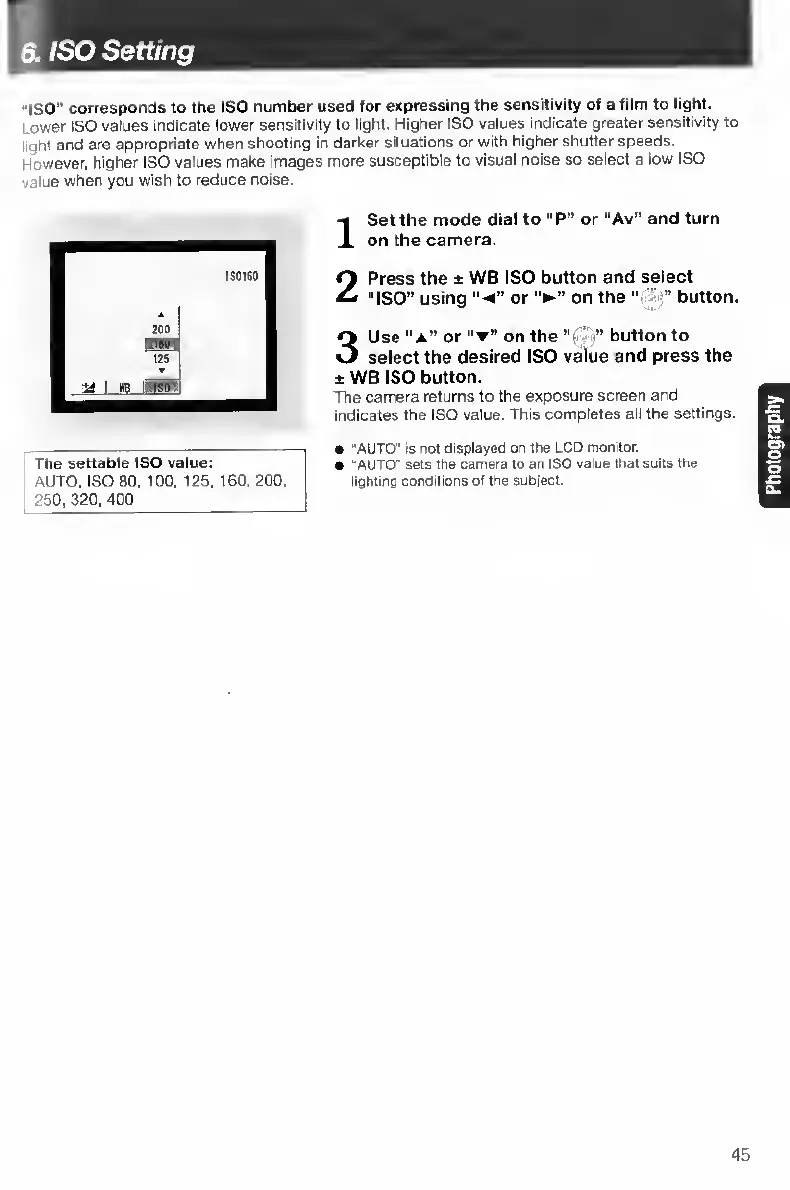
select
“ISO”
using
or
on
the
button.
3
U
se
“A”
or
“T”
on
the
“si
V
button
to
select
the
desired
ISO
value
and
press
the
±
WB
ISO
button.
The
camera
returns
to
the
exposure
screen
and
indicates
the
ISO
value.
This
completes
all
the
settings.
The
settable
ISO
value;
AUTO,
ISO
80,
too,
125,
160,
200,
250,
320,
400
"AUTO
"
PS
not
displayed
on
the
LCD
monitor.
'AUTO'
sets
the
camera
to
an
ISO
value
that
suits
the
lighting
conditions
of
the
subject.
45

Table of Contents

Other manuals for Contax TVS DIGITAL

Related product manuals