EasyManua.ls Logo

Contax TVS DIGITAL - POWER Button; Shutter Release Button

Contax TVS DIGITAL
109 pages
Print Icon
To Next Page IconTo Next Page
To Previous Page IconTo Previous Page
Loading...
1.
POWER
button
POWER
tuition
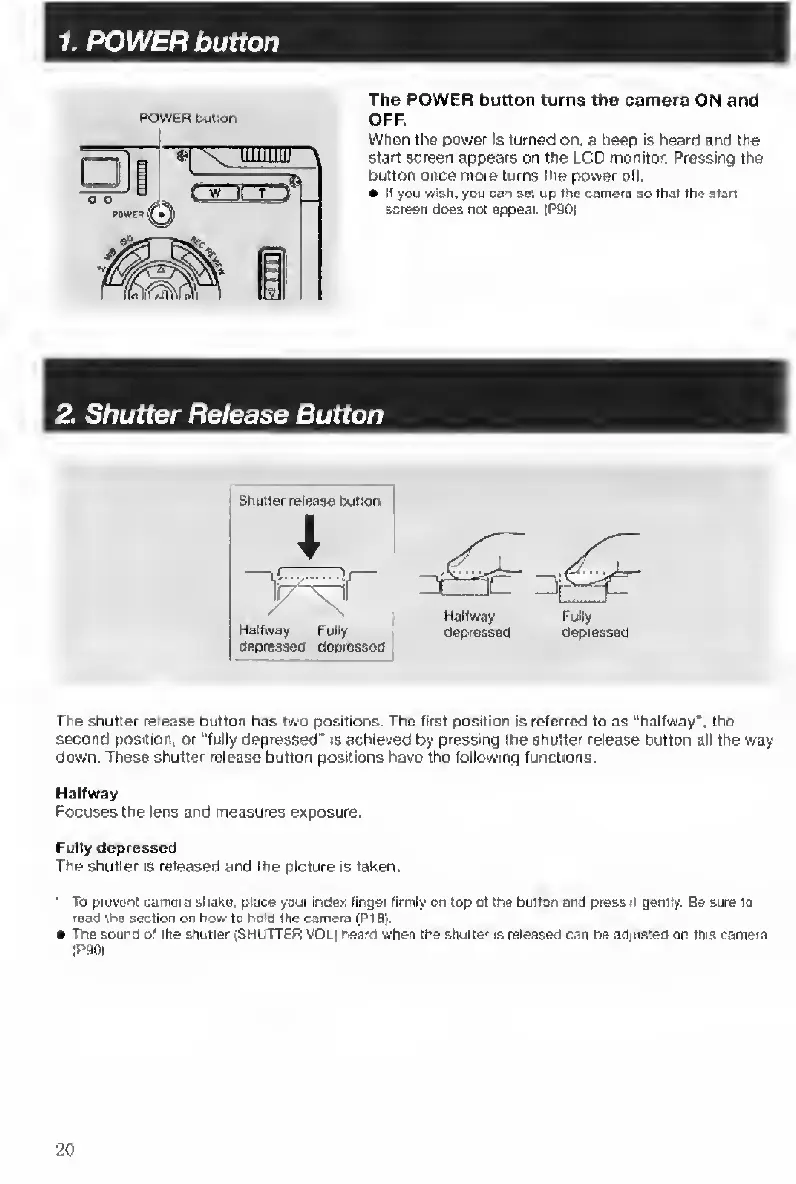
The
POWER
button
turns
the
camera
ON
and
OFF,
Wtien
the
power
Is
turned
on.
a
beep
is
heard
and
the
Stan
screen
appears
on
the
LCD
monitor.
Pressing
the
button
once
more
turns
the
power
off.
e
If
you
wish.
y[>u
can
set
up
the
camere
eo
that
the
slan
screen
does
not
appear.
|P90|
2.
Shutter
Release
Button
1
Shutter
release
iMtlon
~]
Hatfway
Fully
oepressed
depraased
Halfway
Fully
depressed
depraased
The
shutter
release
button
has
two
positions.
The
first
position
Is
referred
to
as
“halfway',
the
second
position,
or
“fully
depressed'
is
achieved
by
pressing
the
shutter
release
button
all
the
way
down.
These
shutter
release
button
positions
have
the
following
functions.
Halfway
Focuses
the
lens
and
measures
exposure.
Fudy
depressed
The
shutter
is
released
and
the
picture
is
taken.
'
To
pievanl
camera
shaxe.
place
your
index
lingei
firmly
on
top
of
the
button
and
press
it
gentty.
Be
sure
to
raad
the
section
on
how
to
holO
the
camera
(PI
B).
The
sourd
of
the
snutter
(SHUTTER
VOu)
r«a/d
when
the
shutter
is
released
can
bead|Usienoniriis
camera
iPOOi
20

Table of Contents

Other manuals for Contax TVS DIGITAL

Related product manuals