EasyManua.ls Logo

Contax TVS DIGITAL - Holding the Camera

Contax TVS DIGITAL
109 pages
Print Icon
To Next Page IconTo Next Page
To Previous Page IconTo Previous Page
Loading...
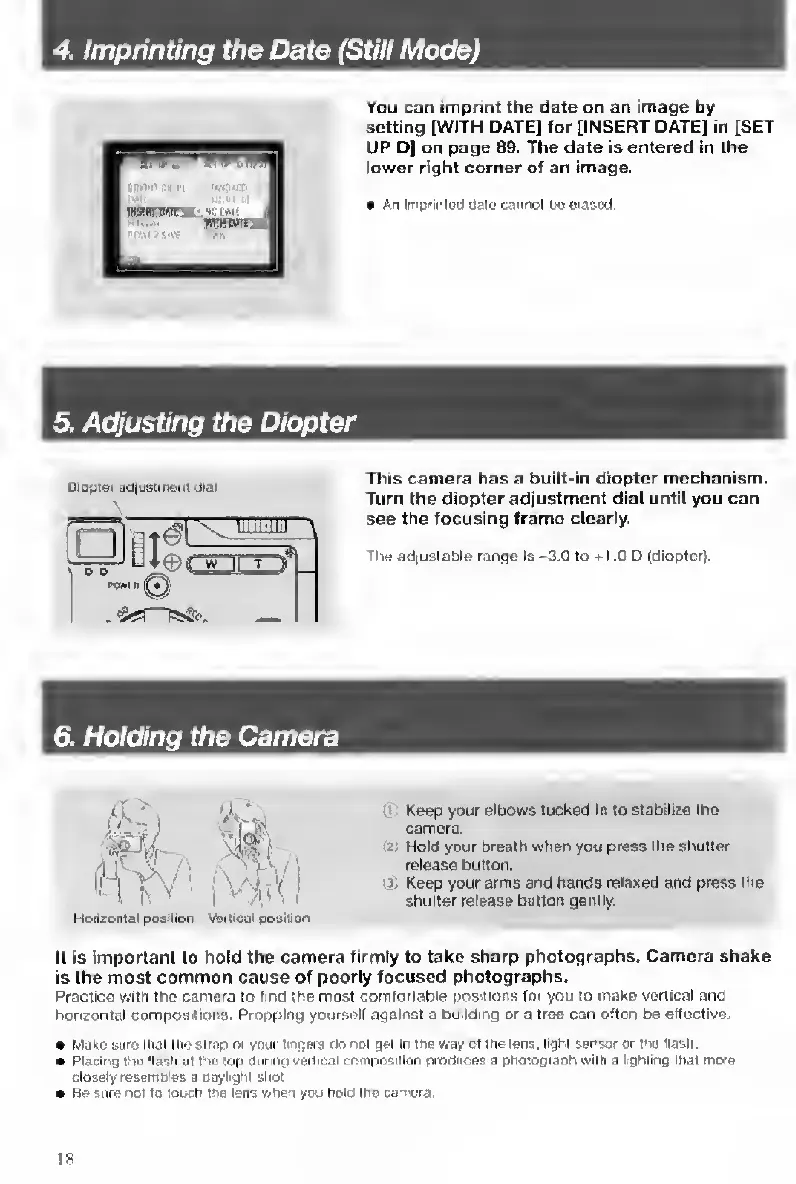
4.
I
mprinting
the
Date
(Still
Mode)
You
can
imprint
the
date
on
an
image
by
setting
[WITH
DATE]
for
[INSERT
DATE]
in
[SET
UP
D|
on
page
89.
The
date
is
entered
in
the
lower
right
corner
of
an
image.
An
Imprirted
(Jalo
cannot
M
era&ed
5.
A
djusting
the
Diopter
Diopiet
Bd|uetm«ril
dial
This
camera
has
a
built-in
diopter
mechanism.
Turn
the
diopter
adjustment
dial
until
you
can
see
the
focusing
frame
clearly.
The
adiustable
range
is
-3.G
to
-k
1.0
D
(dioptor).
6.
H
olding
the
Camera
I
ift
Horizontal
position
Vertical
gosilton
'
Keep
your
elbows
tucked
In
to
stabilize
the
camera.
2
Hold
your
bream
when
you
press
the
shutter
release
button.
13
Keep
your
arms
and
hands
relaxed
and
press
the
shutter
release
button
gently.
It
is
important
to
hold
the
camera
firmly
to
take
sharp
photographs.
Camera
shake
is
the
most
common
cause
of
poorly
focused
photographs.
Practice
with
the
camera
to
(ind
the
most
comfortable
positions
for
you
to
inake
vertical
and
horizontal
compositions.
Propping
yourself
against
a
building
or
a
tree
can
often
be
effective.
MtiKe
sure
that
the
strap
or
yixir
finpera
do
not
ijet
Iri
the
v/ay
of
trie
lens,
light
sanscr
or
ins
Hasti
Placing
the
'lash
at
Ihu
(op
rianiig
vertical
coolposillon
prodLces
a
photograoh
with
a
lighting
that
mote
ciosely
resemttles
a
Dayiighl
sitot
Be
sure
not
to
touch
tna
iens
v/hen
you
hold
the
carnsra.
18

Table of Contents

Other manuals for Contax TVS DIGITAL

Related product manuals