EasyManua.ls Logo

Contax TVS DIGITAL - Functions for Enhancing Movie Recording (continued)

Contax TVS DIGITAL
109 pages
Print Icon
To Next Page IconTo Next Page
To Previous Page IconTo Previous Page
Loading...
2
Functions
for
Enhancing
Movie
Recording
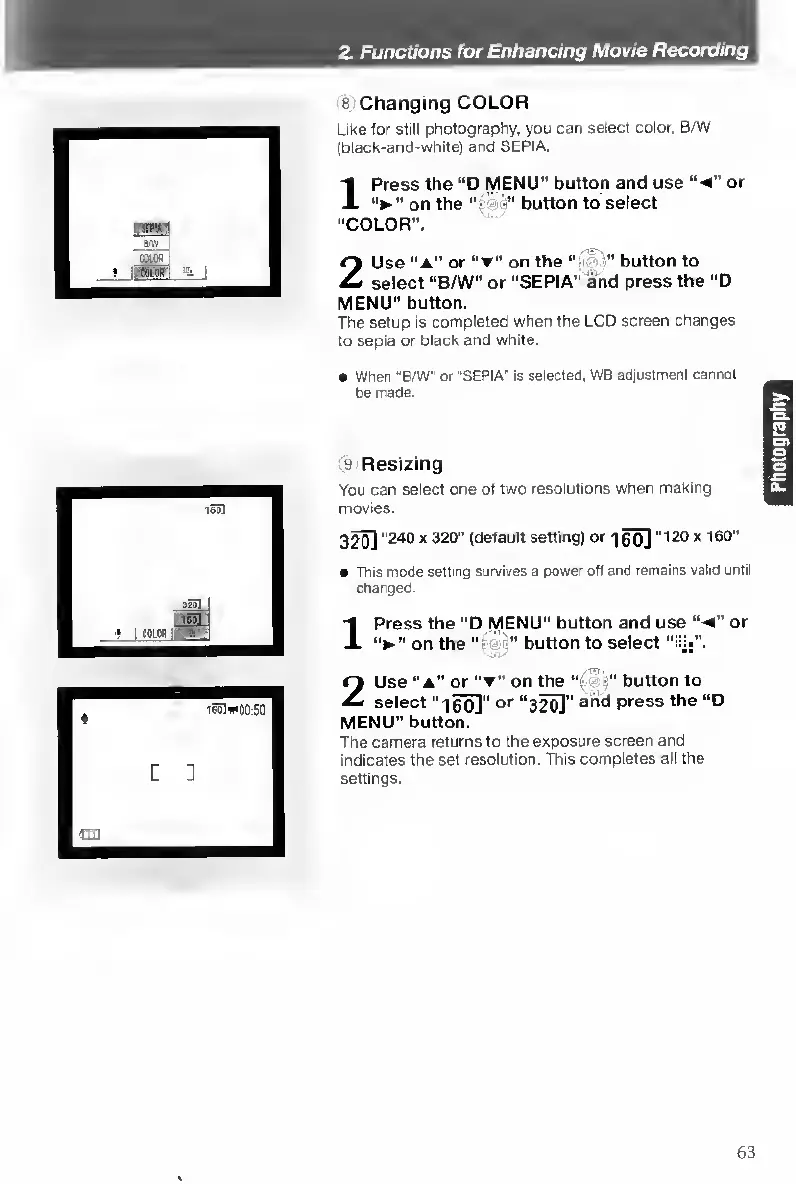
8
Changing
COLOR
Like
lor
still
pfiotography.
you
can
select
color,
B/W
(black-and-white)
and
SEPIA.
1
Press
the
“D
MENU”
button
and
use
“-4”
or
’’onthe"-
button
to
select
"COLOR”.
2
Use
“A”
or
on
the
“y-
button
to
select
“B/W"
or
“SEPIA”
and
press
the
“D
MENU"
button.
The
setup
is
completed
when
the
LCD
screen
changes
to
sepia
or
black
and
white.
When
"BW
or
"SEPIA"
is
selected,
WB
adjustment
cannot
be
made.
9
Resizing
You
can
select
one
o1
two
resolutions
when
making
movies.
3
^
“240
X
320"
(default
setting)
or
-)0o]
“120x
160"
This
mode
setting
survives
a
power
oti
and
remains
valid
until
changed.
Press
the
“D
MENU"
button
and
use
“-4
on
the
=
b
utton
to
select
or
Use
“a”
or
on
the
“i
button
to
select
“IRO]"
O'"
“3^"
press
the
“D
MENU”
button.
The
camera
returns
to
the
exposure
screen
and
indicates
the
set
resolution.
This
completes
all
the
settings.
63

Table of Contents

Other manuals for Contax TVS DIGITAL

Related product manuals