EasyManua.ls Logo

Contax TVS DIGITAL - Displaying Images on the LCD Monitor

Contax TVS DIGITAL
109 pages
Print Icon
To Next Page IconTo Next Page
To Previous Page IconTo Previous Page
Loading...
1.
Displaying
Images
on
the
LCD
Monitor
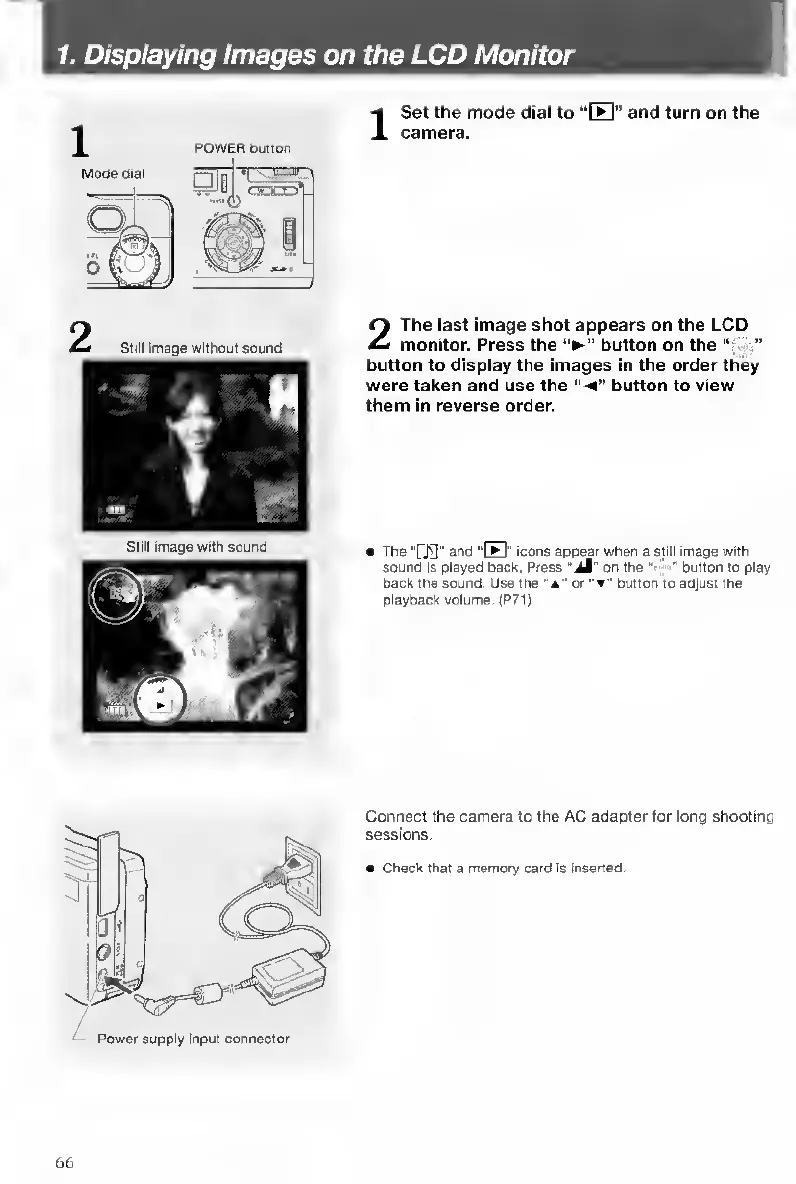
1
Mode
dial
POWER
button
I
S
et
the
mode
dial
to
“[El”
and
turn
on
the
camera.
still
image
without
sound
Still
Image
with
sound
2
The
last
image
shot
appears
on
the
LCD
monitor.
Press
the
button
on
the
button
to
display
the
images
in
the
order
they
were
taken
and
use
the
"-
4
button
to
view
them
in
reverse
order.
The
“[’Ji]"
and
''B"
icons
appear
when
a
still
image
with
sound
Is
played
back.
Press
“jM"
on
the
'
•"
button
to
play
back
the
sound.
Use
the
“a"
or
button
to
adjust
the
playback
volume.
(P71)
Connect
the
camera
to
the
AC
adapter
for
long
shooting
sessions.
Check
that
a
memory
card
is
Inserted.
66

Table of Contents

Other manuals for Contax TVS DIGITAL

Related product manuals