EasyManua.ls Logo

Contax TVS DIGITAL - Continuous Shooting “C”

Contax TVS DIGITAL
109 pages
Print Icon
To Next Page IconTo Next Page
To Previous Page IconTo Previous Page
Loading...
7.
“C
MENU"
Photography
When
the
shutter
release
button
is
pressed
in
drive
mode
“C",
three
frames
are
taken
in
standard
exposure,
overexposure
and
underexposure.
The
focus
set
for
the
first
photo
is
used
for
all
three
photos.
If
the
set
compensation
range
exceeds
the
camera’s
exposure
limits,
the
photos
are
taken
at
maximum
possible
compensation
values.
tfou
can
change
the
exposure
order
to
over
-•
standard
-*
unoer.
(P88)
Shooting
cannot
be
performed
when
there
are
iess
tha/t
three
frames
ieft
(in
drive
mode
"C").
5
Continuous
Shooting
“C”
The
continuous
shooting
mode
allows
you
to
shoot
a
sequence
of
pictures
as
long
as
the
shutter
release
button
is
depressed.
I
S
et
the
mode
dial
to
"P”
or
"Av”
and
turn
on
the
camera.
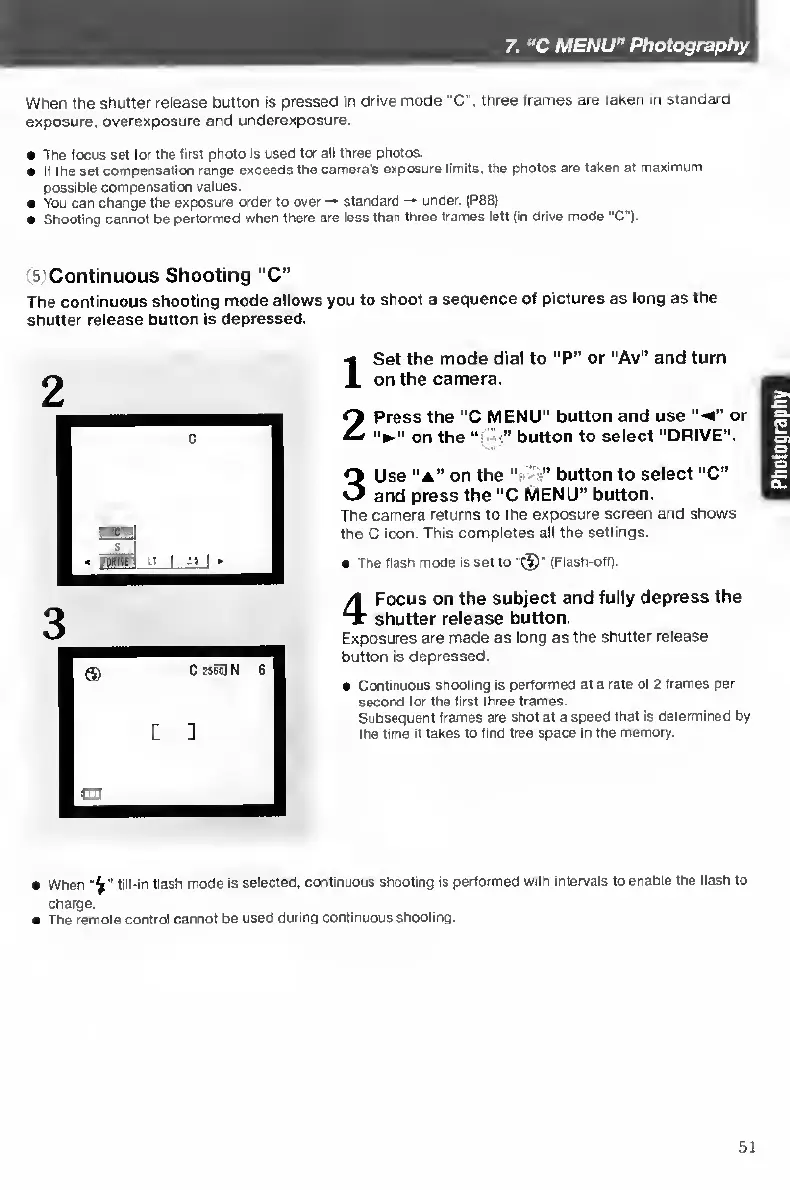
2
P
ress
the
“C
MENU"
button
and
use
“•<”
or
on
the
button
to
select
“DRIVE".
3
U
se
“A”
on
the
"•
•"
button
to
select
"C”
and
press
the
"C
MENU”
button.
The
camera
returns
to
the
exposure
screen
and
shows
the
C
icon.
This
completes
all
the
settings.
The
Hash
mode
is
set
to
"
(Flash-off).
4
F
ocus
on
the
subject
and
fully
depress
the
shutter
release
button.
Exposures
are
made
as
long
as
the
shutter
release
button
is
depressed.
Continuous
shooting
is
performed
at
a
rate
of
2
frames
per
second
for
the
first
three
frames.
Subsequent
frames
are
shot
at
a
speed
that
is
determined
by
the
time
it
lakes
to
find
free
space
in
the
memory.
When
fill-ir
Hash
mode
is
selected,
continuous
shooting
is
performed
with
intervals
to
enable
the
flash
to
charge.
The
remote
control
cannot
be
used
during
continuous
shooting.
51

Table of Contents

Other manuals for Contax TVS DIGITAL

Related product manuals