EasyManua.ls Logo

Contax TVS DIGITAL - D MENU Photography

Contax TVS DIGITAL
109 pages
Print Icon
To Next Page IconTo Next Page
To Previous Page IconTo Previous Page
Loading...
a
“D
MENU’’
Photography
1
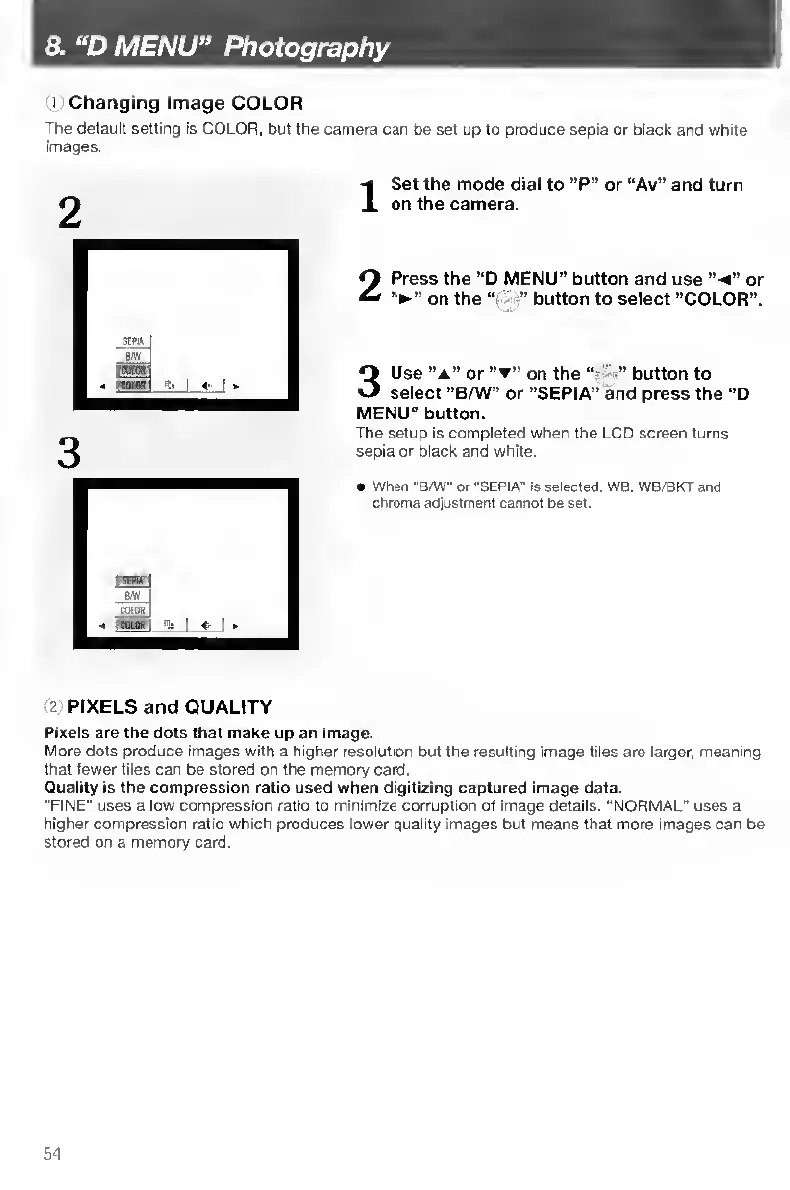
Changing
Image
COLOR
The
default
setting
is
COLOR,
but
the
camera
can
be
set
up
to
produce
sepia
or
black
and
white
images.
I
S
et
the
mode
dial
to
“P"
or
“Av''
and
turn
on
the
camera.
2
Press
the
“D
MENU"
button
and
use
“-4”
or
on
the
button
to
select
“COLOR”.
3
Use
“A"
or
on
the
"
button
to
select
“B/W”
or
“SEPIA”
and
press
the
“D
MENU"
button.
The
setup
is
completed
when
the
LCD
screen
turns
sepia
or
black
and
white.
Wnen
“Sm"
or
"SEPW
is
Selected.
WB.
WB/BKT
and
chroma
adjustment
cannot
be
set.
2
PIXELS
and
QUALITY
Pixels
are
the
dots
that
make
up
an
image.
More
dots
produce
images
with
a
higher
resolution
but
the
resulting
image
files
are
larger,
meaning
that
fewer
files
can
be
stored
on
the
memory
card.
Quality
is
the
compression
ratio
used
when
digitizing
captured
image
data.
"FINE”
uses
a
low
compression
ratio
to
minimize
corruption
of
image
details.
"NORMAL"
uses
a
higher
compression
ratio
which
produces
lower
quality
images
but
means
that
more
images
can
be
stored
on
a
memory
card.
54

Table of Contents

Other manuals for Contax TVS DIGITAL

Related product manuals