EasyManua.ls Logo

Contax TVS DIGITAL - Flash Exposure Compensation

Contax TVS DIGITAL
109 pages
Print Icon
To Next Page IconTo Next Page
To Previous Page IconTo Previous Page
Loading...
7.
"C
MENU”
Photography
7
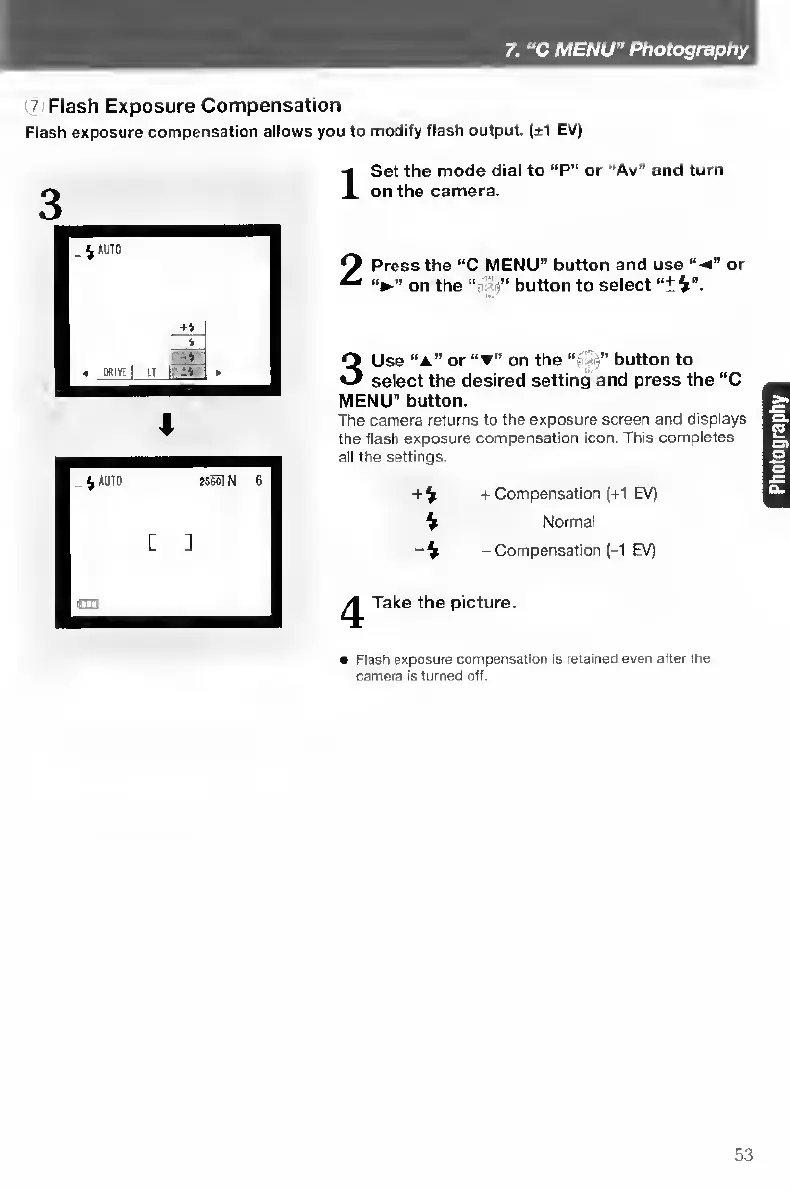
Flash
Exposure
Compensation
Flash
exposure
compensation
allows
you
to
modify
flash
output.
(±1
EV)
I
S
et
the
mode
dial
to
“P"
or
“Av”
and
turn
on
the
camera.
2
Press
the
“C
MENU”
button
and
use
“V
or
on
the
'‘fi-n”
button
to
select
3
Use
“a”
or
on
the
-n"
button
to
select
the
desired
setting
and
press
the
“C
MENU"
button.
The
camera
returns
to
the
exposure
screen
and
displays
the
flash
exposure
compensation
icon.
This
completes
all
the
settings.
+
V
+
Compensation
(+1
EV)
V
Normal
-
Compensation
(-1
EV)
yy
Take
the
picture.
Flash
exposure
compensation
is
retained
even
after
the
camera
is
turned
off.
53

Table of Contents

Other manuals for Contax TVS DIGITAL

Related product manuals