EasyManua.ls Logo

Contax TVS DIGITAL - C MENU Button

Contax TVS DIGITAL
109 pages
Print Icon
To Next Page IconTo Next Page
To Previous Page IconTo Previous Page
Loading...
a
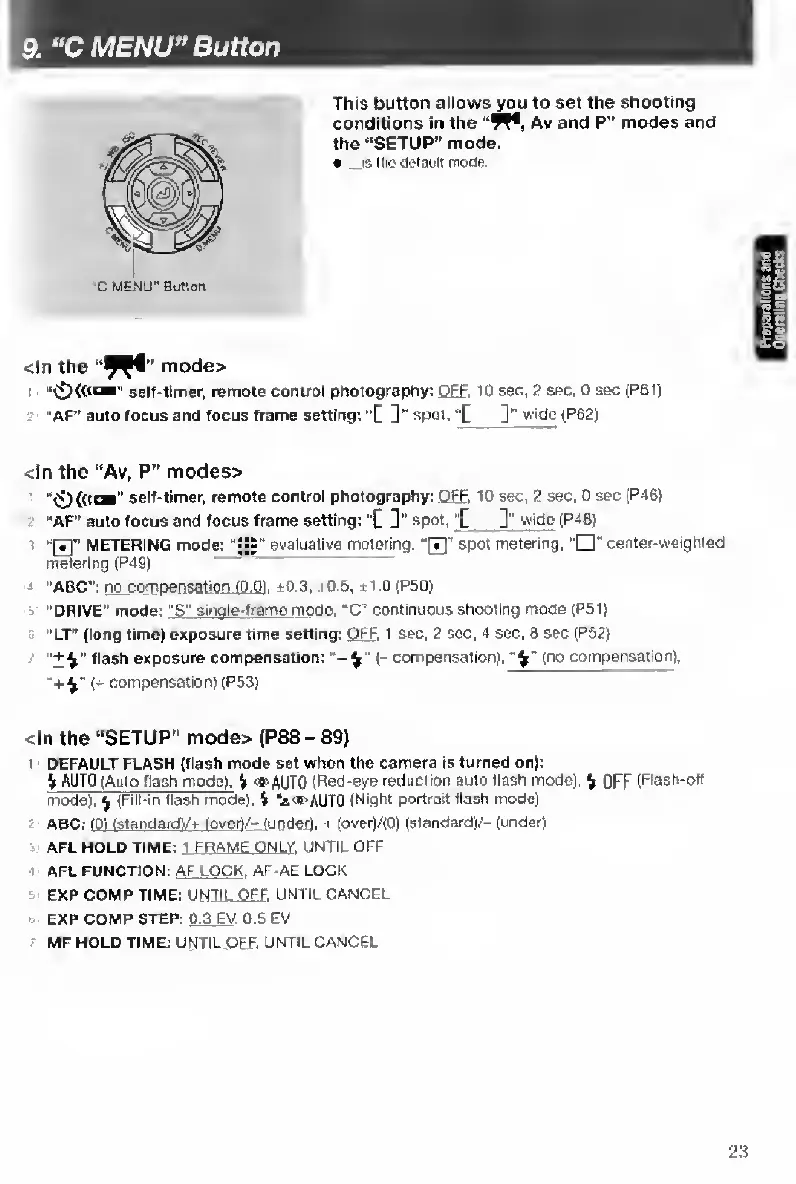
MENU*’Button
This
button
allows^u
to
set
the
shooting
conditions
in
the
Av
and
P”
modes
and
the
“SETUP"
mode.
«
..isUio<]«lauitrnoae.
<ln
the
mode>
self-timer,
remote
control
photography:
OFF
.
10
sec,
2
sec.
0
sec
(P61)
"AF”
auto
focus
and
focus
frame
setting:
’[
]"
spot.
]"
wide
{P62)
<ln
the
“Av,
P"
modes>
self-timer,
remote
control
photography:
OFF
.
10
sec,
2
sec.
0
sec
{P46|
“AF"
auto
focus
and
focus
frame
setting:
"C
]”
spot,
"
[
3"
wi
de
iP46)
:
“fTl"
METERING
mode;
"S|"
evaluative
metering.
"0"
spot
metering,
center-weighted
metering
(P491
:
“ABC;
no
compen
sation
fO.O)
,
*0.2,
i0.6,
±1.0
(P50)
"DRIVE"
mode:
"S"
single-ftame
m
ode.
“C"
continuous
shooting
mode
(P51|
"LT”
(long
time)
exposure
time
setting:
OFF
.
1
sec.
2
sec,
4
sec.
8
sec
(P52)
•'+^"
flash
exposure
compensation:
’-4"
(-
compensation),
{no
compen^tion),
+^'
(-
compensation)
[P53)
<ln
the
“SETUP"
mode>
(P88
-
89)
'
DEFAULT
FLASH
{flash
mode
set
when
the
camera
is
turned
on):
i
AUTO
(Auto
flash
mode).
%
'•AUTO
(Red-eye
reduction
auto
Hash
mode),
^
OFF
(Flash-off
mode),
^
^Fill-in
flash
mode).
H
'*®AUT0
(Night
portrait
flash
mode)
ABC:
fPl
IstandardV*
love
rt/-
iundefi.
i
(over)/(0)
Istandard)/-(under)
AFL
HOLD
TIME:
1
FRAME
ONLY.
UNTIL
OFF
I
AFL
FUNCTION:
AF
LOCK
.
AF-AE
LOCK
EXP
COMP
TIME:
UNT
IL
OFF
,
UNTIL
CANCEL
EXP
COMP
STEP:
0.3
EV
.
0.5
EV
MF
HOLD
TIME:
UNTIL
C«iF.
UNTIL
CANCEL
23

Table of Contents

Other manuals for Contax TVS DIGITAL

Related product manuals