EasyManua.ls Logo

Contax TVS DIGITAL - Setting Focus Area.62

Contax TVS DIGITAL
109 pages
Print Icon
To Next Page IconTo Next Page
To Previous Page IconTo Previous Page
Loading...
6
Setting
Focus
Area
The
camera
provides
the
same
type
of
focusing
for
movies
as
for
still
photography.
{For
details
on
settings,
refer
to
P48.)
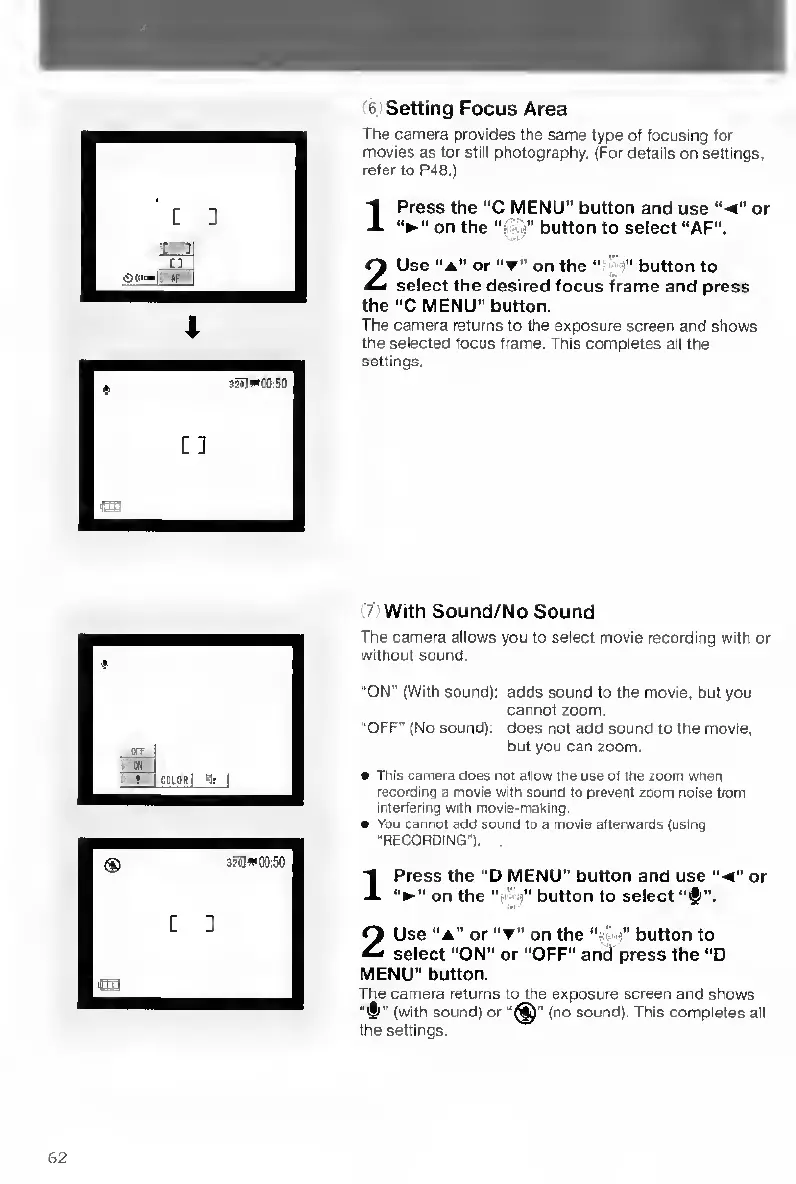
1
Press
the
"C
MENU”
button
and
use
or
on
the
“ii'.i''
button
to
select
“AF".
2
Use
“A"
or
“T”
on
the
"
;
"
button
to
select
the
desired
focus
frame
and
press
the
“C
MENU”
button.
The
camera
returns
to
the
exposure
screen
and
shows
the
selected
focus
frame.
This
completes
all
the
settings.
'
With
Sound/No
Sound
The
camera
allows
you
to
select
movie
recording
with
or
without
sound.
"ON"
(With
sound):
adds
sound
to
the
movie,
but
you
cannot
zoom.
“OFF"
(No
sound);
does
not
add
sound
to
the
movie,
but
you
can
zoom,
This
camera
does
not
allow
the
use
of
the
zoom
when
recording
a
movie
with
sound
to
prevent
zoom
noise
from
interfering
with
movie-making.
You
cannot
add
sound
to
a
movie
afterwards
(using
"RECORDING").
1
Press
the
“D
MENU”
button
and
use
or
on
the
button
to
select
‘'^li”.
2
Use
“A”
or
on
the
"
button
to
select
“ON"
or
"OFF"
and
press
the
"D
MENU”
button.
The
camera
returns
to
the
exposure
screen
and
shows
'
(with
sound)
or
(no
sound).
This
completes
all
the
settings.

Table of Contents

Other manuals for Contax TVS DIGITAL

Related product manuals