EasyManua.ls Logo

Contax TVS DIGITAL - Playing Movies

Contax TVS DIGITAL
109 pages
Print Icon
To Next Page IconTo Next Page
To Previous Page IconTo Previous Page
Loading...
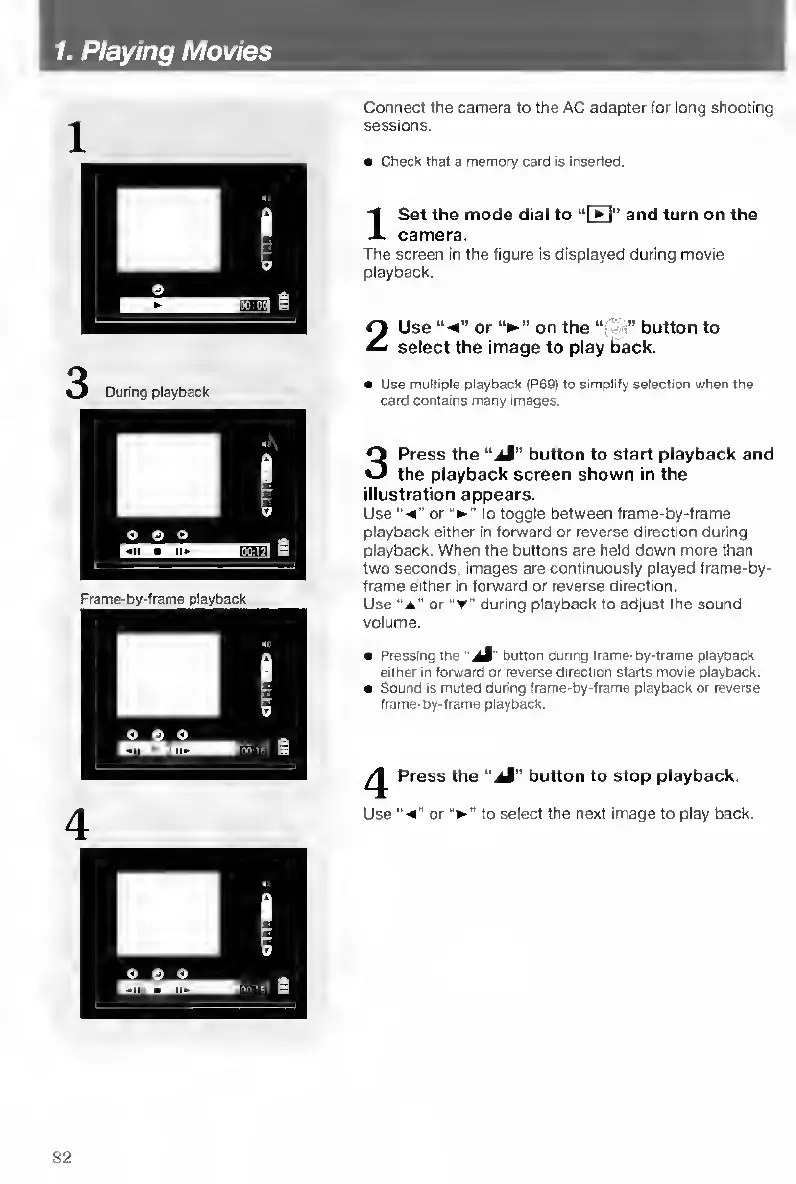
1.
Playing
Movies
Connect
the
camera
to
the
AC
adapter
for
long
shooting
sessions.
Check
that
a
memory
card
is
inserteO.
I
S
et
the
mode
dial
to
“ITI"
and
turn
on
the
camera.
The
screen
in
the
figure
is
displayed
during
movie
playback.
2
Use
“«e”
or
on
the
button
to
select
the
image
to
play
back.
Use
multiple
playback
(P69)
to
simplify
selection
when
the
card
contains
many
images.
3
Press
the
“.iJ”
button
to
start
playback
and
the
playback
screen
shown
in
the
illustration
appears.
Use
"•«"
or
to
toggle
between
frame-by-frame
playback
either
in
forward
or
reverse
direction
during
playback.
When
the
buttons
are
held
down
more
than
two
seconds,
images
are
continuously
played
frame-by-
frame
either
in
forward
or
reverse
direction.
Use
“A"
or
"T"
during
playback
to
adjust
the
sound
volume.
Pressing
the
button
during
Irame-by-lrame
playback
either
in
forward
or
reverse
direction
starts
movie
playback.
Sound
Is
muted
during
frame-by-frame
playback
or
reverse
frame-by-frame
playback.
/y
Press
the
“jM"
button
to
stop
playback.
Use
or
to
select
the
next
image
to
play
back.
82

Table of Contents

Other manuals for Contax TVS DIGITAL

Related product manuals