EasyManua.ls Logo

Contax TVS DIGITAL - Deleting images

Contax TVS DIGITAL
109 pages
Print Icon
To Next Page IconTo Next Page
To Previous Page IconTo Previous Page
Loading...
<
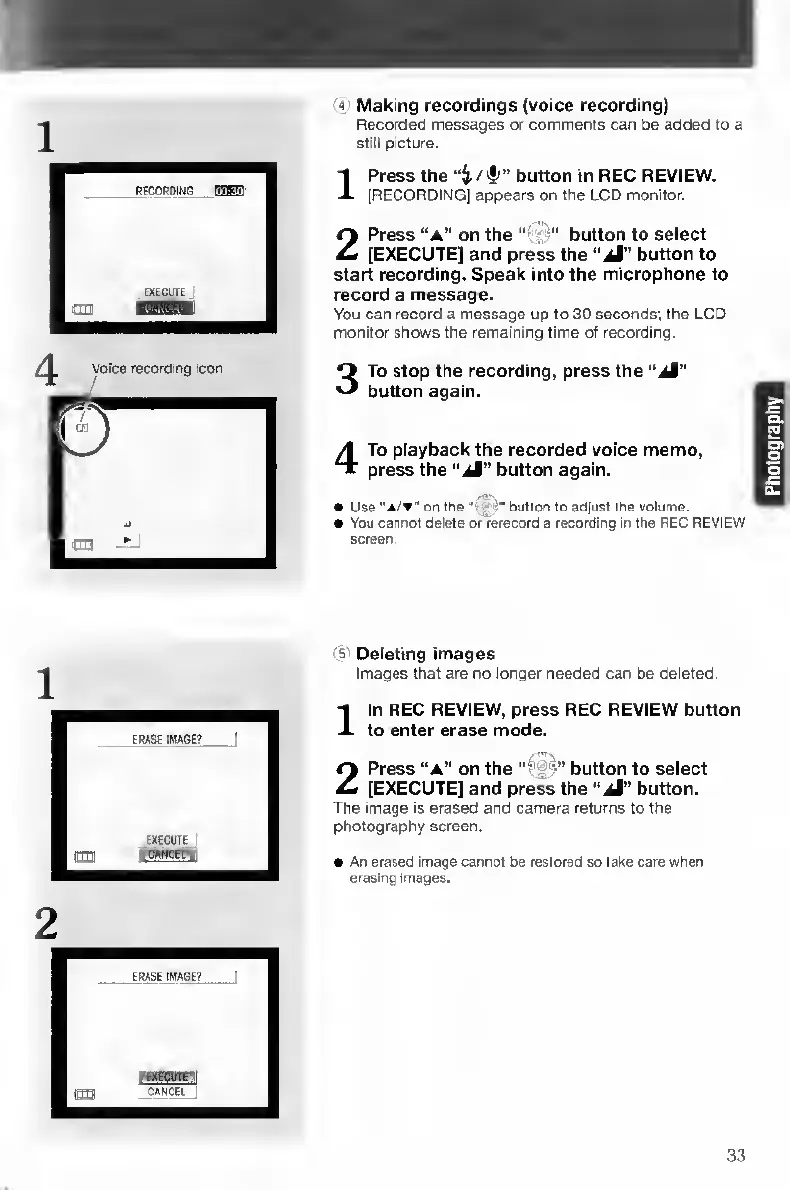
Making
recordings
(voice
recording)
Recorded
messages
or
comments
can
be
added
to
a
still
picture.
1
P
ress
the
button
in
REC
REVIEW.
[RECORDING]
appears
on
the
LCD
monitor.
2
P
ress
“A"
on
the..
button
to
select
[EXECUTE]
and
press
the
“iJ”
button
to
start
recording.
Speak
into
the
microphone
to
record
a
message.
You
can
record
a
message
up
to
30
seconds;
the
LCD
monitor
shows
the
remaining
time
of
recording.
3
T
o
stop
the
recording,
press
the
“aI"
button
again.
4
T
o
playback
the
recorded
voice
memo,
press
the
“jM"
button
again.
-1T>.
Use
"A/w'
on
the
"t*®"
button
to
adjust
the
volume.
You
cannot
delete
or
rerecord
a
recording
in
the
REC
REVIEW
screen.
s
Deleting
images
Images
that
are
no
longer
needed
can
be
deleted.
I
l
n
REC
REVIEW,
press
REC
REVIEW
button
to
enter
erase
mode.
2
Press
“a”
on
the
“^3^
button
to
select
[EXECUTE]
and
press
the
“aJ”
button.
The
image
is
erased
and
camera
returns
to
the
photography
screen.
An
erased
Image
cannot
be
restored
so
take
care
when
erasing
images.
33

Table of Contents

Other manuals for Contax TVS DIGITAL

Related product manuals