Installation
PRS-7367 339
Grounding: braided copper cable, 2.5mm
2
~ 6.0mm
2
.
For wires connected to two points, there should be no joint in the middle, and the wire core
should not be damaged. If the wire length is not enough during the process of wiring or
rewiring, the worker must replace it. There should be no excess wire in the slot. If it is required to
remove the wire, the whole wire must be completely removed.
When wiring the AC terminal of module, current and voltage wires must adopt 12mm size
cable lug, to avoid loose contact. Strictly prohibit electric screwdriver, so as to avoid
terminals damage.
Attention! Never allow the current transformer (CT) secondary circuit connected to this
equipment to be opened while the primary system is live. Opening the CT circuit will
produce a dangerously high voltage.
11.7.3 Grounding
Use a yellow-green multi-core cable with a cross-section of at least 2.5 mm
2
to connect the
grounded copper bars. The cubicle should reliably have connected to the secondary ground
network.
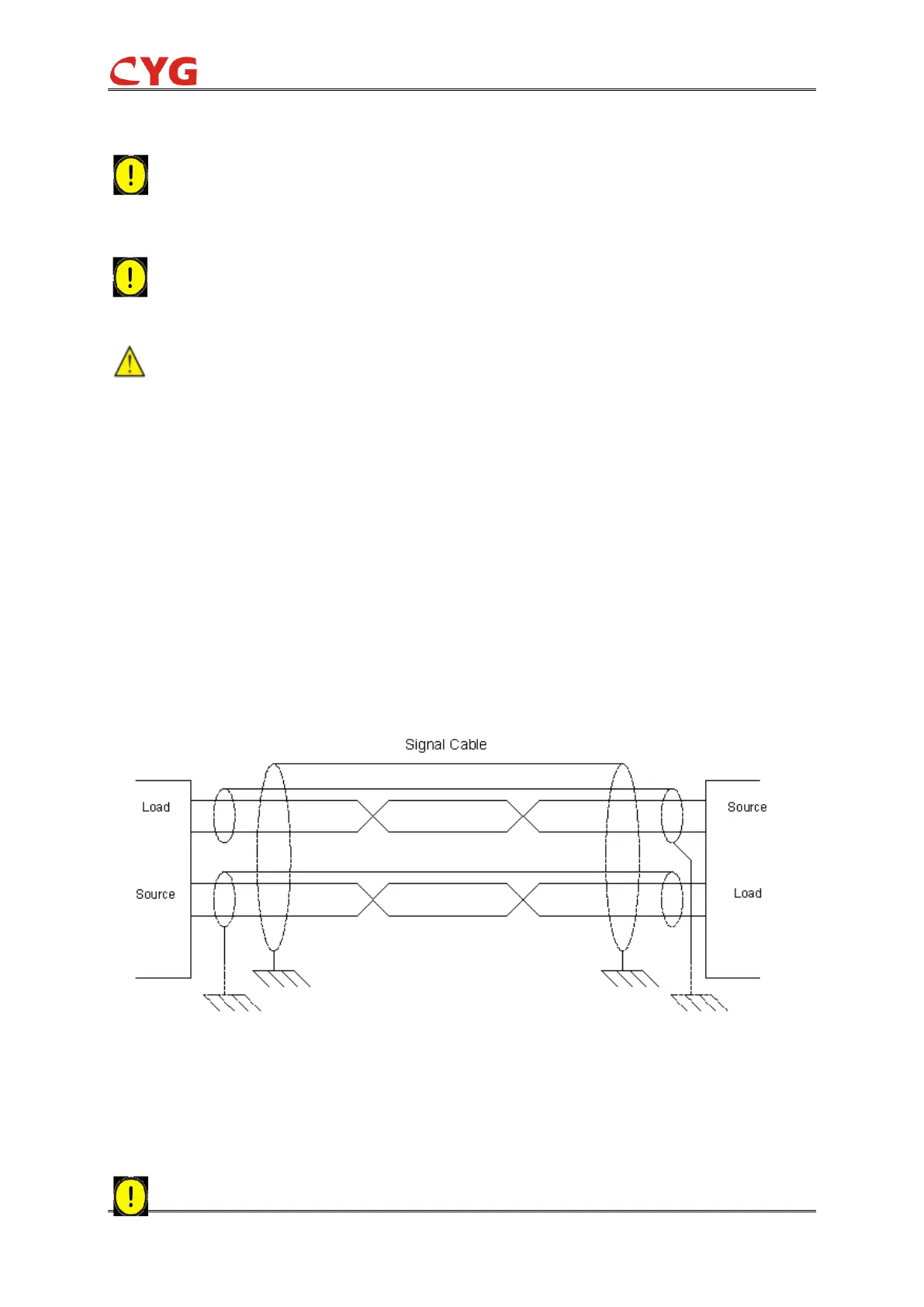
11.7.4 Shielded cable connection
When using a shielded cable, connect the shielded cable to ground and follow the engineering
application method. This includes checking of the appropriate grounding point near the device,
such as the grounding point inside the cubicle and the grounding point near the measurement
source. Ensure a single shield connection a suitable short cross-sectional wire (maximum 10CM)
for ground connection.
11.7.5 Install the optical cable
Care should be taken to handle the cable without substantial bending. The minimum curvature
radius of the plastic optical fiber is 15 cm and the glass optical fiber is 25 cm. To use the cable
clamp, a loose buffer sleeve should be used.
When connecting or removing the optical fiber, please take hold of the connection ends. Do



 To Next Page