20
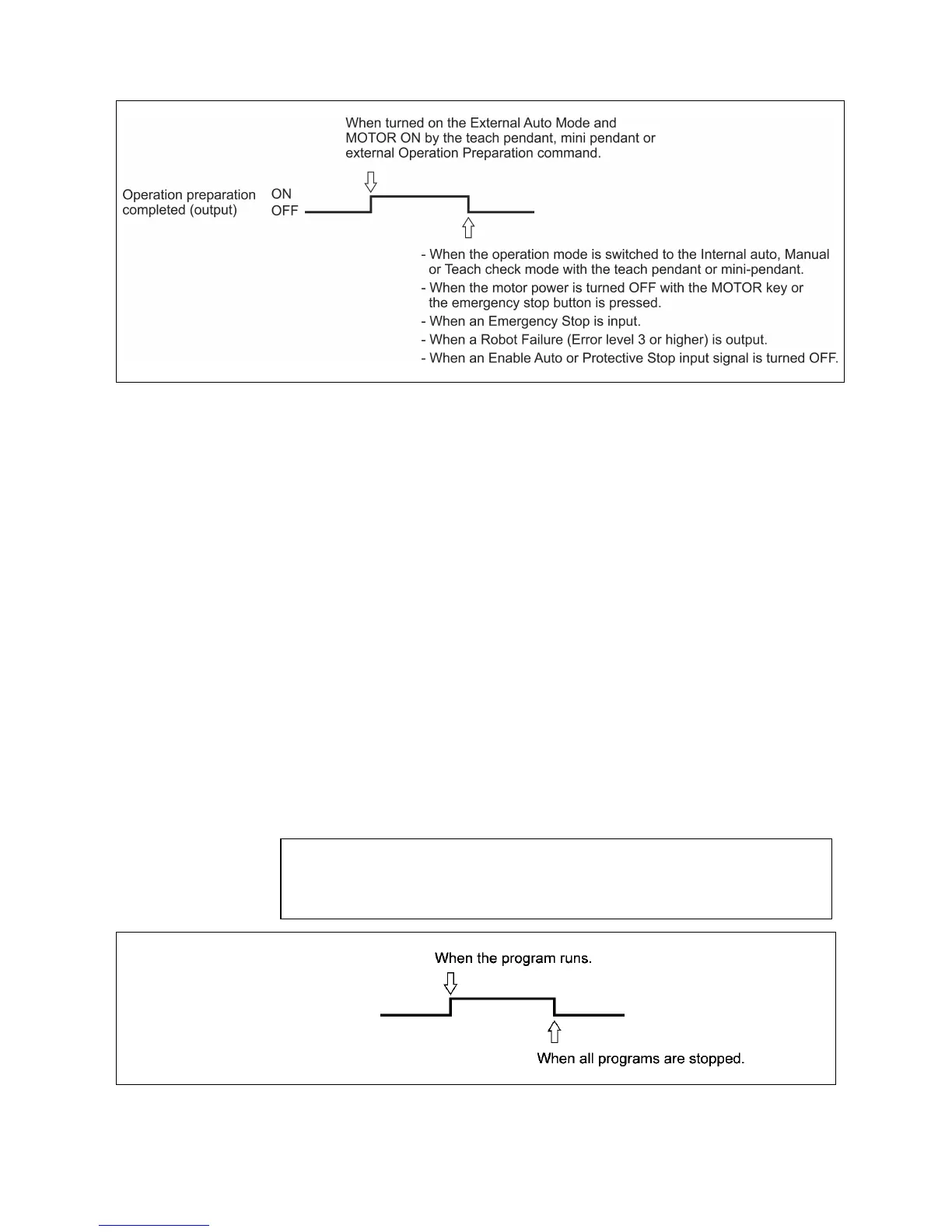
Operation Preparation Completed Output
3.2.4 Robot Running (output)
(1) Function
This signal tells the external device that the robot is in operation (that is, one
or more tasks are being executed).
(2) Terminal number
#46 on connector CN5
(3) Usage
This signal is used to light the robot operating indicator lamp of an external
operating panel.
Performing the "Stop all programs" operation* turns this signal OFF, allowing
you to check that all programs are stopped.
(4) ON conditions
This signal will be turned ON during execution of the program and also in the
WAIT STATE with a conditional branch or timer command.
(5) OFF conditions
This signal will be turned OFF with the "Stop all programs" operation*.
* "Stop all programs" operation
This operation includes the following: Depression of the emergency stop
button and STOP key and input of Step Stop (All task) and External
Emergency Stop signals.
Robot Running Output
Robot Running ON
(output) OFF



 To Next Page