OperationModel 2500 129
© 2015-2017 Distek, Inc. All Rights Reserved
5.8 Report Summary
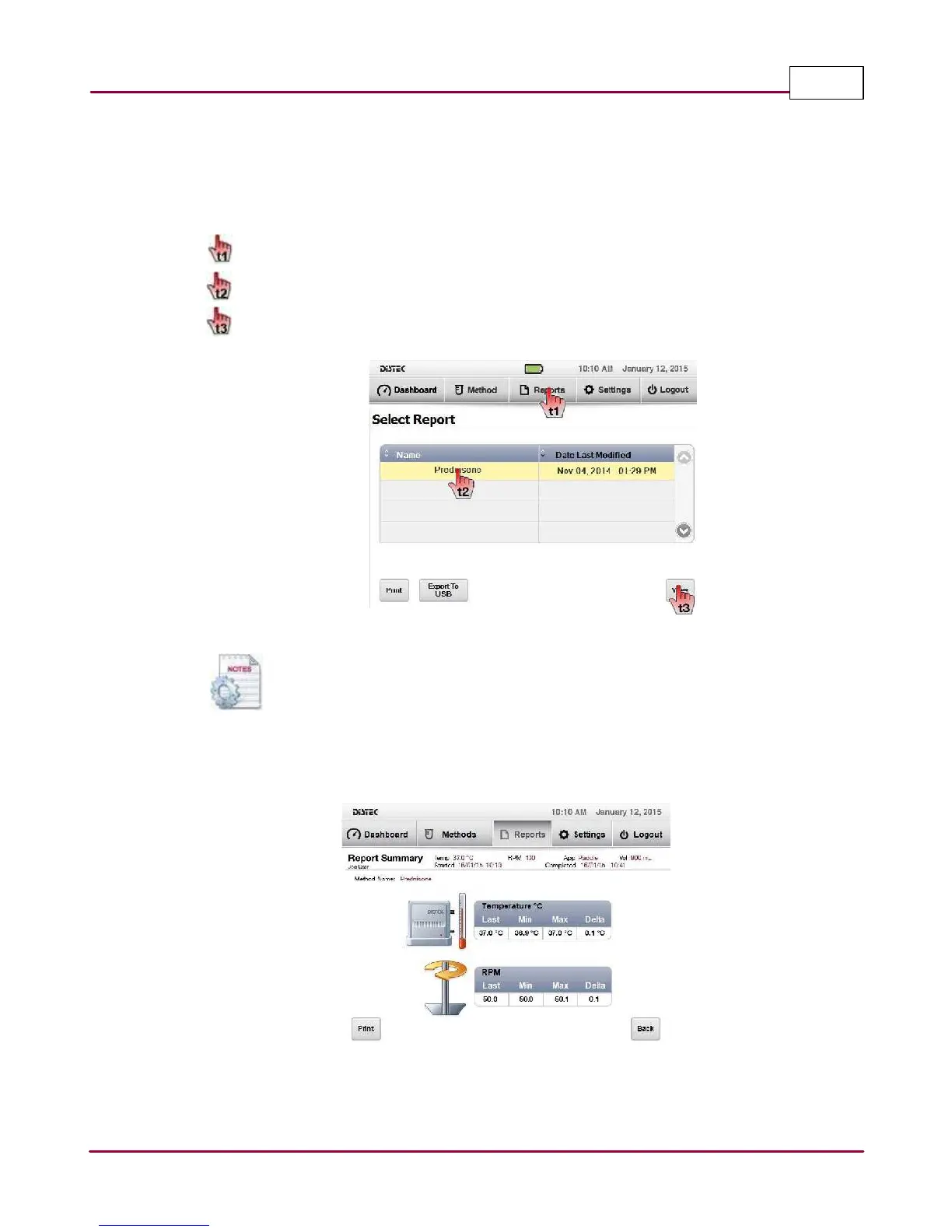
The Report Summary is a way to quickly look at finished test information whether the test was
done manually or a method was completed or aborted.
1 Choose
Reports
tab.
From the report table, select the test you want displayed.
Select
V iew
to display the Report Summary of the test.
Select report
Existing reports can be exported using the "Export To USB" command button.
Once exported, the files are converted automatically to CSV files.
2 The report summary displays some of the important test details from the test. The user
has the option to print a comprehensive report by selecting the
Print
button.
Model 2500 standard report summary



 To Next Page