OperationModel 2500 168
© 2015-2017 Distek, Inc. All Rights Reserved
5.10.7 Help
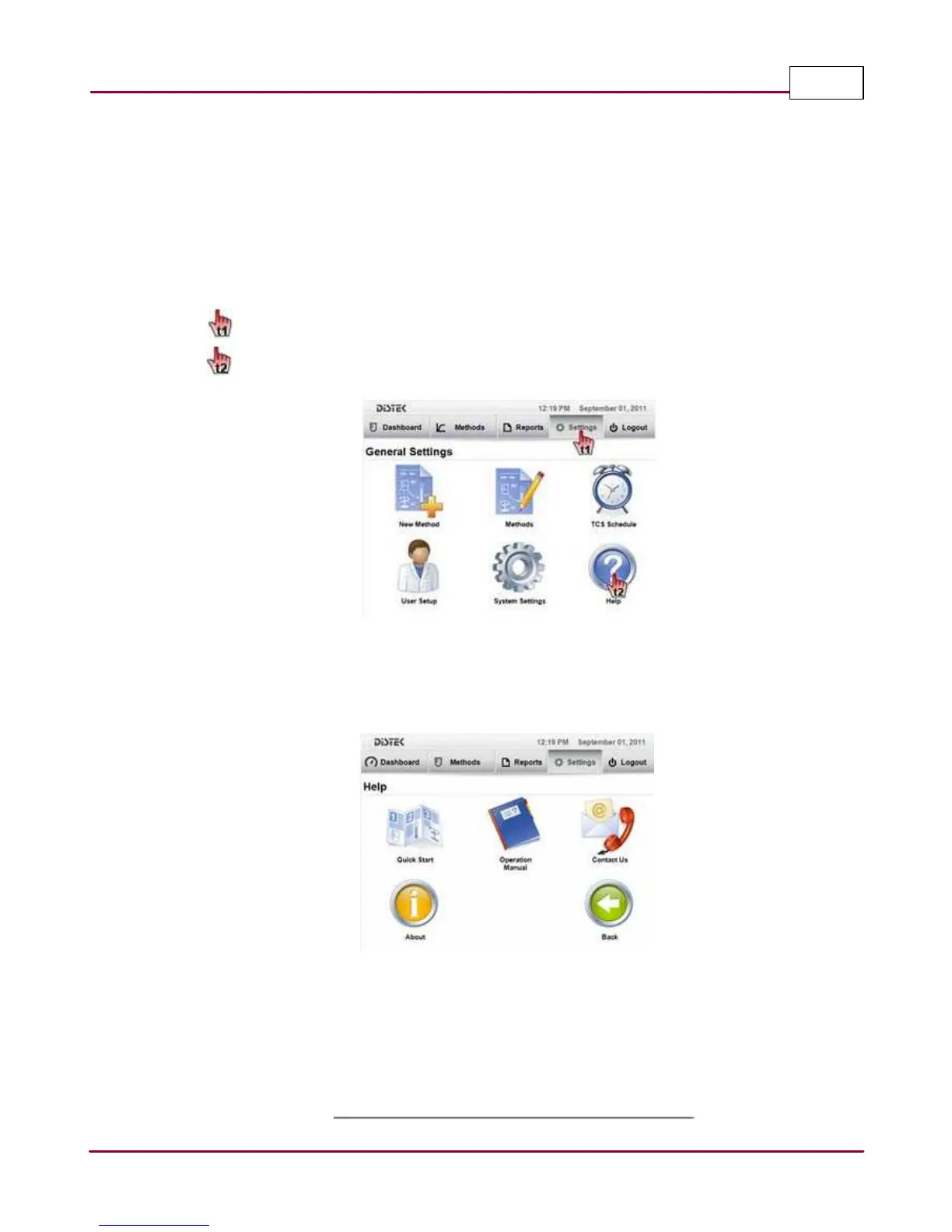
The Help section includes: the
Quick Sta rt
manual which shows the user how to quickly become
familiar with the instrument; the
Opera tion M a nua l
which presents detailed information about
the instrument;
Conta ct U s
for technical help on-line or by phone; and
About
which details the
instrument's technical information.
The steps below describe how to access Help screen.
1 Choose
Setting s
tab.
Select
Help
. The Help screen will be displayed.
Selecting the Help menu
2 In the Help screen, select the icon representing the area with which you need help and the
appropriate information will be displayed.
Help screen
Quick Start: Opens up the quick start manual.
Operation Manual: Opens up a full version of the manual.
Contact Us: Displays how to contact Distek.
About: Displays the Instrument information.



 To Next Page