OperationModel 2500 167
© 2015-2017 Distek, Inc. All Rights Reserved
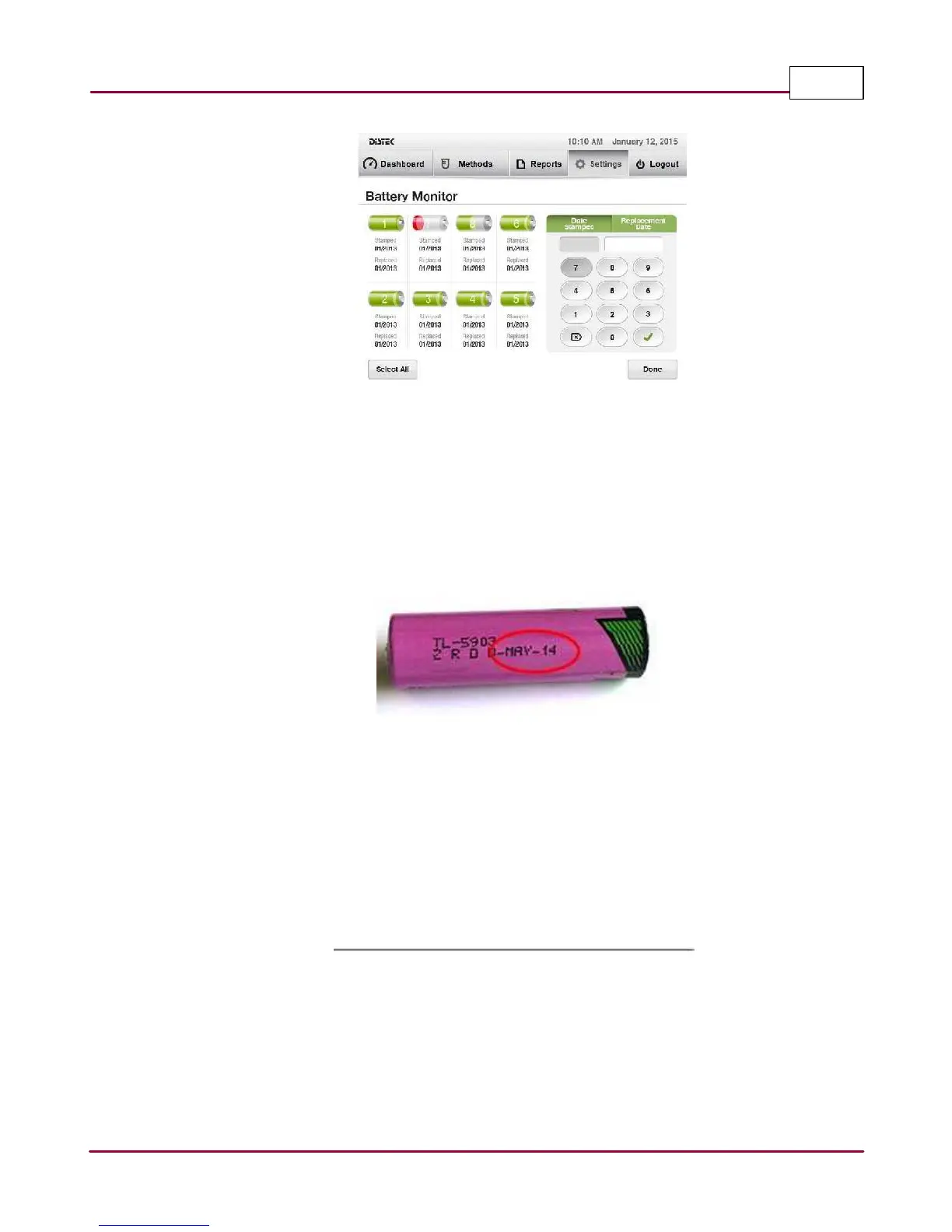
Battery Monitor Screen
3 If replacing only one battery, select only that position; otherwise, if replacing all batteries
at the same time, select the
Select All
button.
4 Select the
Da te Sta m ped
on the keypad. Using the keypad, enter the month and year
stamped on the battery.
Date stamped on battery
5 Select the
Repla cem ent Da te
on the keypad. Using the keypad, enter the current month,
day and year.
6 Verify that both the
Sta m ped
and
Rep la cem en t
dates are now updated. Once completed,
select
Done
to exit the
Ba ttery M o nitor
screen.



 To Next Page