OperationModel 2500 93
© 2015-2017 Distek, Inc. All Rights Reserved
5.7.3 Simultaneous Drop Using Baskets
5.7.3.1
2500 with Standard Shafts
This section describes how to run the Model 2500 using baskets for simultaneous sampling.
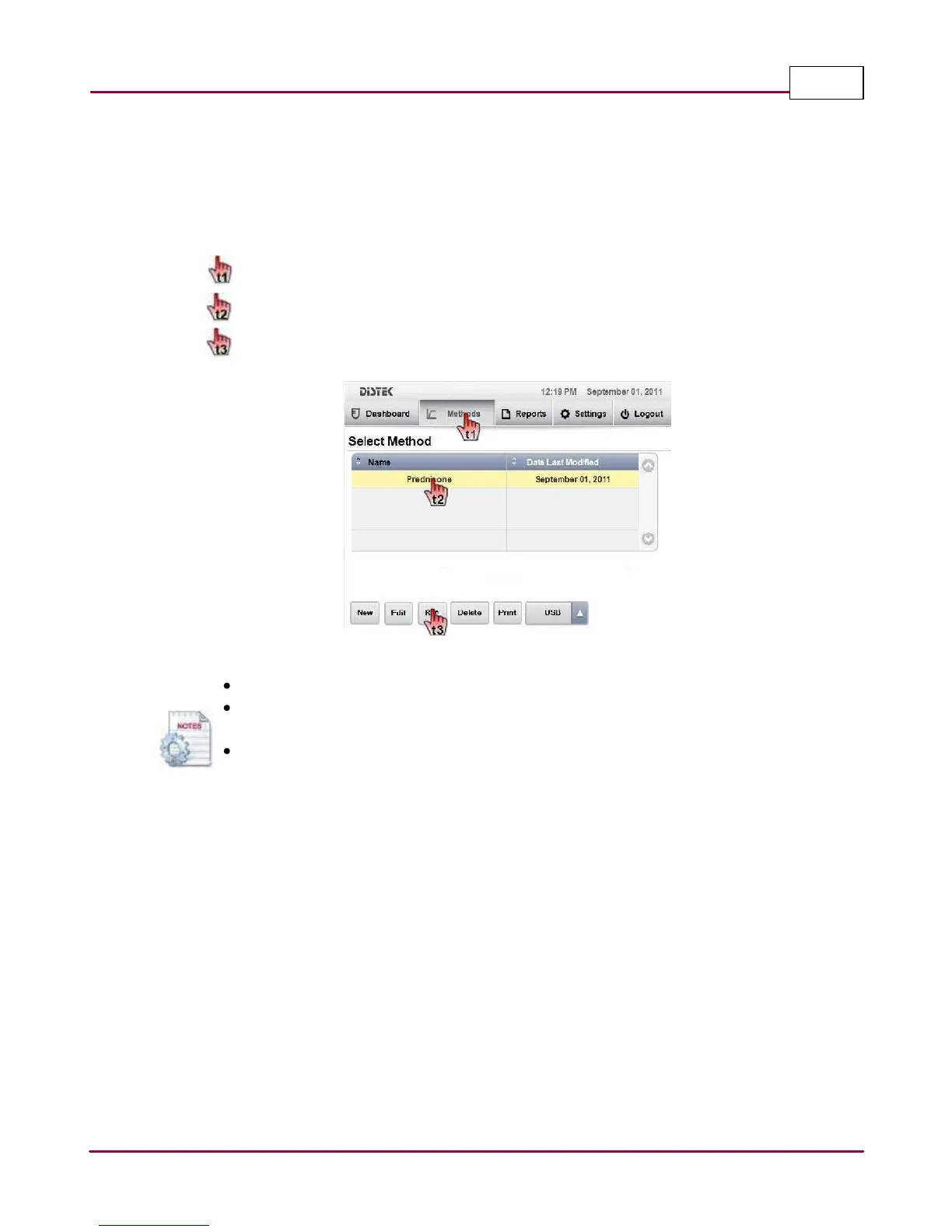
1 Choose
M ethods
tab. The Select Method screen displays the method listing.
Select the desired method you want to run.
Press
Run
to start the test.
Select Method Screen
Use the scroll bar if the instrument has more than 4 created methods.
When creating the method, the
Sta g g er Drop Interva l
setting for simultaneous drop
using baskets should be set to 0 (zero) time.
The method list can be sorted alphabetically by Name or Date Last Modified. Simply
point to Name title field for sorting by name and Date Last Modified title field for
sorting by date.
2 A dialog window is displayed prompting the user to enter the Lot and Batch numbers for
the test. This is an option that can be skipped or remain blank.



 To Next Page