OperationModel 2500 159
© 2015-2017 Distek, Inc. All Rights Reserved
5.10.3.2
LCD Calibration
Despite the advantages of resistive-type touch screens, calibration is necessary to be sufficiently
close to the coordinates of the feature on the display. Otherwise, the software may not correctly
act upon the soft button presses.
The calibration method requires that four targets or test points be displayed and touched in
sequence to determine the screen's individual calibration factors. These calibration factors are
then used to translate screen coordinates into true display coordinates.
Only users that have Manager group login access can perform the LCD calibration
using the Advanced menu.
Another way to access the LCD calibration is through the Login screen. Select and
hold on any part of the log in screen for 5 to 7 seconds to call up LCD calibration.
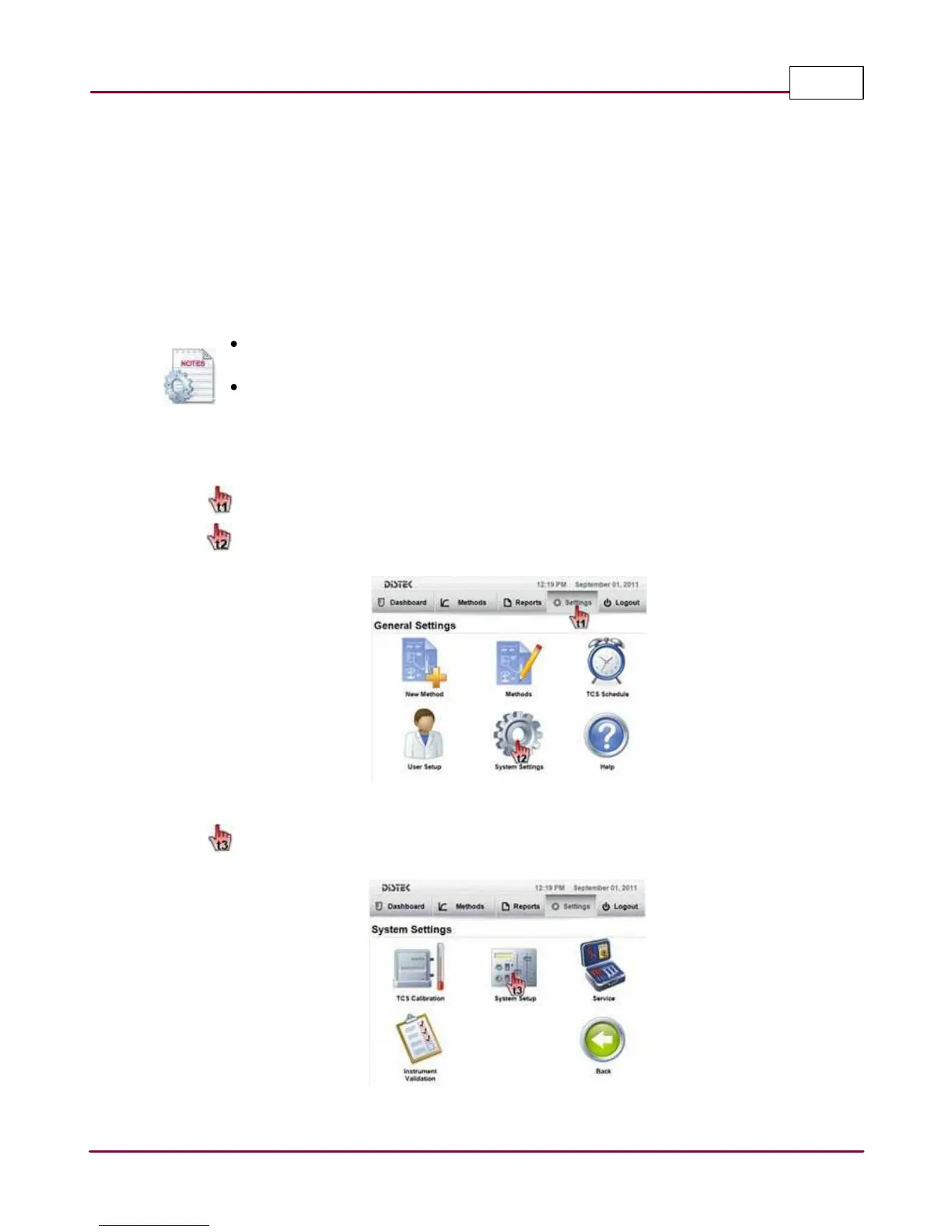
The steps below describe how to access and modify the Advanced Setup.
1 Choose
Setting s
tab.
Select
System Setting s
. The System Settings screen will be displayed.
Selecting the System Settings
2 Select
System Setup
.
Selecting the System Setup



 To Next Page