OperationModel 2500 91
© 2015-2017 Distek, Inc. All Rights Reserved
5.7.1 Selecting a Method
Samples can be introduced simultaneously or staggered when starting a test. Select the desired
method to run.
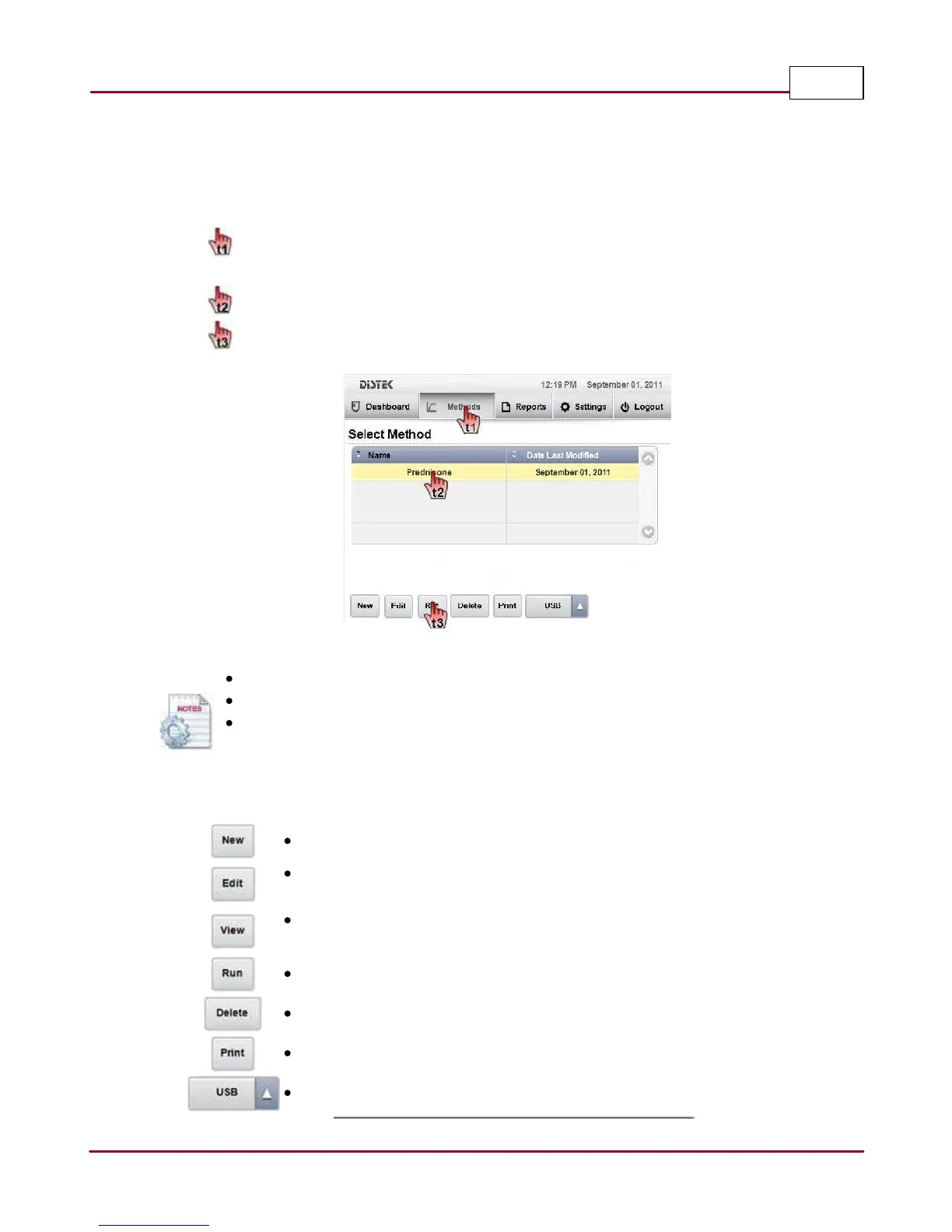
1 Choose
M ethods
tab. The Select Method screen displays the method listing. Use the
scroll bar to display other methods.
Select the desired method you want to run.
Press
Run
to start the test.
Select Method Screen
Pre-Heat stirring can be enabled or disabled using the System Settings.
If equipped, the Tablet Dropper can be enabled in the System Settings.
The method list can be sorted alphabetically by Name or Date Last Modified. Simply
point to Name title field for sorting by name and Date Last Modified title field for
sorting by date.
The function of each command button is shown below:
New: Create a new method.
Edit: Operators logged in as part of the Manager or Advanced User group can
edit an existing method.
View: When logged in as part of the User group, operator can only view the
method.
Run: Start to run selected method.
Delete: Erase selected method.
Print: Print a method report, if printer is configured.
USB: Importing or exporting the methods using a USB thumb drive.



 To Next Page