OperationModel 2500 161
© 2015-2017 Distek, Inc. All Rights Reserved
5.10.4 Service
The Service section refers to software and firmware upgrade changes that can be performed using a
USB flash drive. There are four types of upgrades you can perform: Bridge Board, Module Board,
Application and Platform.
Only users who have Manager group login access can change the configuration or
settings of the instrument.
Password when performing service upgrade is:
disfw
.
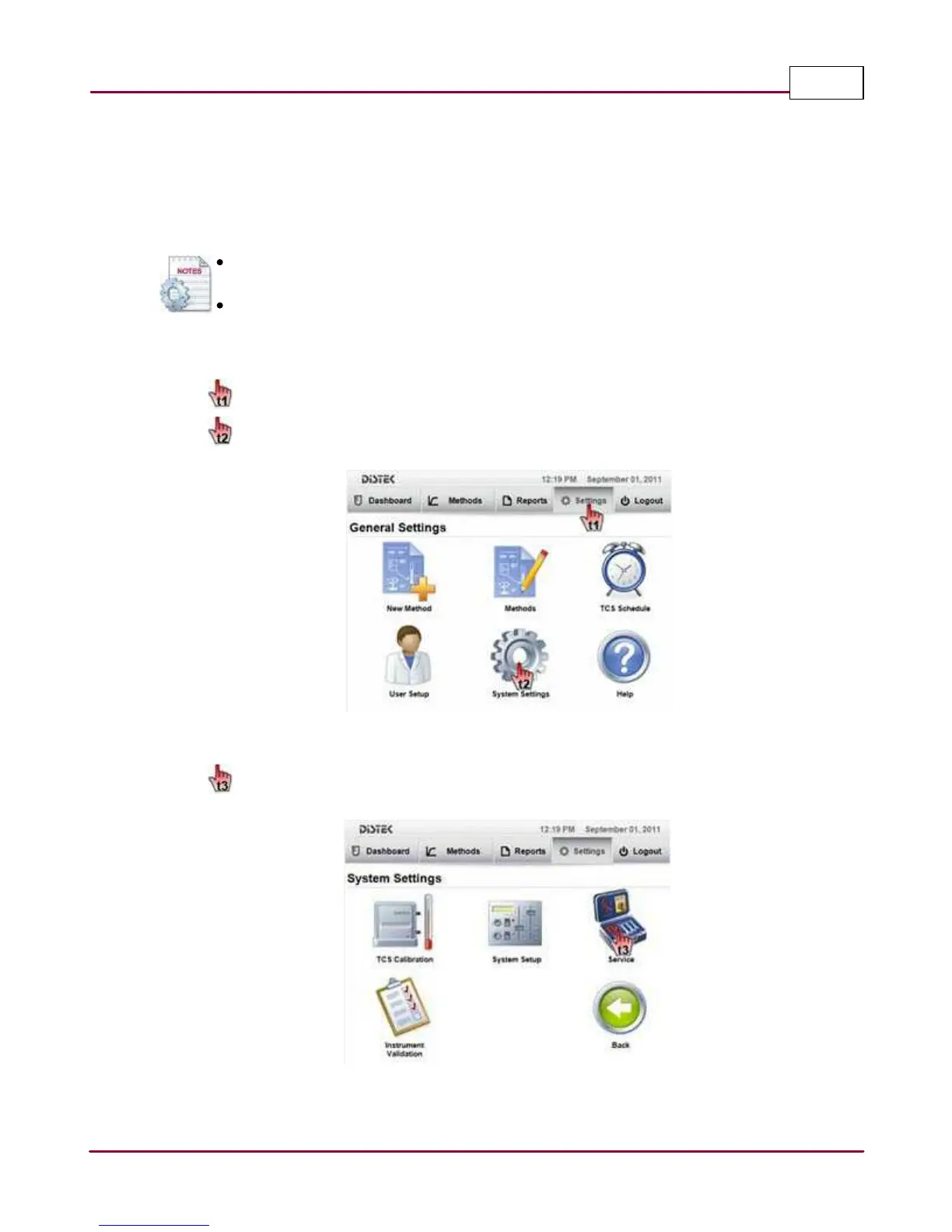
The steps below describe how to access and update the instrument firmware.
1 Choose
Setting s
tab.
Select
System Setting s
. The System Settings screen will be displayed.
Selecting the System Settings
2 Select
Service
. The Service screen will be displayed.
Selecting the Service Screen



 To Next Page