Installing AccessoriesModel 2500 46
© 2015-2017 Distek, Inc. All Rights Reserved
Consult your IT support team to determine the printer's path directory and its
assigned name.
ADVANCED setting will need to be configured prior to setting up the network
connection.
3.3.1 Dedicated Instrument Printer
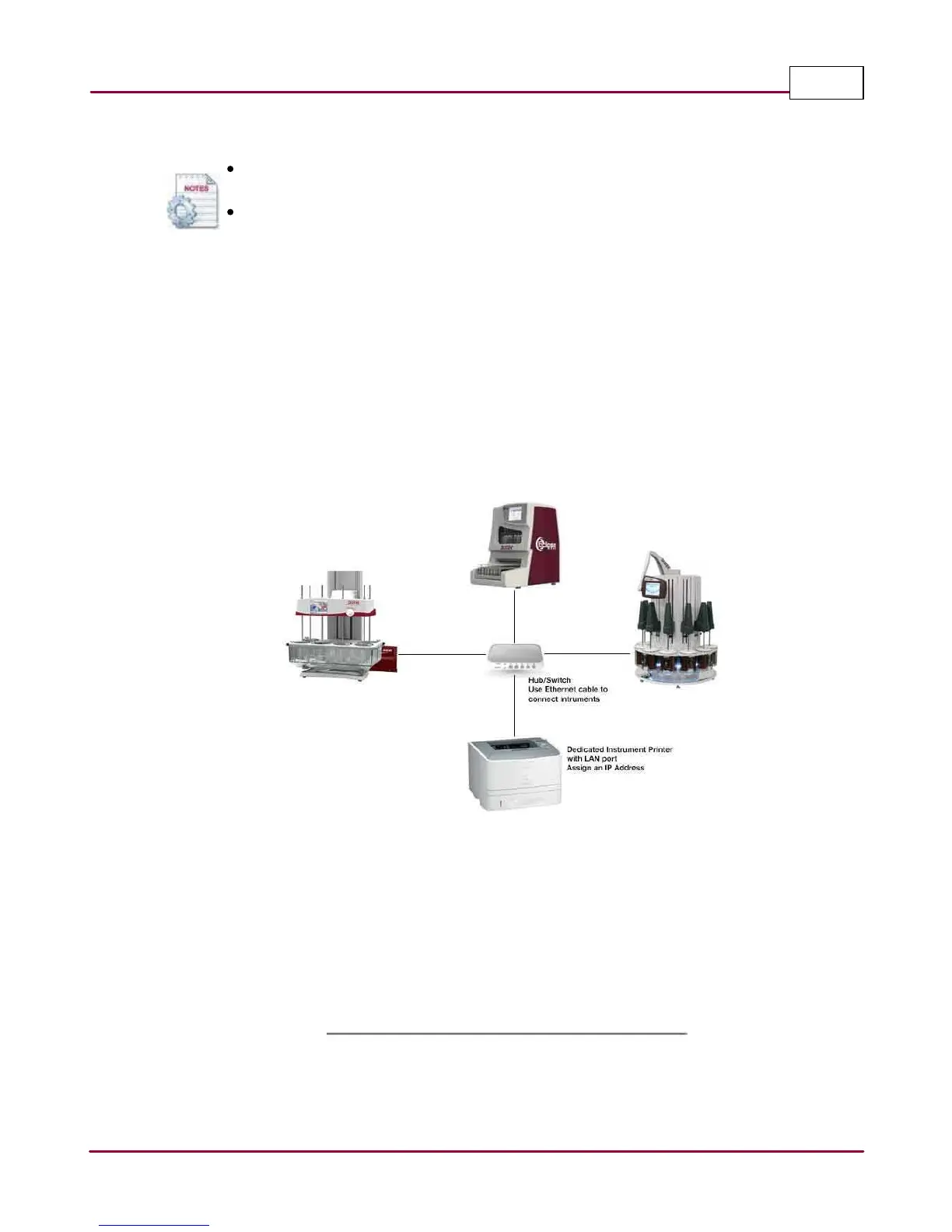
Another option to connect Distek instruments (Models 2500, symphony 7100, sensIR 3200 and
Eclipse 5300) is to have a dedicated instrument printer instead of having a local printers for each
instruments or connecting the instruments to print through the domain.
Dedicated Instrument Printer
The graphic above shows three different instruments sharing a dedicated instrument printer via a
ethernet hub or switch. The printer will need to have an LAN port and must be assigned an IP
Address that will be used by the instruments. Depending on how many instruments need to be
connected to a printer, supply a hub or switch that has enough ports (4 to 25 or more) to support
the number of instruments.



 To Next Page