OperationModel 2500 164
© 2015-2017 Distek, Inc. All Rights Reserved
5.10.5 Instrument Validation
The Instrument Validation is an electronic sticker that can be updated anytime the instrument is
qualified due to new install, or re-qualified due to maintenance at regular qualification intervals,
or repair.
Only users that have Manager and Advanced User group login access can update the
electronic sticker.
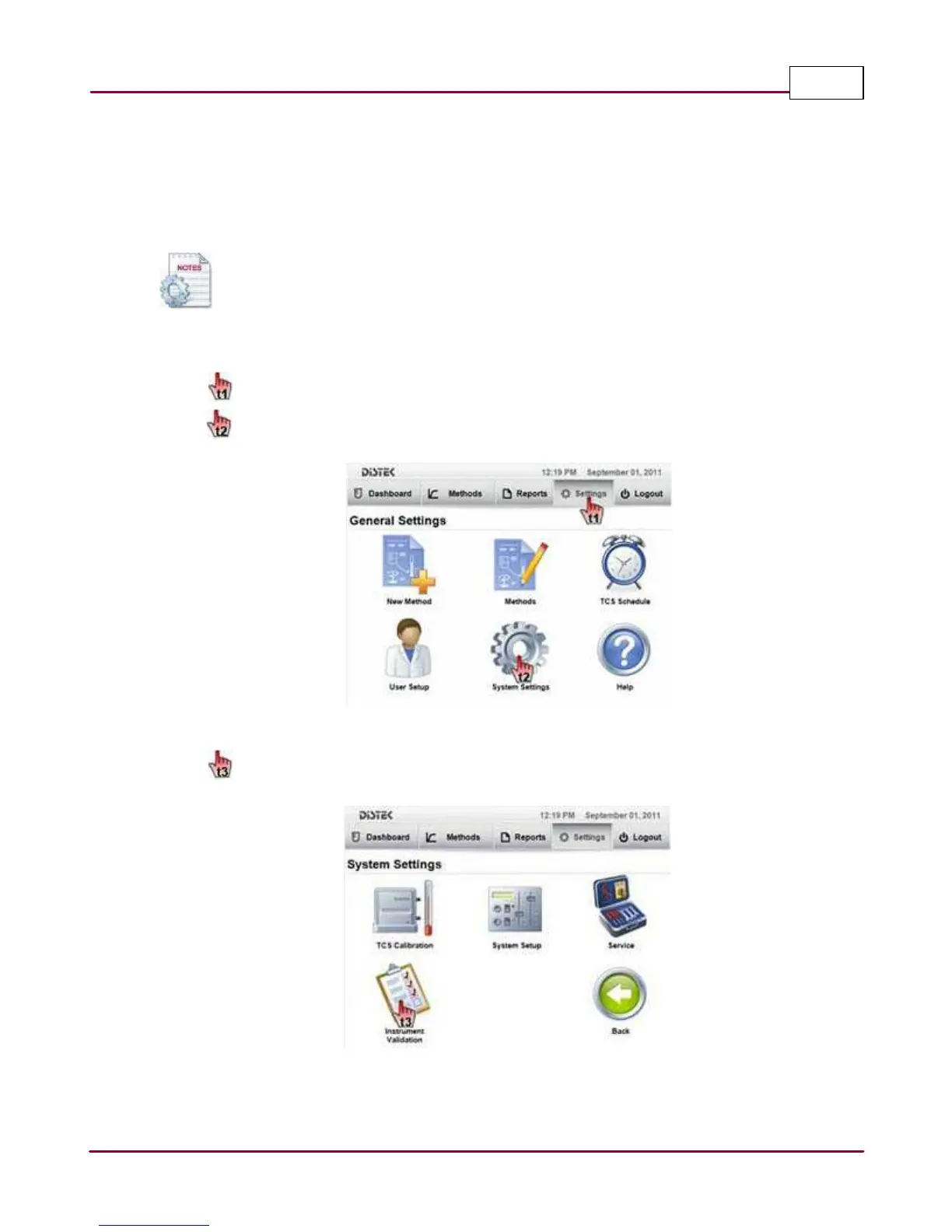
The steps below describe how to access and modify the Instrument Validation information.
1 Choose
Setting s
tab.
Select
System Setting s
. The System Settings screen will be displayed.
Selecting the System Settings
2 Select
Instrum ent V a lida tion
. The Instrument Validation screen will be displayed.
Selecting Instrument Validation



 To Next Page