OperationModel 2500 142
© 2015-2017 Distek, Inc. All Rights Reserved
5.10.2.1
Accessing Calibration
Follow the steps below to calibrate the TCS sensors using either a traceable thermometer or the
Distek TempChek.
The sample screen shots below are similar for Model 2500 with or without the RTD
wireless sensor option.
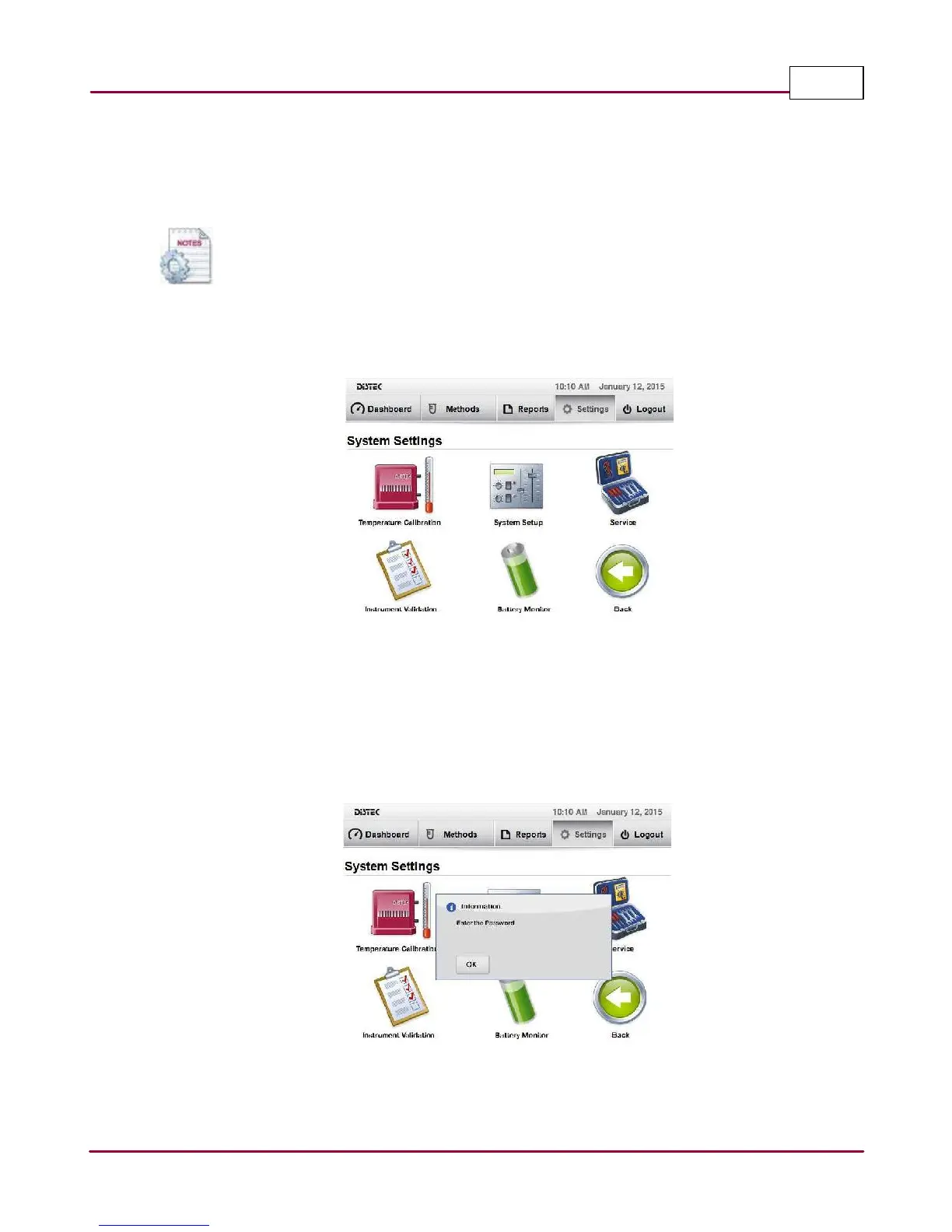
1 Select
Setting s
tab. Then select
System Setting s
. The System Settings screen will be
displayed.
Selecting the System Settings
2 For Model 2500, select
TCS Ca libra tion
or
Tem pera ture Ca libra tion
for wireless sensors.
A popup window message prompts user to enter a password to access the temperature
calibration mode. Select
OK
and enter the appropriate password using the on-screen
keypad.
Calibration login



 To Next Page