OperationModel 2500 156
© 2015-2017 Distek, Inc. All Rights Reserved
5.10.3.1
Advanced Setup
The Advanced Setup section contains additional information regarding the instrument configuration
and settings, including the instrument address, network connection, external controls and end-users
password control.
Only users that have Manager group login access can change the configuration or
settings of the instrument.
Password for Advanced setting is: " disadv "
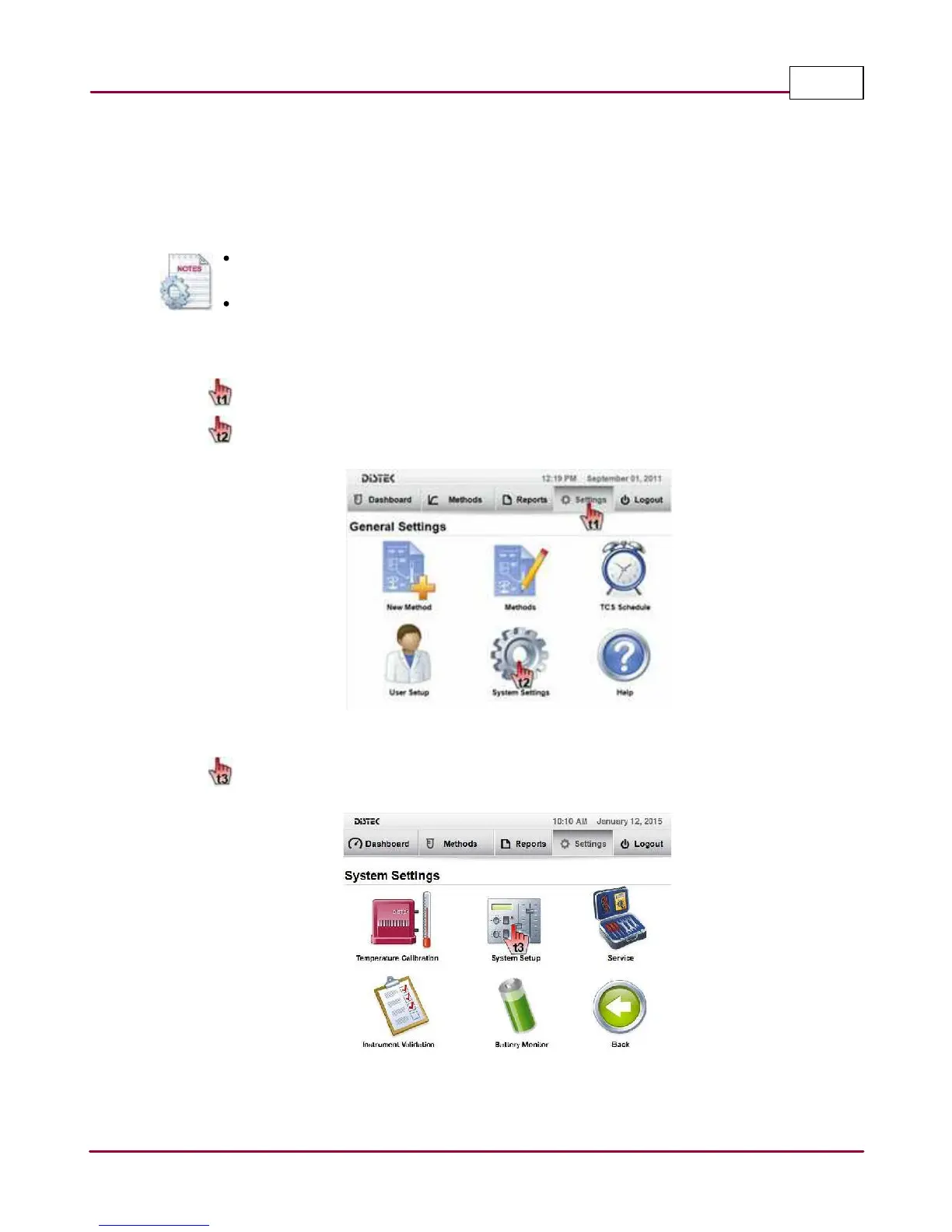
The steps below describe how to access and modify the Advanced Setup.
1 Choose
Setting s
tab.
Select
System Setting s
. The System Settings screen will be displayed.
Selecting the System Settings
2 Select
System Setup
.
Selecting the System Setup


 To Next Page