InstallationModel 2500 28
© 2015-2017 Distek, Inc. All Rights Reserved
2.4 TCS Installation
To install the TCS for 2500 and 2500RTD, follow the procedure below:
1 Position the thermo-circulator behind the right side of the bath with the TCS fittings facing
the right side.
2 Connect the power cord extension to the power port of the TCS and the other end to the
main unit.
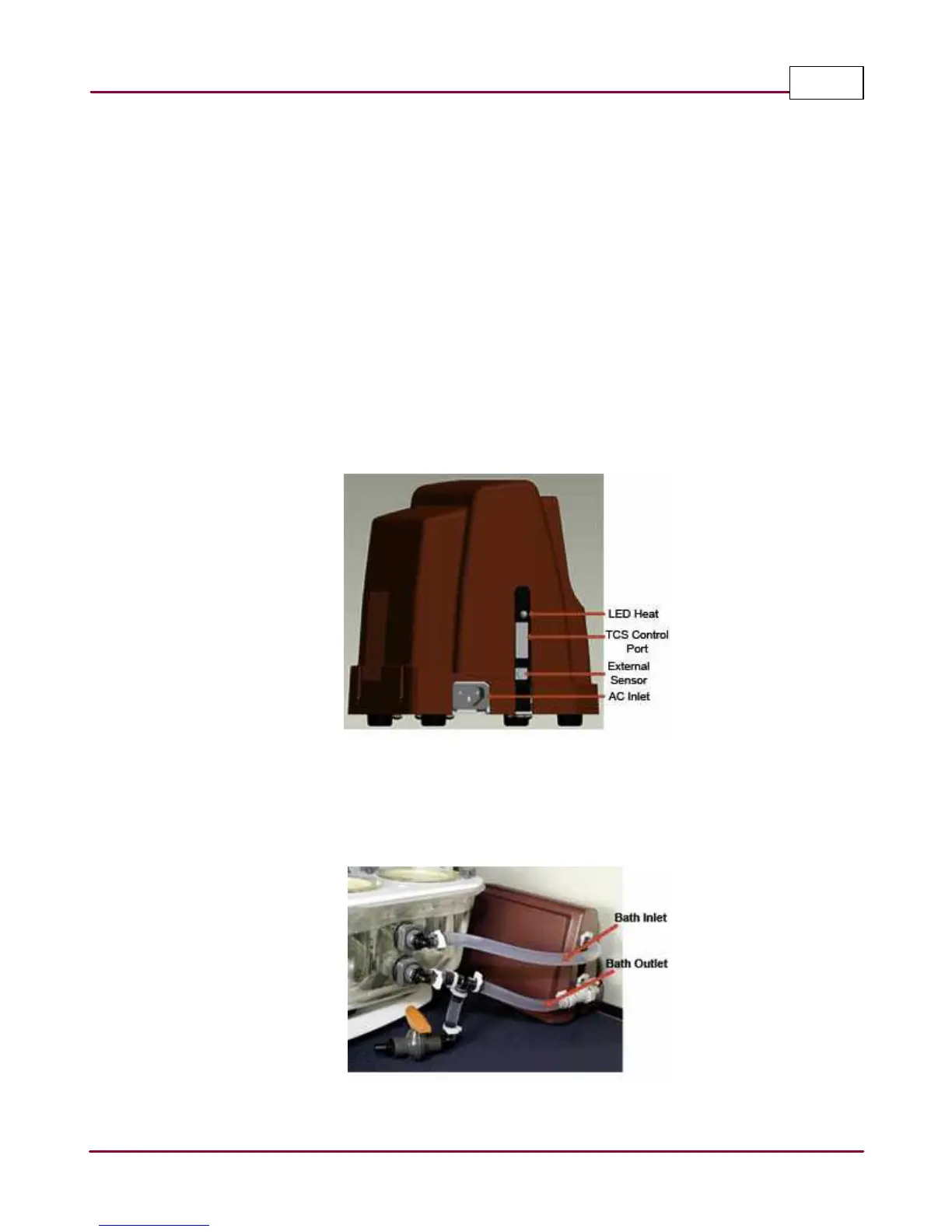
3 Connect the TCS control cable from the main unit into the TCS control port.
4 Connect the external temperature probe and place the probe into the center of the bath
to measure the bath temperature.
TCS 0500 control ports
5 Install the hose clamps loosely on the bath inlet and outlet tubing. Connect the water
bath inlet (top) tubing to the TCS heater outlet (top). Connect the water bath outlet
(bottom) tubing to the TCS pump inlet (bottom).
TCS tubing connection



 To Next Page