OperationModel 2500 81
© 2015-2017 Distek, Inc. All Rights Reserved
5.4.2 2500 RTD
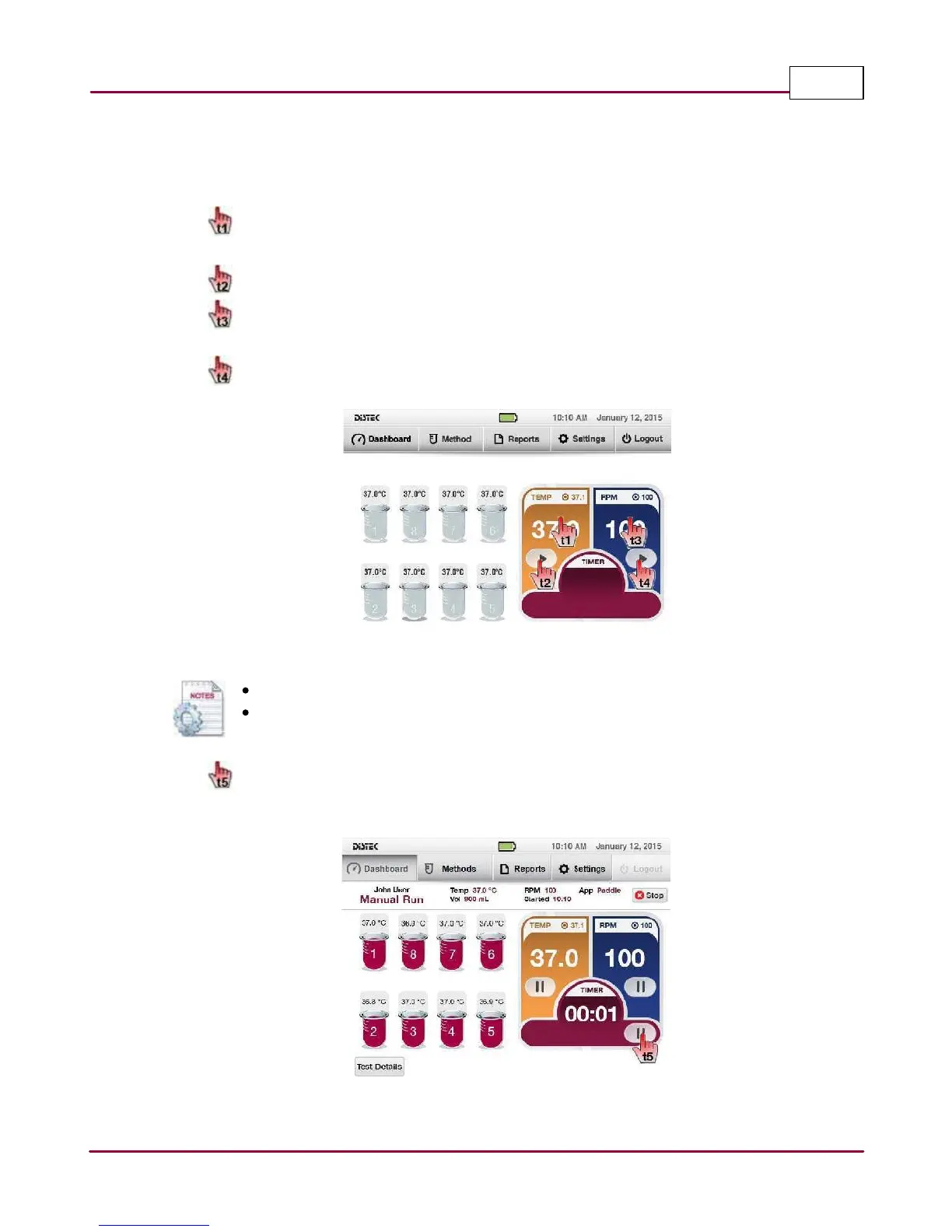
This section describes how to use the Model 2500 with Wireless Sensors in Manual Run.
1 From the Dashboard, set the temperature by selecting temperature display.
Enter the desired temperature using the on-screen keypad.
Start heating by selecting the
Pla y
button.
Set the stirring speed by selecting
RPM displa y
.
Enter the desired RPM using the on-screen keypad.
Start stirring by selecting the
Pla y
button.
Manual Run
If the TCS is already actively heating, skip steps
t1
and
t2
.
Operator has the ability to change the stirring speed anytime.
2 If a timer is needed during Manual Run, select the
Pla y
button of the Timer control
display.
Manual Run Setup Screen



 To Next Page