OperationModel 2500 85
© 2015-2017 Distek, Inc. All Rights Reserved
5.5 Create a New Method
This section describes how to create and save a method for future dissolution sessions. By simply
loading your method, all the setup parameters for a particular test will be stored in the system. A
library of up to 100 methods facilitates routine dissolution tests and the total number of reports
are displayed in the left column (i.e. 1 of 100).
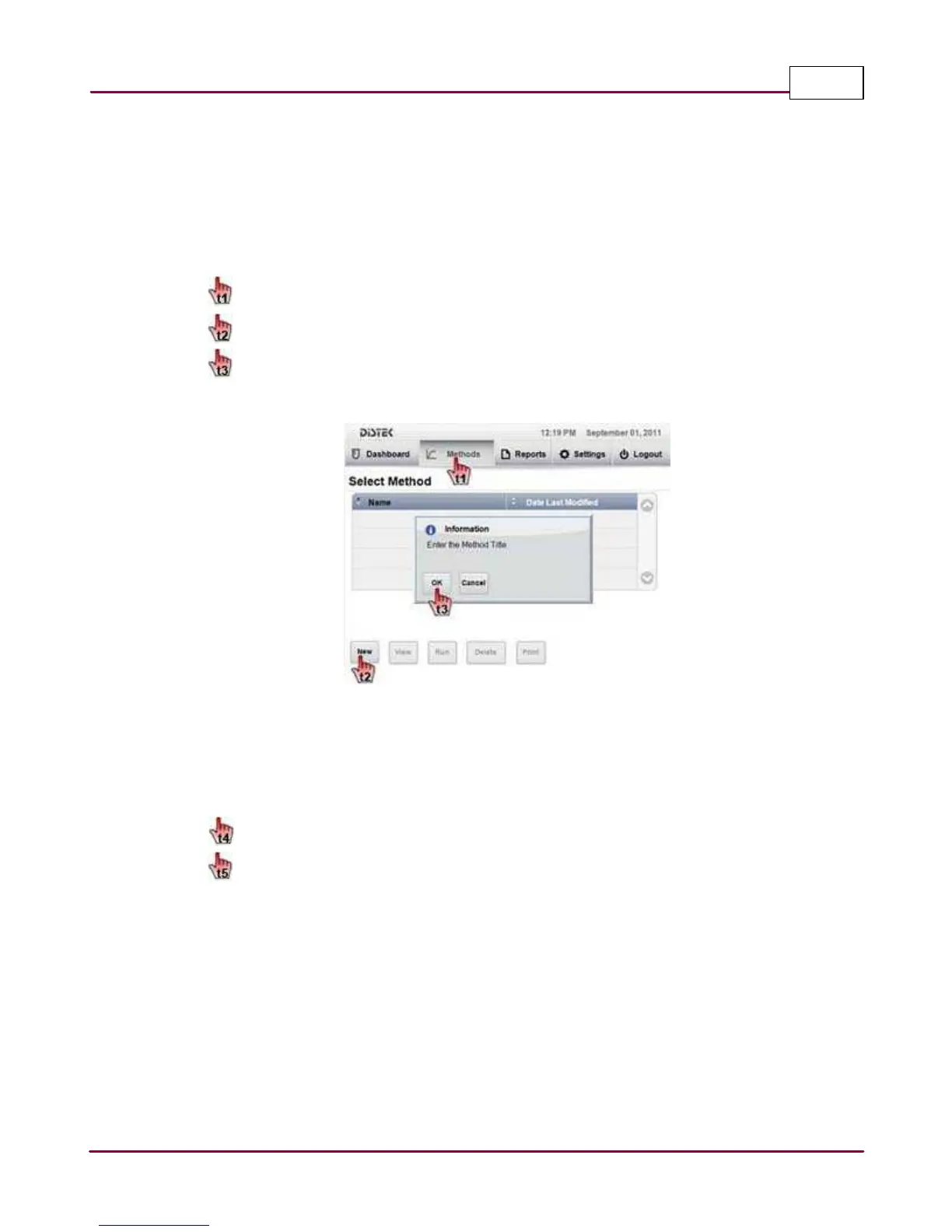
1 Choose the
M ethods
tab.
Select
N ew
.
You will be prompted to enter a Method Title. An on-screen keyboard will be
displayed to enter the name of the method. Press
Enter
to accept the method name.
New Method Title
2 The Create New Method screen will be displayed. This screen contains the dissolution
test parameters. The display is divided in three parts. The left side shows parameter
name and data; the right side shows input display; the bottom section shows command
buttons.
Select the parameter(s) you want to change in the method.
Once all bath parameters meet criteria,
Sa ve
the method.



 To Next Page