OperationModel 2500 137
© 2015-2017 Distek, Inc. All Rights Reserved
5.9.3 Delete User
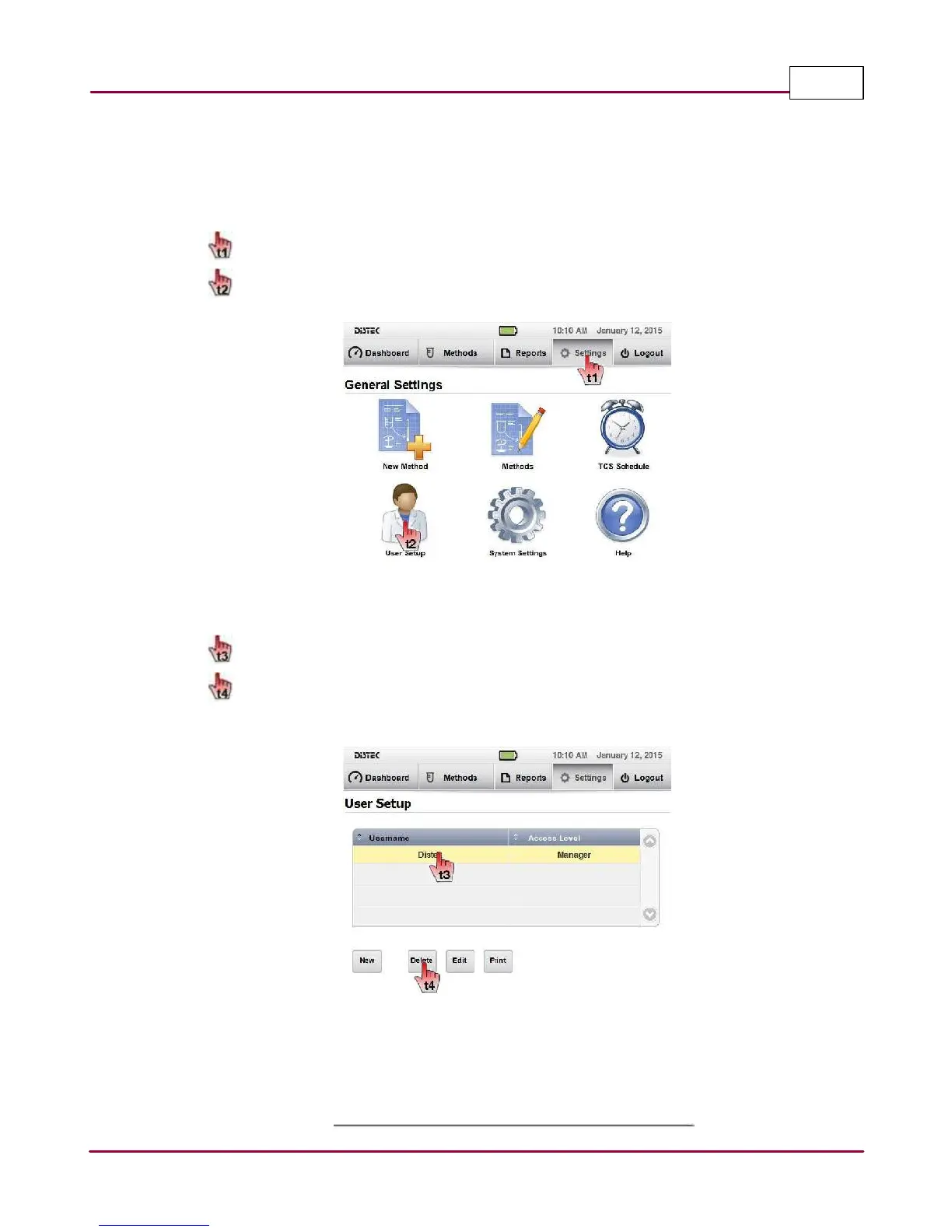
Delete an Existing User
1 Choose
Setting s
tab.
Then choose
U ser Setup
on the General Settings screen.
User Setup
2 Select the username you want to delete.
Click on
Delete
to remove the user permanently. An information window message
will confirm that the selected user will be deleted.
Edit User list screen
3 Confirm that the deleted user cannot be seen on the user list.



 To Next Page