OperationModel 2500 88
© 2015-2017 Distek, Inc. All Rights Reserved
5.6 Edit Method
This section describes how to edit and save an existing method for future dissolution sessions. By
simply loading your current method, the setup parameters for a particular test can be edited.
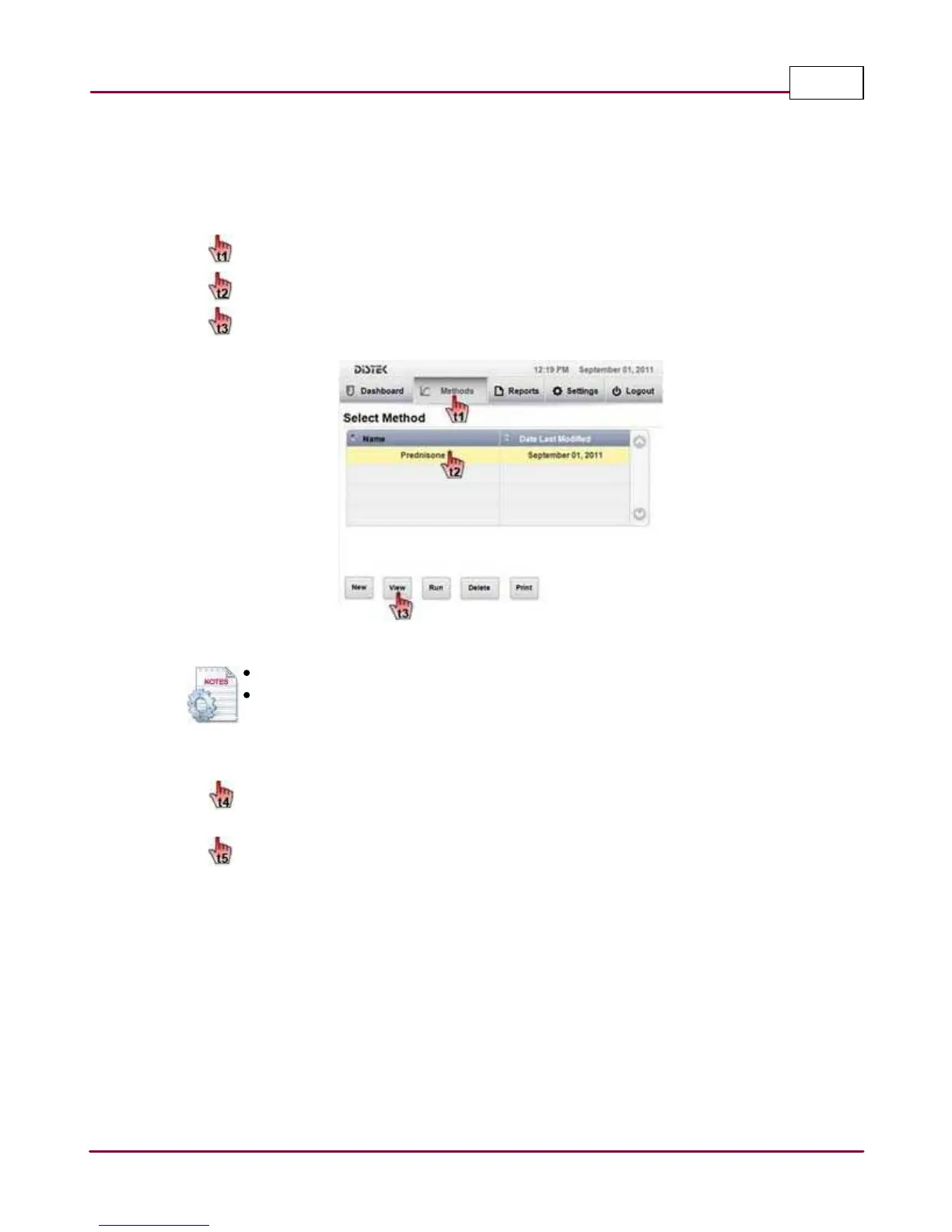
1 Choose
M ethods
tab. The Select Method screen displays the method listing.
Select the desired method you want to edit,
then
V iew
to edit the method.
Edit a Method
Use the scroll bar if the instrument has more than 4 created methods.
List Name or Date Last Modified in either ascending or descending order, by
selecting the titles on the table.
2 In the Edit Method screen,
select and edit the parameter(s) you want to change in the method. Once all changes
are made,
Sa ve
the method.



 To Next Page