OperationModel 2500 157
© 2015-2017 Distek, Inc. All Rights Reserved
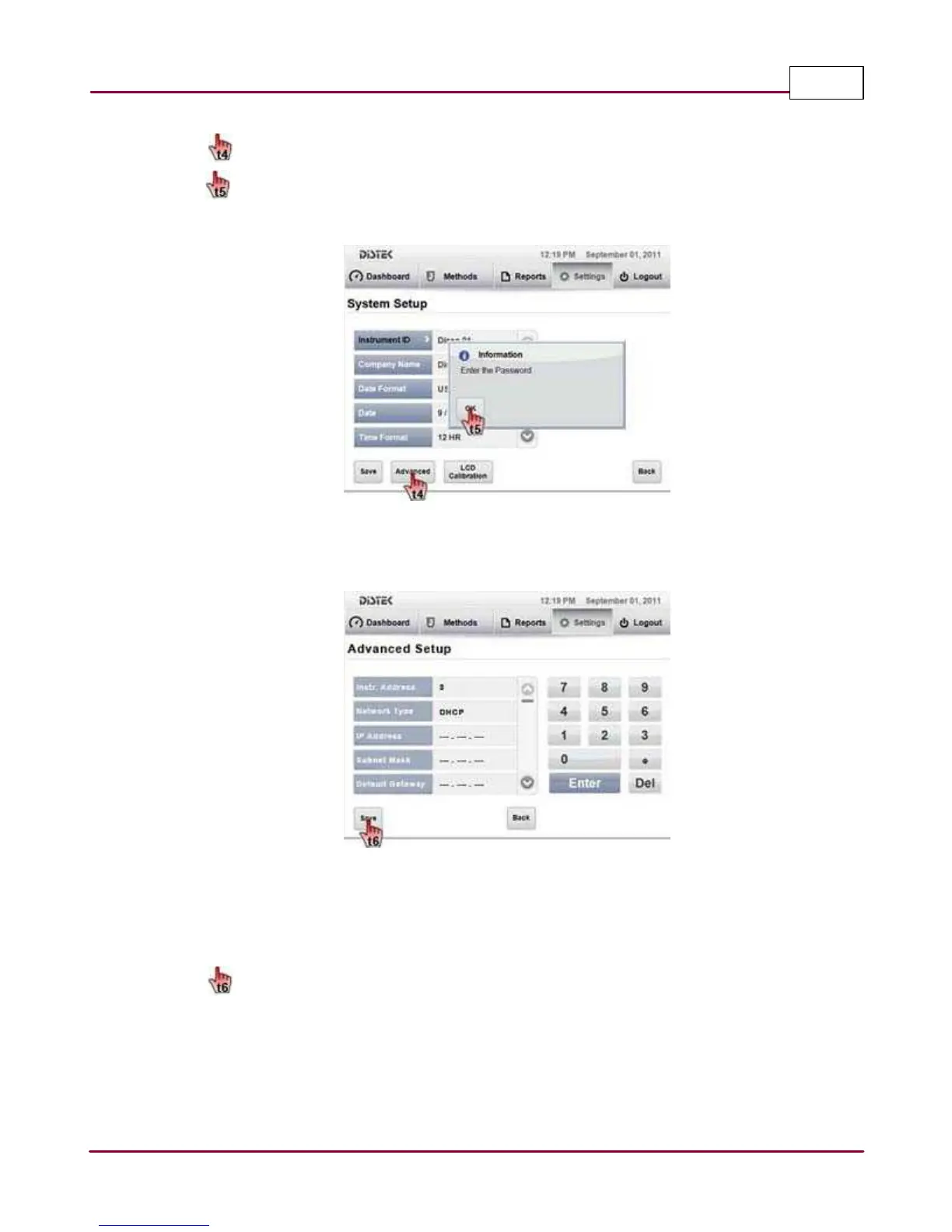
3 Select
Adva nced
button in the
System Setup
screen.
A popup window message prompts user to enter a password to access the Advanced
settings. Select
OK
and enter the appropriate password using the on-screen keypad.
Selecting the Advanced Setup Screen
4 The Advanced Setup screen will be displayed.
Advanced Setup Screen
In the
A dva nced Setu p
screen, you will find a list of settings that can be modified to meet
the desired setting or configuration of the instrument. Select the parameter that needs to
be modified to meet the desired criteria.
5
Sa ve
the changes once all parameters meet criteria.



 To Next Page