OperationModel 2500 158
© 2015-2017 Distek, Inc. All Rights Reserved
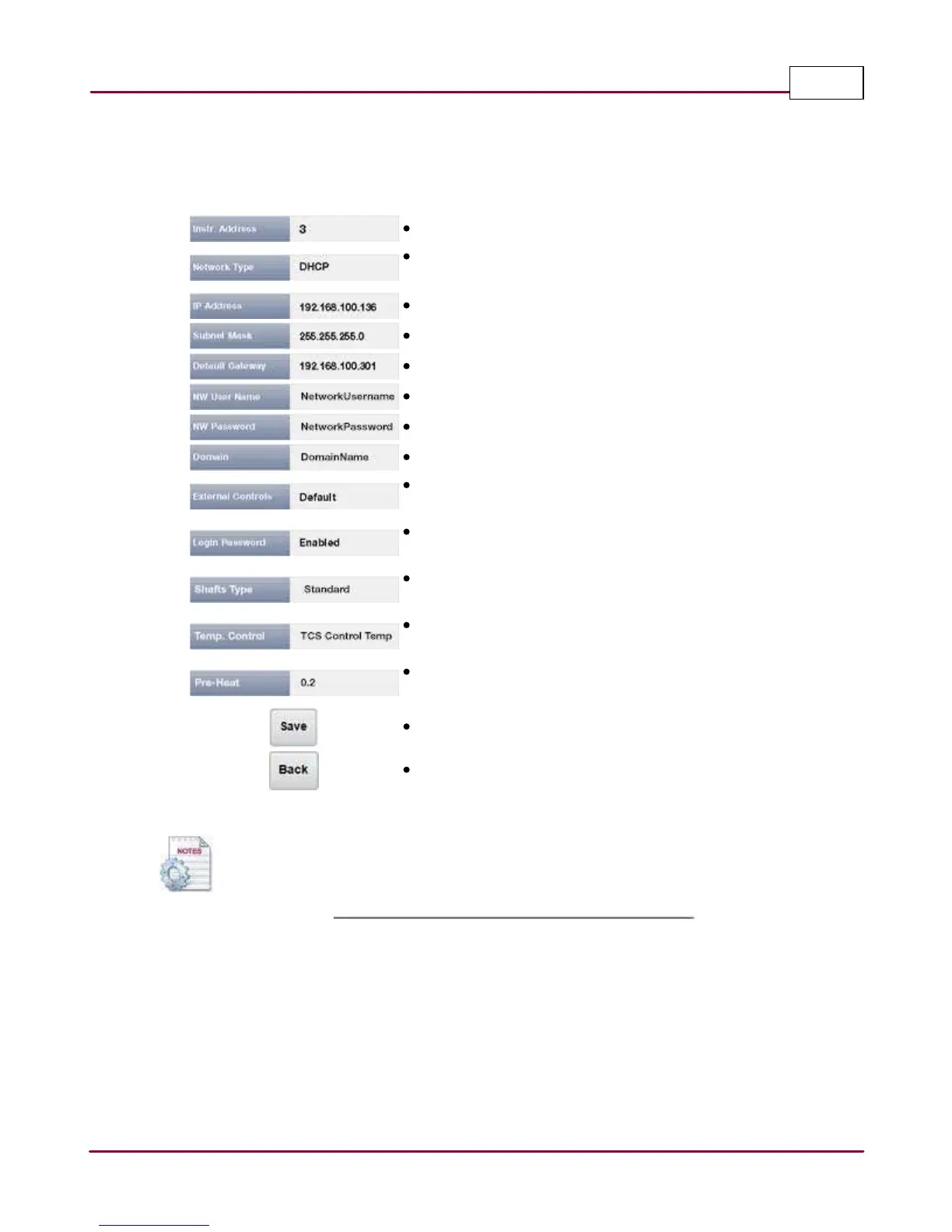
A summary of settings for each parameter and the function of each command button is shown
below:
Instr. Address: Set the instrument address from 0 to 31.
Network Type: Set the network type to either DHCP or TCP/
IP.
IP Address: Set the IP address.
Subnet Mask: Specify the Subnet address.
Default Gateway: Specify the default gateway.
NW User Name: Username to connect to the network.
NW Password: Username password to connect to network.
Domain: Domain network name.
External Controls: Specify between Default (EVO 4300,
Agilent 8453 and Opt-Diss) and Waters (HPLC).
Login Password: Enable or Disable the login of the
instrument.
Shafts Type: Specify between Standard or RTD
NOTE: Not available for 2500 Select.
Temp. Control: Specify between TCS Controls Temp or Shafts
Control Temp (available with wireless sensors only)
Pre-Heat: Range from 0.2 to 0.5 (available with wireless
sensors only)
Save: Saves the settings.
Back: Returns you to the Settings screen.
When External Control is set to Waters interface, a vial icon indicator appears in the left upper
corner next to Distek logo.



 To Next Page