OperationModel 2500 160
© 2015-2017 Distek, Inc. All Rights Reserved
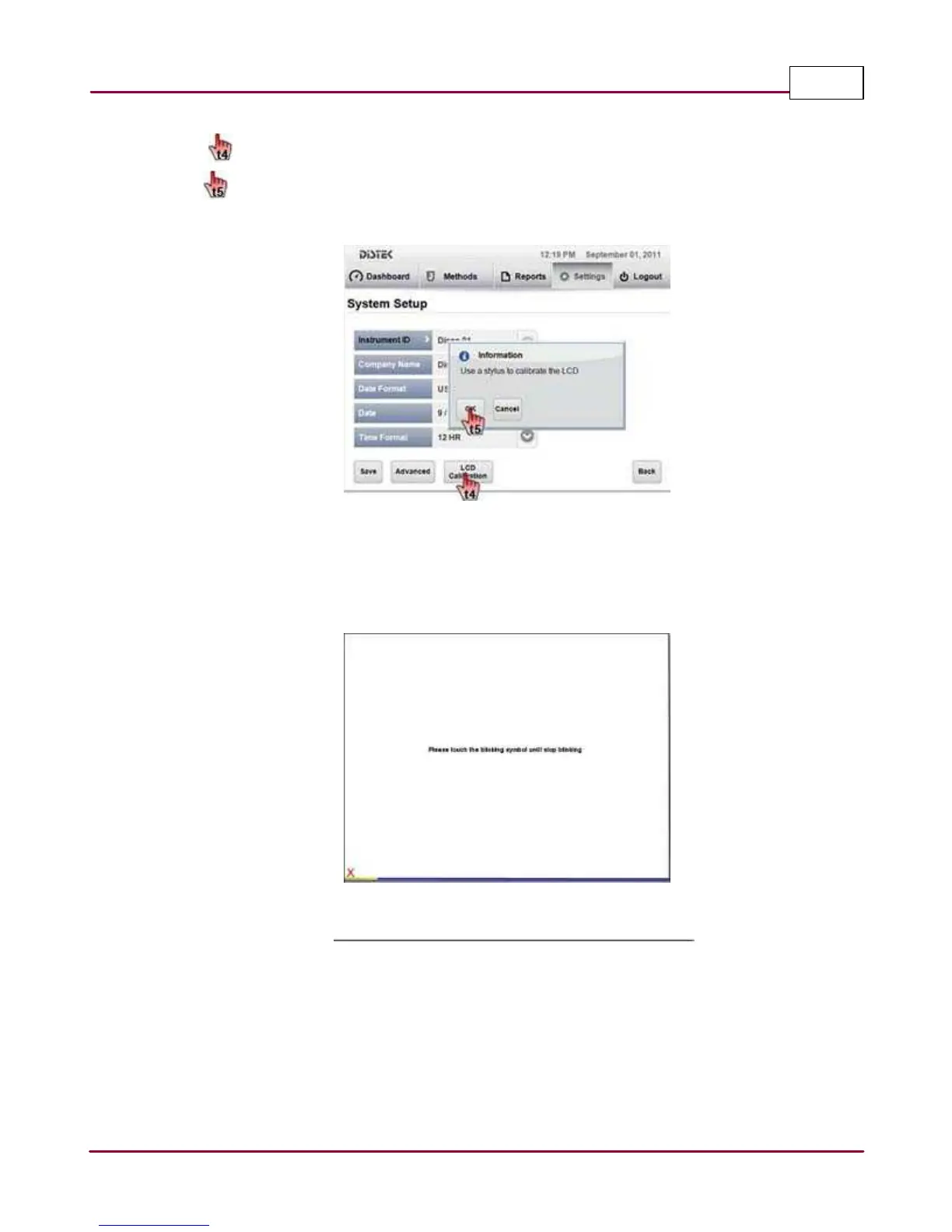
3 Select
LCD Ca libra tion
button in the System Setup screen.
A popup window message prompts user to use a stylus to calibrate the LCD. Select
OK
to perform the calibration.
System Setup screen
4 The LCD
calibration
screen will be displayed. Using a stylus, follow the instructions on the
screen. Once all four coordinates are touched in sequence, the calibration is saved
automatically and the screen reverts to System Setup.
LCD calibration screen



 To Next Page