OperationModel 2500 94
© 2015-2017 Distek, Inc. All Rights Reserved
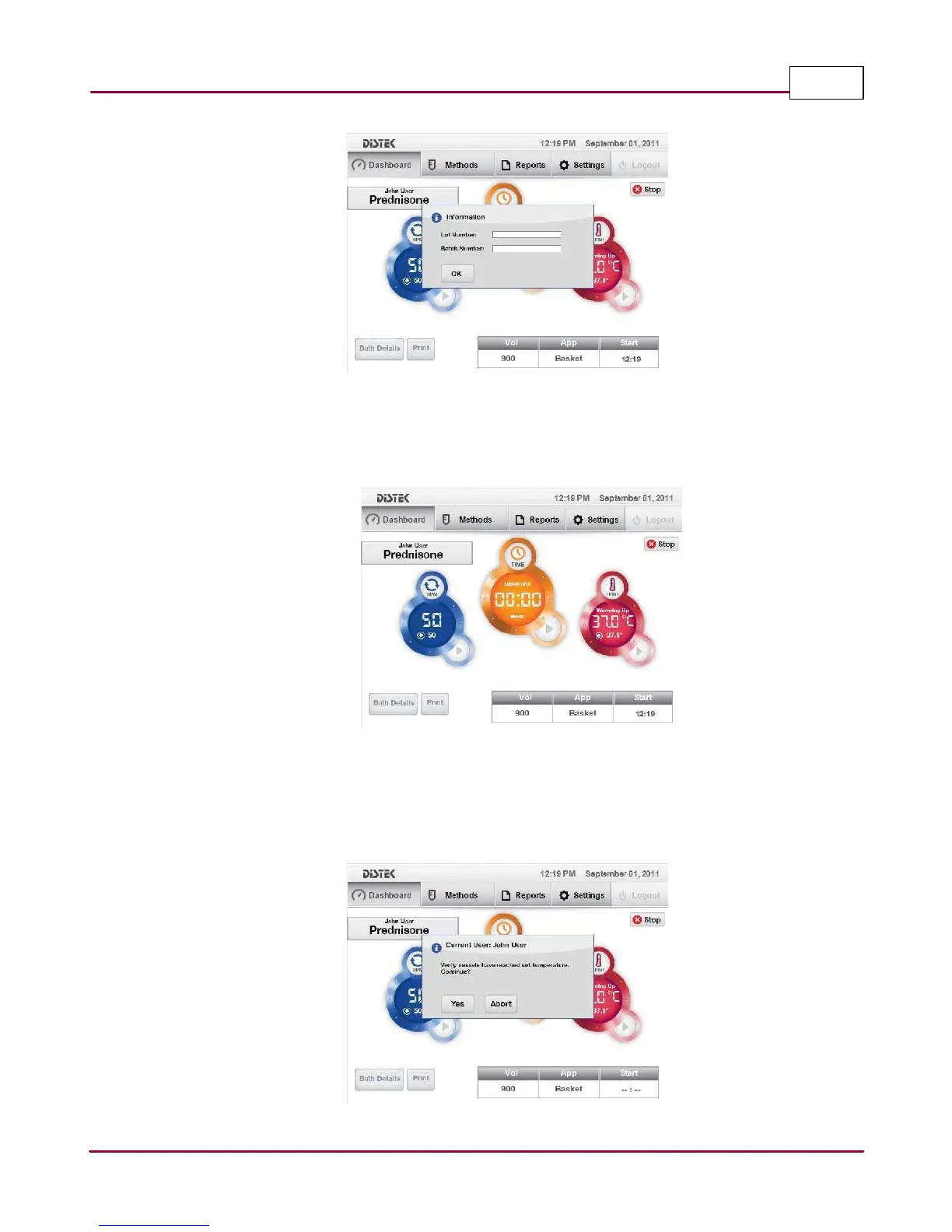
Prompts user to enter Lot and Batch Numbers
3 Test will start pre-heating, the bath temperature status will start flashing; shows Warming
Up
and RPM status is updated.
Method started
4 After the instrument has completed a warming up period, a status window prompts the
operator to verify the temperature of the media inside the vessels. Once vessel
temperatures are verified, select
Yes
to continue.
Verify, raise drive and introduce dosage



 To Next Page